The best sewing machine to learn on should make basic operations understandable and give you room to practice useful projects. Beginners need controllable speed, clear threading instructions, and suitable stitches more than an impressive feature count. This guide compares three household options and explains how to evaluate setup, practice seams, first projects, and ongoing costs so your first machine supports steady progress without making the learning process needlessly complicated either.
As an Amazon Associate, Practical Textile earns from qualifying purchases. Product links may earn us a commission.
Quick Answer
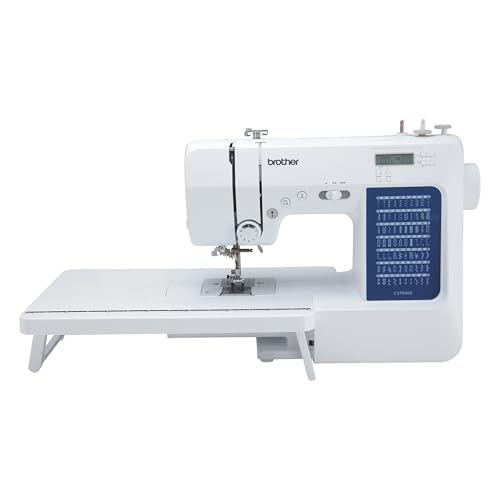
Compare the Brother CS5055 for a focused computerized starting point, the Brother XR9550 for a broader household role, and the Brother GX37 if you prefer mechanical controls. Choose through threading and sewing practice with your own hands. The best beginner choice is one you can operate, maintain, and use for the projects you actually want to make.
This guide compares published specifications and project fit; it does not report hands-on testing.
Brother CS5055
Compare its interface and pedal control without assuming every advanced convenience is included.
Brother XR9550
A broader computerized option with speed control for deliberate practice.
Brother GX37
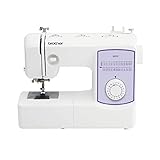
A dial-controlled alternative for learners who want a direct physical interface.
What a Beginner Machine Should Actually Help You Learn
Your first machine should make it practical to learn threading, seam allowances, stitch selection, fabric handling, and simple troubleshooting. Those skills transfer to other machines and more ambitious projects. A machine is less helpful if its controls feel so confusing that you avoid using it, even when its specification list looks excellent.
Begin with the projects you want to complete over the next few months. A pillow cover, a woven tote, and simple clothing alterations are realistic starting points for many learners. Quilting, embroidery, and stretch garments introduce different equipment questions. Buying every possible feature immediately can obscure the basic sewing skills you need first.
This comparison covers ordinary household sewing machines, not toys or specialized embroidery-only models. It does not promise that a particular machine will make learning effortless. Your access to a clear manual, a suitable workspace, patient instruction, and regular short practice sessions can matter as much as choosing among competent general-purpose models.
| Machine | Learning role | Important distinction |
|---|---|---|
| Brother CS5055 | Focused computerized household sewing | Do not assume it has a speed slider or automatic thread cutter |
| Brother XR9550 | Broader computerized project range | Extra stitch selections are not all essential beginner tools |
| Brother GX37 | Mechanical dial-based learning | Try pedal control and manual stitch setup before choosing |
Brother CS5055: A Focused Computerized Starting Point
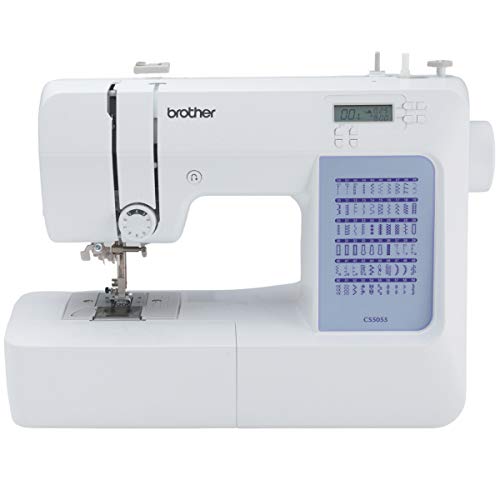

The Brother CS5055 deserves consideration if you prefer selecting stitches through a computerized interface without immediately moving into an elaborate sewing-and-embroidery system. It provides a useful collection of ordinary sewing operations for learning construction. The relevant benefit is access to suitable stitches with an understandable selection process, not a claim that computerized sewing will correct every beginner mistake.
Pay particular attention to what this model does not include. It does not have an independent speed slider, automatic thread cutter, or start/stop sewing button. Pedal control remains part of learning to operate it. Do not select the model based on a demonstration of another Brother machine and assume the controls will transfer unchanged.
Try threading the upper path, inserting the correct bobbin, raising the bobbin thread if directed, and selecting a straight stitch. Then sew a short marked line on an appropriate woven sample. If you can follow the instructions and identify the relevant controls comfortably, that is a more meaningful first impression than watching someone else sew a decorative sample quickly.
For help evaluating the computerized learning experience, read our computerized sewing machine guide for beginners. Use the exact CS5055 manual for its settings and operating steps rather than treating general advice as model-specific instruction.
Brother XR9550: Broader Scope With Useful Speed Control
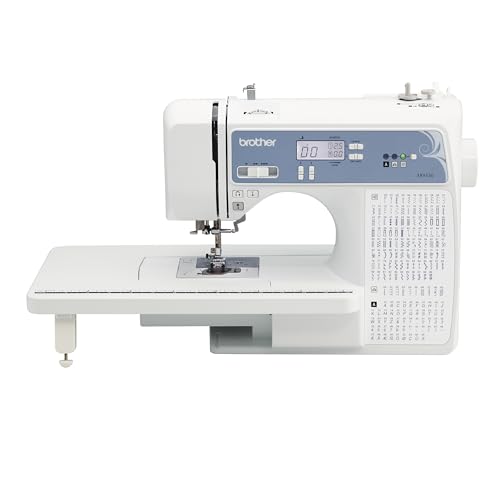
The Brother XR9550 is worth comparing when you expect your first machine to support a wider selection of household projects. Its speed slider can help establish a deliberate pace while you practice steering, seam allowances, and stopping. A speed limit is a useful control, but it does not eliminate the need to learn how the pedal and fabric feeding behave.
The machine includes a wide table, which can support suitable larger work. It also has more stitch selections than most beginners will initially need. Do not let the size of the menu dictate your first lessons. Learn a reliable straight seam, reverse securing, an appropriate zigzag, and a buttonhole when your projects call for them before spending substantial time on decorative variations.
The alphanumeric selections are not the same as hoop embroidery. If you eventually want automatic embroidered logos or imported designs, that is a different equipment decision. This machine can still be useful for learning ordinary construction without becoming an embroidery machine later.
Our Brother model comparison helps distinguish general sewing from embroidery and specialist straight-stitch roles. Buy the XR9550 for the ordinary sewing tasks it supports, with realistic expectations about which future projects might need another machine.
Brother GX37: Learn Through Mechanical Controls
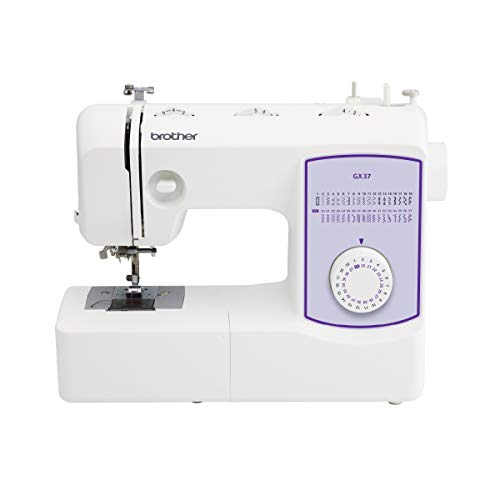
The Brother GX37 offers a mechanical alternative for someone who prefers physical dials to a computerized stitch-selection interface. It has a practical utility-sewing role rather than an automatic advantage over electronic models. Some learners find direct mechanical selection easier to understand; others prefer a screen and buttons. Try both if possible.
A mechanical machine still requires correct threading, compatible needles and bobbins, and suitable settings. It is not automatically maintenance-free or impossible to set incorrectly. The useful question is whether the controls and manual make sense to you while you perform the operation yourself.
Try starting slowly, stopping near a marked point, changing stitch settings with the machine correctly positioned, and sewing around a gentle curve. Compare the experience with the other shortlisted models. Our computerized versus mechanical explanation can help you evaluate that preference without assuming one system is universally easier.
Useful Features Across This Shortlist
- Full-size household sewing roles rather than novelty-machine expectations.
- A choice of computerized or mechanical controls.
- Utility operations for practical early projects.
- A broader option with an independent speed slider.
- Skills that remain relevant when you use another machine later.
Learning Limits to Expect
- Features cannot replace practice with threading, guiding, and project preparation.
- No single general-purpose machine automatically supplies every specialist sewing or embroidery function.
Your First Lesson Should Include Threading
A machine that arrives threaded is convenient, but you still need to understand how to thread it yourself. Follow the manual in order, with the presser foot and needle positioned as instructed. Identify the spool path, take-up lever, needle direction, bobbin type, and bobbin orientation. These details are easy to overlook when an experienced demonstrator handles the setup for you.
Practice removing and replacing the bobbin and rethreading both paths before the first important project. If a loop or tangle appears underneath, stop and recheck setup rather than assuming that the bobbin tension needs immediate adjustment. Many apparent machine faults begin with an incorrect threading step or an unsuitable needle.
Keep the manual nearby and mark the relevant diagrams. A short personal checklist can help while the sequence becomes familiar. Avoid mixing instructions from several different models during the first lesson, because similar-looking machines can use different bobbins, controls, or threading details.
Build Control With a Small Practice Sequence
Begin on a stable woven cotton of suitable weight, using the needle and thread recommended for that kind of material. Mark straight lines and gentle curves. Practice keeping a consistent seam allowance by following a guide rather than staring only at the moving needle. The goal is smooth guidance with hands clear of the needle area.
Next, practice starting and ending a seam, pivoting where the model’s instructions permit, and stopping at a chosen point. Inspect the underside of each sample. A seam that looks acceptable on top may still have loops, poor balance, or unsecured ends. Keep successful samples as a reference instead of judging every attempt from memory.
Add a simple corner and a seam crossing only after the flat samples become predictable. Progress should introduce one difficulty at a time. Changing fabric, thread, stitch, and project complexity all at once makes it difficult to understand whether a problem comes from the machine setup or the new task.
Choose a First Project That Teaches One New Skill
A simple pillow cover teaches measuring, cutting, seam allowances, and turning a project right side out. A basic woven tote adds handles and seam planning, although reinforcement and bulky intersections should remain appropriate to the machine. A small fabric organizer can introduce turning and topstitching without requiring garment fitting.
Choose a pattern with clear instructions and materials suitable for a beginner. Extremely slippery fabric, dense multiple layers, or a very stretchy knit can make the first experience harder than necessary. You can return to those materials after you have a reliable setup and understand the additional requirements.
For an early clothing project, consider a simple woven design with modest fitting demands. Read the instructions before cutting so you know which closures and finishes will be needed. A machine purchase is only one part of completing the project; accurate cutting, pressing, and following the construction order all contribute to the result.
Budget for the Tools That Let You Use the Machine
Allow for suitable thread, a small selection of compatible needles, correct bobbins, measuring tools, fabric scissors or a rotary-cutting setup, pins or clips, and pressing equipment. You do not need an entire accessory collection on the first day. Buy tools that solve the next project requirement rather than every product described as essential.
A stable table and comfortable working height deserve attention. If the machine moves or the fabric drops off the edge, learning becomes unnecessarily awkward. Good task lighting helps you see guides and stitches without leaning into the needle area. Keep the cable and pedal arranged so you can sit and operate the machine comfortably.
For compatible Brother setups, our needle-size guide provides useful background. The machine manual remains the authority for needle system and operating limits. Do not assume that a needle or bobbin fits simply because another beginner uses it in a different model.
Learn a Calm Troubleshooting Routine
When the stitch changes suddenly, stop before sewing farther into the project. Check whether the needle is damaged or inserted incorrectly, whether the upper path is properly threaded, whether the correct bobbin is installed, and whether the thread is catching. Change one variable at a time and test on scrap.
Do not turn every available tension adjustment because a tangle appears. Our Brother tension guide explains why setup and threading checks come first. If the manual’s basic steps do not resolve the problem, seek model-specific support rather than forcing the machine through repeated failed seams.
Follow the manual’s cleaning instructions, disconnecting power when directed for maintenance. Use only lubrication procedures authorized for the model. A general internet recommendation to add oil does not establish that it belongs at a particular point in your machine. Good beginner habits include knowing when to pause and ask for service.
Evaluate Instruction and Service Before Buying
Ask whether the seller offers an orientation lesson, which return terms apply, and where service would be performed. Confirm the warranty for the exact listing and sales channel. A seller who can help you understand basic setup may offer practical value beyond a small initial price difference.
If you take a class, ask whether your machine type suits the planned lessons and whether you can bring it. Learning on your own controls can make practice at home easier. If the class supplies machines, note which features you find helpful before buying, while remembering that the specific classroom model may not be necessary.
Compare your likely use over the next year with your available space and budget. A focused machine you use regularly is a better learning investment than an elaborate one left in its box. Make a realistic plan for practice and a first finished project alongside the purchase decision.
Frequently Asked Questions
Is a computerized sewing machine too difficult for a beginner?
Not necessarily. Some beginners prefer computerized selection, while others find mechanical dials clearer. Try threading, selecting a stitch, and sewing a sample yourself. The interface you understand matters more than the category label.
Do I need hundreds of stitches to learn sewing?
No. Most early lessons use a small number of utility operations. Learn reliable straight stitching, appropriate edge finishing, and the closures your projects require before treating a larger decorative menu as essential.
Does the CS5055 have a speed slider?
No. Do not assume it has that feature because other computerized Brother models do. If an independent speed limit is important to you, compare the XR9550 and check the exact model specifications before purchasing.
Should I buy a miniature machine first?
A miniature format is not automatically easier to use or suitable for the projects you want. Compare instructions, stitch formation, stability, service, and actual capabilities. A practical full-size household machine may offer a clearer path for learning ordinary construction.
When should I upgrade from a beginner machine?
Upgrade when a recurring project requirement exposes a clear limitation, such as a specialist stitch formation, additional working room, or a different equipment class. Finishing more advanced projects does not by itself require replacing a machine that still performs the necessary operations well.
Final Recommendation
Start by trying the CS5055, XR9550, and GX37 according to your control preferences and project plans. Give threading, slow sewing, and support arrangements more weight than decorative stitch totals. Pair the machine with a manageable first project and regular practice, and choose a model you can understand and maintain rather than one selected only for features you may never use.