
The best computerized sewing machine is the one whose controls solve your everyday sewing problems. A screen and a large stitch menu are only the beginning; speed control, needle positioning, thread cutting, and fabric handling vary by model. This guide compares three different feature levels and explains how to judge convenience, learning, maintenance, and project fit before paying for functions that may add little to your own home sewing routine.
As an Amazon Associate, Practical Textile earns from qualifying purchases. Product links may earn us a commission.
Quick Answer
Compare the Brother CS5055 for a focused LCD-selection workflow, the XR9550 when speed limitation and built-in lettering matter, and the Janome Memory Craft 9850 only when its broader controls and hoop embroidery belong in the plan. Computerized is a category, not a complete feature specification. Verify each convenience separately and keep the intended material and seam construction central to the decision.
This guide compares published specifications and project fit; it does not report hands-on testing.
Brother CS5055
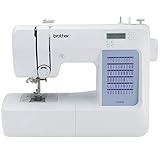
Consider it when ordinary utility functions and LCD selection cover your routine.
Brother XR9550
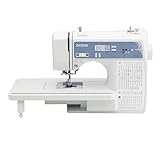
Compare its speed limit and lettering against the controls you need.
Janome Memory Craft 9850
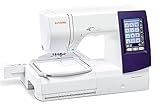
Evaluate a combination only if both creative processes justify the purchase.
What Computerized Does and Does Not Mean
A computerized sewing machine uses electronic control for functions such as stitch selection and settings. The exact implementation varies. One model may primarily offer convenient selection on an LCD, while another adds positioning, cutting, memory, or automatic hoop embroidery. Those should be checked individually.
The category does not establish that the machine can recognize every fabric, correct threading mistakes, or handle unlimited thickness. Needles, thread, feeding, material support, and operator technique still matter. An electronic interface changes part of the workflow rather than removing the physical requirements of sewing.
It also does not prove that a machine is automatically easier to learn or better than every mechanical model. A useful control is one you understand and use. Begin with the operation that frustrates you, then identify the feature that would improve it.
Compare Three Feature Levels
| Model | Relevant features | Who should investigate? | Main caution |
|---|---|---|---|
| CS5055 | LCD selection and utility sewing | Someone wanting a focused computerized interface | Do not assume premium positioning or cutting controls. |
| XR9550 | Speed limitation and built-in lettering | A sewist comparing convenience for varied home projects | Letters are not imported hoop embroidery. |
| MC9850 | Sewing controls plus hoop embroidery | A buyer who needs both processes | Embroidery adds cost, supplies, and a different learning process. |
This comparison describes selected functions, not a laboratory ranking. Compare the exact model and offer, then try the controls on relevant work. The machine that provides the most functions may still be a poor fit if its primary advantages are unrelated to your projects.
Brother CS5055 Review: A Focused LCD Workflow
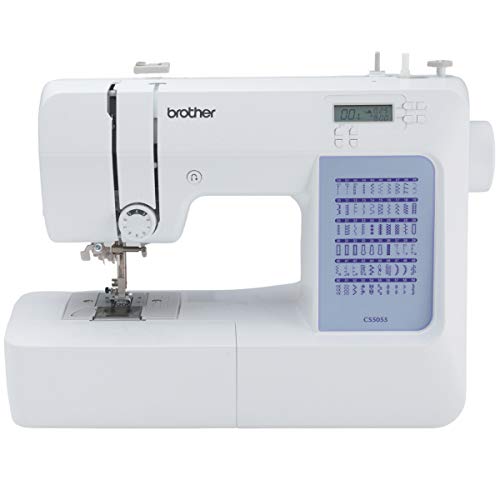

The CS5055 provides computerized selection for a general home-sewing feature set. Brother lists 60 built-in stitches and seven buttonhole styles. The useful question is whether those functions cover the construction and finishing you actually perform, rather than how its total compares with a more elaborate alphabet menu.
Inspect the separate control requirements carefully. Brother’s listed specification does not provide an automatic thread cutter or start/stop button on this model. If one of those functions is the reason you want to upgrade, a screen alone is not enough to meet the requirement.
For ordinary seams, hems, and appropriate garment work, a focused interface may be sufficient. Try choosing a stitch, changing the relevant settings, loading the bobbin, and changing a foot. Convenience is best assessed through those repeated actions rather than a brief demonstration of decorative patterns.
Our Brother sewing guide explains its role beside other models. A simpler feature set can be a deliberate choice when the controls you omit are not ones you need.
Brother XR9550 Review: Add Controls with a Clear Purpose
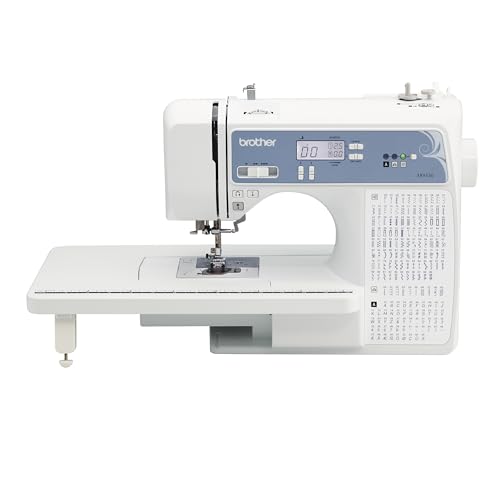
The XR9550 is relevant when you want speed limitation, LCD selection, and built-in lettering in a versatile domestic setup. Its wide table supports work outside the machine. That support is separate from the size of the opening inside the arm.
The advertised selection total includes alphanumeric characters, so it should not be compared directly with another machine’s utility-stitch count. Check the actual patterns required for your garments and the lettering options you intend to use. More choices do not automatically improve the seam you sew most often.
A speed limit may matter more than another decorative group if your difficulty is controlling short curves or precise starts. Try the controller and the selected limit together. The useful feature is the one that makes your normal sewing more manageable, not simply the one that sounds advanced.
Do not treat its letters as automatic embroidery. A sewing-only computerized machine does not load an arbitrary logo and move a hooped garment according to an embroidery design. That requires a different category.
Janome Memory Craft 9850 Review: A Multi-Process Choice
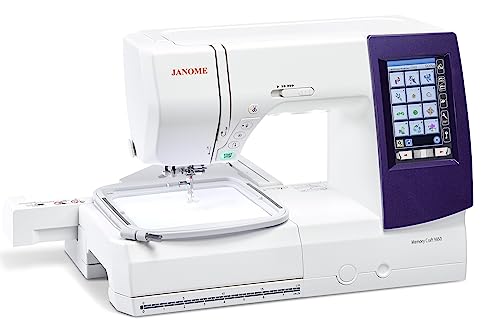
The Memory Craft 9850 combines computerized sewing with hoop embroidery. Its sewing conveniences include thread cutting and memorized needle positioning, while the embroidery process brings a supported field and file requirements of its own. Compare those roles separately.
If you only want better control for ordinary sewing, paying for embroidery may add complexity you do not need. If constructing and decorating projects are both central to your plans, a genuine combination becomes a more relevant comparison. It still cannot sew a separate garment while the same unit is embroidering.
Check the exact included equipment, particularly on a used or refurbished offer. A normal straight-stitch demonstration does not verify the embroidery unit, hoop setup, or design-loading workflow. Missing parts can change the real ownership cost.
Our Janome category comparison and Janome combination guide help separate the buying decisions. Choose a multi-process model because you need the processes, not because a larger screen suggests a universal upgrade.
Which Computerized Controls Are Worth Paying For?
Speed control and needle positioning
A separate speed limit can cap the operating range, while a needle-position function can help establish a chosen stopping arrangement. These are different controls. Confirm what each exact model supports and whether its operation suits you.
For pivots, visible topstitching, or small pieces, try the actual sequence: approach the mark, stop, reposition appropriately, and restart. A feature that looks convenient in a specification may feel less useful if its placement or behavior does not match your habits.
Thread cutting, memory, and lettering
Automatic cutting can reduce a repeated finishing action. Memory can help when a supported sequence needs repeating. Lettering can add simple sewn characters. Each has a purpose, but none establishes better feeding or more material capacity.
List the operations you repeat during a real project and estimate where interruptions occur. This is a practical way to compare convenience without turning every function into a requirement. Avoid paying for a feature simply because a similar-looking machine offers it.
Fabric Handling Still Needs a Physical Setup
Choose an appropriate needle, compatible thread, suitable foot, and seam method. A knit needing stretch, a delicate fabric prone to puckering, and a dense intersection create different demands. Computerized stitch selection does not identify and solve every one automatically.
Test the complete layer arrangement rather than a single flat piece. Include lining, interfacing, folded allowances, or other material that will appear in the actual seam. Stop if the machine struggles or the needle meets resistance.
Support larger work so its weight does not drag against the feed. A table can help, but it does not expand the machine’s internal clearance. Organize the room around the project rather than pulling fabric through a difficult path.
When a Mechanical Machine May Still Suit You
If you prefer direct dials and your projects need a focused set of operations, a mechanical model may be worth comparing. It is not automatically more reliable, just as electronics do not automatically make another machine better. The exact construction, condition, support, and use matter.
Our Singer 4423 review provides one mechanical reference. The computerized versus mechanical guide explores the interface question more broadly. Choose the arrangement that helps you work rather than treating the category as a quality score.
Learning, Maintenance, and Service
Study the model manual and learn routine setup before exploring every stitch. Keep a working sample and notes for commonly used fabrics. Changing one variable at a time makes a problem easier to diagnose than changing thread, needle, tension, and pattern simultaneously.
For loose formation or skipped stitches, begin with threading, bobbin insertion, needle suitability, and the correct foot. Do not assume the computer has failed whenever a stitch looks wrong. Many setup problems remain physical and should be checked methodically.
Follow the cleaning and maintenance instructions, disconnecting power when directed before working near the needle or clearing a jam. Avoid internal electronic or timing adjustments without qualified service. Check repair access before buying, particularly for an older or used unit.
A used computerized machine should demonstrate the functions you need, not merely power on. Test selection, settings, ordinary sewing, relevant buttonholes, and any critical positioning or cutting controls. For a combination model, include a full embroidery demonstration as a separate check.
Advantages and Tradeoffs of This Shortlist
Useful strengths
- It separates computerized selection from a larger convenience package.
- The choices represent ordinary sewing and a genuine combination role.
- Specific controls can be tested against repeated project actions.
- You can avoid paying for embroidery when it is unnecessary.
- The shortlist encourages checking exact functions rather than category labels.
Important tradeoffs
- More electronic functions do not guarantee better feeding on every material.
- A broader feature set can add learning and ownership requirements.
Buying Checklist
- Identify the control that would solve your current difficulty.
- Confirm it explicitly in the model’s specification and manual.
- Try routine setup and a representative seam.
- Check needle clearance and accessory compatibility.
- Verify condition, included equipment, US electrical suitability, and service.
- Read current seller and warranty terms before comparing total value.
Do not rely on a fixed historical deal price. Current offers, bundles, and condition vary. A supported machine with the controls you use can be a better purchase than an elaborate but incomplete offer.
Test the interface you will use repeatedly
During a demonstration, return to a basic stitch after trying another pattern. Check whether the screen and controls make the current selection clear and whether any important settings need restoring. A beginner should be able to identify the installed foot and selected operation without guessing.
Also consider visibility and hand movement. If the screen placement or button arrangement feels awkward during an ordinary seam, a larger stitch library will not remove that inconvenience. Choose an interface you can operate confidently while keeping attention on the work.
A Project Check Before You Commit
Make a short list of the settings you change most often and ask to select them without assistance. Then switch the machine off and check the documented behavior when restarting. Understanding which settings reset or remain available prevents confusion later and is more useful than a quick tour through decorative stitches you may never use.
Frequently Asked Questions
Is a computerized sewing machine better than a mechanical one?
It can offer useful control and selection features, depending on the exact model. Better depends on the projects, interface preference, condition, and support. The category alone does not establish stitch quality or material capacity.
Do all computerized machines have speed control?
Do not assume that. Check the specific control arrangement rather than inferring it from an LCD. Stitch selection, independent speed limitation, start/stop operation, and needle positioning are separate functions.
Will a computerized machine do embroidery?
Only if the exact model provides genuine hoop-embroidery capability. Decorative sewing patterns and built-in letters are different. Confirm whether the machine is sewing-only or a combination before buying.
Are more stitches useful?
They are useful when your projects need them. Compare the actual utility patterns and distinguish letters from other selections. A larger menu does not automatically improve straight seams or solve feeding problems.
What should I check on a used computerized machine?
Request relevant sewing and control demonstrations, confirm complete equipment, and establish service options. Powering on does not verify every function. Include embroidery checks separately when buying a combination model.
Final Recommendation
Investigate the CS5055 for focused computerized selection, the XR9550 when its additional controls fit the routine, and the MC9850 when genuine embroidery belongs in the plan. Compare functions individually rather than buying from the broad label.
The right computerized machine improves a known part of your sewing. Make that improvement clear, verify it on an appropriate sample, and keep material suitability and support in the decision.




