Free options often frustrate—but Embrilliance StitchArtist delivers quality digitizing.
Finding the best free digitizing software for embroidery machine projects can be tricky. Embrilliance StitchArtist Level 1 offers intuitive tools for beginners, while Embrilliance Essentials excels in user-friendly editing on both Mac and PC.
For those needing advanced control, Embrilliance StitchArtist Level 2 provides detailed stitch customization, perfect for intricate designs.
Below, we analyze budget, lifespan, and real-user feedback.
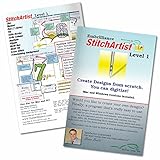

Embrilliance StitchArtist Level 1 Software
The Embrilliance StitchArtist Level 1 is a fantastic free digitizing software for embroidery machine enthusiasts who want to create custom designs without drowning in complexity. Tailored specifically for hobby embroiderers, this software simplifies the digitizing process by offering a curated set of stitch types like applique, running stitches, and simple fills. It’s perfect if you’re looking to add a personal touch to your embroidery projects without spending a fortune or signing up for a PhD in software mastery. What sets this software apart is its automatic placement guides, material tacking stitches, and versatile top-stitching options including satin, blanket, and E-stitches. You can even add a background image and trace it to create your own unique embroidery patterns, making it a playground for creativity without the usual tech headaches. Plus, it supports both Windows and MacOS, with free updates and options for disk-free installation – because who still wants to juggle physical disks in 2024?
Pros
StitchArtist Level 1 shines in its user-friendly approach, stripping away unnecessary tools so beginners and casual users can jump right in. The software’s focus on simple applique and running stitch designs makes it ideal for small projects or decorative elements. Its automatic guides and tacking stitches save time and frustration, while the compatibility with both Mac and PC, along with free updates, ensures longevity. The physical disk option is a nostalgic touch but thankfully optional with downloadable installers.
Cons
While simplicity is the software’s strength, it also limits you if you want to explore advanced stitch types or intricate designs. More experienced digitizers might find the feature set too basic, and the lack of extensive customization options could feel restrictive. Also, relying on a physical disk might be inconvenient for those who prefer instant digital downloads, though this is partly mitigated by the downloadable installer option.
To buy this product, click here.
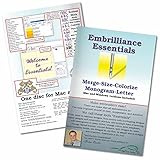
Embrilliance Essentials Embroidery Software
If you’re on the hunt for a reliable free digitizing software for embroidery machine that works seamlessly on both Mac and PC, Embrilliance Essentials is a solid contender. This software stands out by offering compatibility with the latest Windows and MacOS versions, complete with free downloadable updates and disk-free installers, making setup a breeze. One of the most impressive features is the ability to resize existing embroidery stitch files with automatic stitch recalculation, ensuring your designs maintain their integrity no matter the size. Plus, adding lettering has never been easier—whether you want to create multi-line text, monograms, or circles using the 21 included fonts, or purchase additional BX fonts from a vast online marketplace. You can even spiral text or go big with really LARGE letters, which adds a fun creative twist to your projects. Another clever touch is the option to save appliques for cutting machines like ScanNCut and Silhouette, broadening your crafting possibilities. The software also smartly overlaps designs and removes redundant stitching underneath, saving you time and thread.
Pros
Embrilliance Essentials excels with its user-friendly interface and robust compatibility, catering to both Mac and PC users effortlessly. The automatic stitch recalculation during resizing is a game-changer, preserving design quality without manual tweaks. The variety of lettering options and the inclusion of 21 fonts offer great creative flexibility, while the ability to save in machine-specific formats and support for cutting machines adds versatility. Free updates and disk-free installers make maintenance painless, and the clever removal of overlapping stitches improves efficiency and final product quality.
Cons
While Embrilliance Essentials shines as a free digitizing software for embroidery machine in many ways, it doesn’t convert JPG or other graphic files into embroidery designs, which means beginners looking for an all-in-one solution might find it limiting. For creating new designs from scratch, you’ll need to step up to their StitchArtist series, adding extra cost and complexity. Additionally, the software’s focus on existing stitch files might require a bit of a learning curve if you’re used to more graphic-based design tools.
Check the latest price from here.
Embrilliance StitchArtist Level 2 Software
The Embrilliance StitchArtist Level 2 Digitizing Embroidery Software for MAC & PC stands out as a powerful option in the realm of free digitizing software for embroidery machine enthusiasts who want to step up their design game. This software goes beyond the basics by combining Level 1 functions within a single program, making it perfect for both production and skill-building. Whether you’re crafting intricate logos or experimenting with a variety of stitch types, StitchArtist Level 2 provides a comprehensive toolkit that caters to creativity and precision. The ability to fully harness satin stitches adds a professional touch to your embroidery projects, offering flexibility that many other programs lack. Plus, it runs natively on both MAC and PC, offering seamless operation without the fuss of compatibility issues.
Pros
What really makes this software shine is its versatility and user-friendly nature, especially for those who want a deeper dive into digitizing without juggling multiple programs. The extensive instructional resources, including the official YouTube channel and active online community, make learning feel more like a supportive adventure rather than a chore. The disk-free installers and free updates keep things modern and hassle-free. For anyone serious about embroidery design, the freedom to create virtually any design with a wide range of stitch types is a game-changer, all while maintaining a smooth workflow across MAC and PC platforms.
Cons
While it’s packed with features, the learning curve can be a bit steep for beginners who are expecting a plug-and-play experience with free digitizing software for embroidery machine use. Also, if you already own Level 1, you’ll need to purchase an upgrade rather than the full version, which might confuse some users. Lastly, despite the extensive tutorials, hands-on practice is essential to unlock the software’s full potential, so patience is a must.
To get this product, click here.
Digitizing Made Easy Custom Embroidery

If you’re on the hunt for reliable free digitizing software for embroidery machine projects, Digitizing Made Easy: Create Custom Embroidery Designs Like a Pro is a surprisingly robust option. This software boasts an intuitive interface that makes creating custom embroidery designs straightforward, even for those who usually find digitizing more puzzling than assembling IKEA furniture without instructions. It offers a range of powerful tools for precise stitch placement and editing capabilities, allowing users to bring their creative visions to life without hitting a steep learning curve. Whether you’re a hobbyist or a budding entrepreneur, this program gives you the freedom to experiment with various patterns and customize designs down to the smallest detail.
Pros
The software stands out with its user-friendly layout that doesn’t overwhelm beginners, yet it packs enough features to keep experienced users engaged. It supports multiple file formats, making it easy to import and export designs. The real-time preview feature ensures you see exactly how your embroidery will look, reducing costly trial and error. Plus, it runs smoothly on most standard computers without demanding high-end specs. For a free option, the value here is impressive, offering a professional edge without a price tag.
Cons
While it’s packed with useful features, the software does have some limitations. Advanced tools found in paid alternatives, like auto-digitizing complex images or extensive color management options, are missing. Occasional glitches pop up with very intricate designs, requiring patience and a bit of manual tweaking. Also, the lack of direct customer support means you might need to rely on community forums or tutorials when troubleshooting. It’s a great starter tool but may leave power users craving more.
To know more about this product, click here.
Embrilliance StitchArtist Level 3 Software

The Embrilliance StitchArtist Level 3 Digitizing Embroidery Software for Mac & PC is a powerful tool tailored for embroidery enthusiasts and professionals alike who want to dive deep into the world of digitizing. As a standout option among free digitizing software for embroidery machine users seeking advanced features, this software offers comprehensive design creation tools without the fuss of autodigitizing gimmicks. Whether you’re crafting for fun or running a commercial embroidery business, StitchArtist Level 3 equips you with Styles, QuickStyles, and intricate tools like Eyelet and Carving lines, allowing for truly customized design work that’s both precise and creative.
Pros
StitchArtist Level 3 shines with its extensive set of graphical operators such as Cut, AND, Union, and Flatten, which give you the kind of control that feels like having a Swiss Army knife for embroidery design. The instant stitch generation eliminates frustrating mode switching, making the workflow smooth and intuitive. Font makers and patch creators will appreciate the exclusive tools for scalable BX font publishing and faux-overlock edges. Plus, the ability to publish Motifs and Embossed effects expands your creative palette significantly. The software invites users to learn the fundamentals of digitizing while delivering professional-grade results, making it a fantastic bridge between hobbyist and commercial use.
Cons
Despite its strengths, StitchArtist Level 3 isn’t for those expecting a photo-to-stitch or automatic digitizing solution—this is a serious design tool that demands your involvement and creativity. Beginners might find the learning curve a bit steep without prior digitizing experience, and if you already own Levels 1 or 2, you’ll need to pay for an upgrade rather than buying anew, which might feel a bit restrictive. Also, it’s not the cheapest option out there, so budget-conscious users might hesitate before committing.
Check details of this product, click here.
Faq about free digitizing software for embroidery machine:
1: What is free digitizing software for embroidery machines?
Free digitizing software allows users to convert images into embroidery designs without cost, compatible with various embroidery machines.
2: Which features should I look for in free digitizing software?
Look for features such as easy image conversion, editing tools, support for multiple file formats, and user-friendly interfaces.
3: Is free digitizing software suitable for professional use?
While some free digitizing software can be effective for beginners, professional users may require more advanced features found in paid versions.
4: Can I use free digitizing software on different operating systems?
Many free digitizing software options are available for Windows and macOS, but compatibility varies, so check system requirements before downloading.
5: Are there any limitations to using free digitizing software?
Limitations may include fewer features, restricted file formats, or watermarked outputs compared to premium software.
6: Where can I find reliable free digitizing software?
Reliable options can be found on reputable websites, forums, and embroidery communities that review and recommend software.
Conclusion
Embrilliance StitchArtist Level 1 offers an intuitive platform for detailed digitizing, catering to users seeking precision and control in their embroidery designs. Its compatibility with both Mac and PC ensures accessibility without compromising advanced features. Meanwhile, Embrilliance Essentials provides a streamlined experience, ideal for those prioritizing ease of use and efficient project management.
Both software options deliver robust performance tailored to different levels of expertise. Choosing between them hinges on your need for intricate customization versus straightforward functionality, allowing you to optimize your creative workflow effectively.