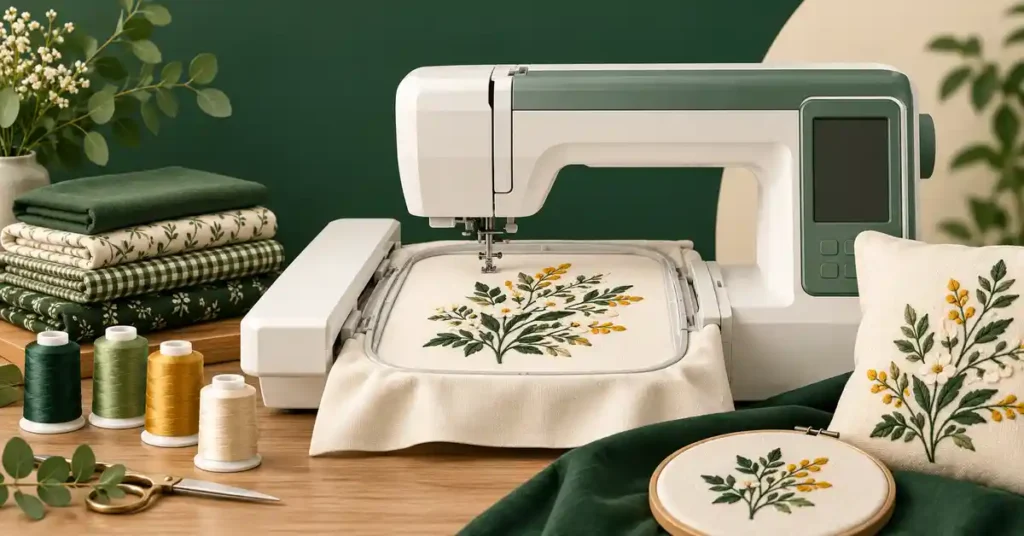
The best home embroidery machine should fit your designs, available workspace, and the way you want to prepare projects. A required app, a small hoop, and a larger flatbed setup each bring different tradeoffs. This guide compares practical home-use categories, explains what dedicated embroidery cannot replace, and helps you evaluate size, software, supplies, learning, and support before choosing a machine for personalized gifts and household projects in your own studio.
As an Amazon Associate, Practical Textile earns from qualifying purchases. Product links may earn us a commission.
Quick Answer
Compare Skitch PP1 for an app-centered four-inch workflow, Brother PE900 for suitable five-by-seven projects, and Poolin EOC06 when larger flat designs justify the field. Janome’s MC550E is another larger-field category to investigate. Choose around measured designs and the complete setup rather than assuming the biggest hoop or built-in design total is best for every home.
This guide compares published specifications and project fit; it does not report hands-on testing.
Brother Skitch PP1

Check the required Artspira workflow and your device compatibility.
Brother PE900

Compare its field and onboard workflow with your project list.
Poolin EOC06

Investigate the extra field when your designs genuinely need it.
Choose Dedicated Embroidery or a Combination First
A dedicated embroidery machine stitches prepared designs through a supported hoop workflow. It does not necessarily construct ordinary seams, install zippers, or make sewing-machine buttonholes. If you need those jobs in one unit, look for an explicitly identified sewing-and-embroidery combination.
If you already have a suitable sewing machine, a dedicated embroidery unit can keep the two setups separate. You can construct something on one machine while the other remains prepared for decoration. That arrangement needs more room but may reduce repeated changeovers.
Our Brother sewing guide and Janome combination guide explain those different roles. Choose the process before comparing screens, design totals, or attractive package photographs.
Home Embroidery Categories Compared
| Model | Listed maximum field | Workflow distinction | Main buying check |
|---|---|---|---|
| Skitch PP1 | 4 × 4 inches | Required Artspira connection | App compatibility and small-design fit. |
| PE900 | 5 × 7 inches | Dedicated embroidery with onboard selection | Design size, access, and supported transfer. |
| EOC06 | 7.9 × 11 inches | Larger-field flatbed embroidery | Usable layout and stabilization. |
| MC550E | 7.9 × 14.2 inches | Larger dedicated embroidery field | Complete equipment and actual project need. |
The table does not predict measured stitch quality. A larger field can solve a real size problem, but it also invites larger designs, more material support, and longer projects. Choose the capacity you can use rather than the largest number you can afford.
Brother Skitch PP1 Review: Small Projects through an App
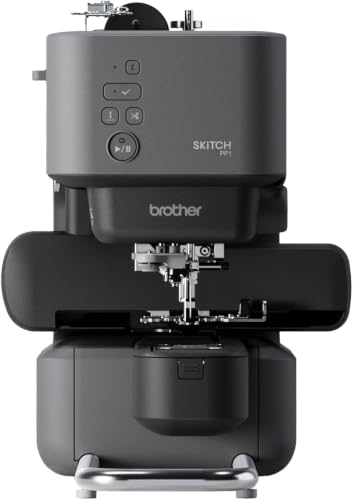

Skitch is relevant when you want small embroidery and accept its required Artspira workflow. Its four-inch square field creates a clear design-size boundary. Check your mobile device’s current compatibility before buying the hardware.
Required app use and required paid subscription are different questions. Brother’s support guidance permits basic use through the free plan, including compatible import within the applicable limits. Confirm the specific current function you need rather than assuming every premium tool or design is included.
This can be a practical category for compact personalization, but it is less convincing when your project list already contains wider names or larger graphics. A small machine should fit the actual creative plan, not become an immediate resizing problem.
Brother PE900 Review: A Five-by-Seven Dedicated Option

The PE900 is worth comparing when a four-inch square is restrictive but your designs still fit five by seven. Its onboard controls and supported transfer options provide another workflow to assess against app-centered operation. The field and garment access remain the main physical constraints.
Measure the design at final size and check its orientation on the item. A motif can fit the digital rectangle while a seam, pocket, or small garment opening makes placement impractical. Think about the object as well as the design.
For a home studio, this role can complement an existing sewing machine without buying another construction setup. It still needs appropriate digitizing, thread, needles, backing, and practice material. Convenience functions do not eliminate that preparation.
Poolin EOC06 Review: More Room for Flat Designs

The EOC06’s larger field is relevant when a measured design genuinely exceeds smaller options. It may also support an appropriate multi-motif layout, but that requires planning spacing, cutting access, stabilization, and sequence. More area does not guarantee efficient or stable use of every part.
Check the exact hoops and accessories in the current offer. Do not infer the supplied equipment from a photograph showing everything available for the model. Seller packages and used units need their own equipment list.
Our Poolin review explains its model-name and field-shape distinctions. A larger flatbed option remains a different workflow from a commercial-style machine intended for repeated cap and garment work.
Janome Memory Craft 550E: A Larger-Field Alternative

The MC550E offers a larger dedicated embroidery category with a listed 7.9-by-14.2-inch maximum field. Janome describes USB design import and several supported hoops. Evaluate the exact model and edition, equipment, and seller arrangement before assuming every offer contains an identical package.
The extra length matters when the design needs it; it does not make an oversized finished garment automatically easy to position. Material support and access around the item remain practical requirements. Test the intended arrangement when the project is unusual.
Our Janome embroidery guide provides another category comparison. Choose the larger field because it solves a measured need rather than treating it as a universal step up for every home embroiderer.
How to Choose the Right Embroidery Size
Measure both directions
List a few projects you actually want to make and record the completed design dimensions. A long narrow field and a square field can accommodate different shapes. The longest advertised side alone does not determine whether a motif fits.
Print or draw the final-size layout and place it on the item. Check seams, pockets, edges, and the area available for hooping. This is a simple way to test a real requirement before committing to a machine.
Do not plan around unlimited resizing
Shrinking can crowd stitches and small lettering, while enlarging can create coverage problems if the design data is not recalculated appropriately. Obtain a file prepared for the intended size and material rather than relying on a percentage control to make every pattern suitable.
A physically larger accessory hoop also does not automatically increase a machine’s supported single-design field. Confirm the actual compatibility and workflow. Buy the required capacity rather than assuming an accessory will create it later.
Software, Custom Files, and Design Preparation
A picture is not the same as an embroidery stitch file. A custom logo or artwork needs appropriate digitizing, which determines how the design is formed in thread. Import capability alone does not guarantee that every image becomes attractive embroidery.
Confirm supported file formats and transfer requirements for the exact model. Check any required computer, app, account, or optional paid function before buying. Different tools can support different parts of the creative workflow.
Keep original and edited versions organized by design, size, material, and revision. If you buy designs, confirm their permitted use. A home hobby project and goods made for sale may have different licensing conditions specified by the creator.
Check the Item, Not Just the Design
For shirts and sweatshirts, make sure the opposite garment layer stays clear throughout the design. A placement can look accessible until the hoop moves toward a sleeve, pocket, or seam. Support the remaining garment so its weight does not pull on the stitched area.
For towels, consider how pile affects small lettering and whether appropriate topping is part of the technique. For bags, check access around lining, hardware, and already assembled seams. A larger field cannot create a flat accessible surface where the finished item does not provide one.
Choose a replaceable sample blank before decorating a valuable gift. Testing the actual item type reveals handling and stabilization requirements that a demonstration on a flat woven swatch may miss.
Workspace, Noise Expectations, and Project Handling
Measure the full operating area rather than only the machine’s footprint. The hoop or carriage needs clearance, and excess garment fabric must remain clear and supported. A table pressed against an obstruction can create problems even when the machine itself fits.
We have not measured noise or vibration for these models. If those matter in a shared room, request an appropriate demonstration and consider the table’s stability and placement. Do not treat a compact appearance as evidence of quiet operation.
Plan storage for hoops, supplies, thread, and prepared projects. A home setup becomes easier to use when the correct accessories and design records are accessible. Organization can improve the experience without changing the machine’s feature list.
Supplies, Samples, and Support
Include needles, thread, bobbins, stabilizer, topping where needed, practice blanks, and digitizing in the starting budget. Allow for unsuccessful samples. The hardware price is not the full cost of learning a new process.
Start with a small known design on replaceable material. Follow the threading and hoop instructions, check the full boundary, and keep loose fabric clear. Inspect the finished result before using the same setup on a valuable item.
For repeat problems, investigate thread routing, bobbin insertion, needle condition, support, and design suitability one step at a time. Stop for a jam or repeated breakage and disconnect power as directed before clearing the needle area.
Confirm how the seller and manufacturer handle training, service, parts, returns, and warranty for the specific unit. If repeat business orders are the goal, our Smartstitch review explains another ownership category rather than assuming every home machine serves the same workload.
Advantages and Tradeoffs of This Shortlist
Useful strengths
- The options separate app-centered and onboard workflows.
- Several field sizes let you compare measured projects.
- Dedicated units can complement an existing sewing machine.
- Custom files can extend work beyond built-in selections.
- Each category can be evaluated through a representative sample.
Important tradeoffs
- Dedicated embroidery does not replace construction sewing.
- Larger fields and more functions do not remove preparation or support requirements.
Buying Checklist
- Define dedicated embroidery versus combination needs.
- Measure designs and inspect garment access.
- Confirm exact hoops, accessories, and file requirements.
- Check device compatibility and optional software costs.
- Evaluate complete operating clearance at home.
- Verify condition, electrical suitability, training, service, and seller terms.
For used equipment, request a complete stitch-out and relevant file transfer, not simply a powered-on screen. Missing hoops or essential components can change the real value of an apparently attractive offer.
A Project Check Before You Commit
Measure the workstation with the embroidery unit attached and enough room for its full movement. Include the garment, thread stand if used, and access for changing a bobbin. A machine that fits a shelf while stored may not fit the same space while operating. Use the actual operating arrangement when deciding whether the equipment suits a shared home workspace.
Frequently Asked Questions
What is the best embroidery machine for home use?
Choose around design size, control workflow, space, and support. The models here represent different home categories rather than a universal ranking. A successful sample and a measured project list are better evidence than a design-count headline.
Can an embroidery machine sew ordinary clothes?
A dedicated embroidery-only unit does not perform every construction operation. Choose a genuine sewing-and-embroidery combination if both processes must share one machine, or retain a separate suitable sewing unit.
Should I buy the largest hoop I can afford?
Only when the field and workflow solve a real need. Larger designs require appropriate preparation and support. Measure the intended work and do not assume a larger accessory enlarges the machine’s supported field.
Do I need a paid app to use Skitch?
Artspira is required, but basic use is not the same as a mandatory Artspira+ subscription. Check current free-plan limits and the exact function you intend to use before budgeting for optional paid features.
Can I create embroidery from any photo?
An image needs an appropriate conversion or digitizing process and a tested design suited to the size and material. A preview does not prove good stitching. Confirm software requirements and test the final file.
Final Recommendation
Compare Skitch for a small app-centered workflow, PE900 for suitable five-by-seven work, and EOC06 or MC550E when larger measured designs justify the extra field. Keep construction-sewing needs separate.
The best home setup fits the complete creative process: designs, supplies, garment handling, workspace, and support. Buy around those requirements rather than asking a single specification to decide the purchase.