
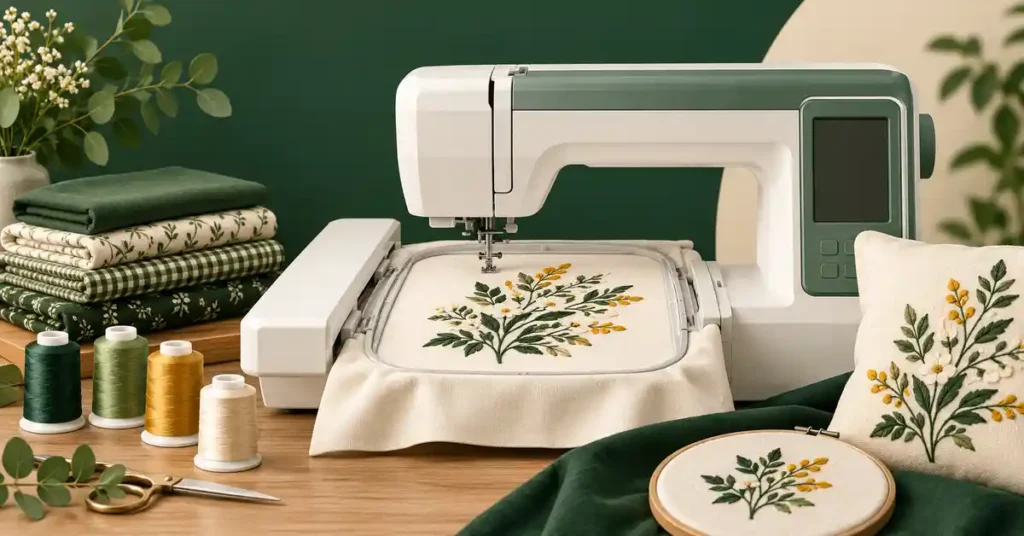
The best embroidery machine for quilting depends on whether you want decorative quilt blocks, in-the-hoop projects, or quilting stitches through a layered sandwich. These techniques share equipment but have different design and handling requirements. This guide compares machine roles, explains optional quilting accessories and repeated hooping, and helps you choose a setup around your quilt plan instead of assuming a large embroidery field creates automatic longarm capacity or effortless alignment.
As an Amazon Associate, Practical Textile earns from qualifying purchases. Product links may earn us a commission.
Quick Answer
Compare the Janome Memory Craft 550E with the compatible ASQ18b AcuFil option for a dedicated embroidery-quilting workflow. Compare Brother PE900 for smaller motifs and blocks, or SE2000 when ordinary sewing and embroidery must share one machine. Quilt handling, design compatibility, and optional software still need checking; a large flat field alone does not automate an entire quilt.
This guide compares published specifications and project fit; it does not report hands-on testing.
Janome Memory Craft 550E

Confirm the exact machine bundle and optional AcuFil kit separately.
Brother PE900

Match the design to the five-by-seven-inch field.
Brother SE2000

Consider when one machine must also piece and assemble projects.
Choose the Quilting Technique First
| Goal | Machine role to compare | Main limitation |
|---|---|---|
| Decorated quilt blocks | Dedicated embroidery or combo | Design size and block preparation |
| Quilting motifs through layers | Compatible machine, hoop, design, and sandwich | Layer handling and repeated alignment |
| In-the-hoop projects | Machine matching the project file and field | Required sequence, seams, and finishing |
| Piecing plus embroidery on one machine | Sewing and embroidery combo | Changing modes interrupts the other operation |
Decorating a block before assembly is not the same as quilting through top, batting, and backing. A dense decorative design can add stiffness, while a quilting motif may use lines intended to hold layers together. Choose a file designed for the intended purpose rather than treating every embroidery pattern as a suitable quilting design.
A conventional free-motion sewing setup is also different from hoop-driven embroidery. In free motion, the operator moves the sandwich. In embroidery, the machine positions the hoop according to the file. The embroidery approach can create repeatable motifs, but the operator still prepares, supports, positions, and rehoops the work.
Janome Memory Craft 550E: Dedicated Embroidery With a Quilting Option


The MC550E is an embroidery-only machine with a larger flat field than the Brother five-by-seven options in this guide. Its role is useful to investigate when the design size and handling requirements exceed a smaller hoop. It does not provide ordinary seam-making as a substitute for a separate sewing machine.
Janome identifies the ASQ18b AcuFil Quilting Kit, part number 864435000, as compatible with the MC550E family. That exact identification matters because another AcuFil kit uses a different hoop and serves other models. Do not buy an accessory by the AcuFil name alone without checking the part number and machine compatibility.
The ASQ18b kit combines a square hoop with magnetic clamps, the AcuFil Tool, and quilting designs. Janome describes template printing and layout functions for repeated quilting placement. Treat the kit as an optional purchase unless the seller explicitly includes it. A photograph of a quilt beside the machine does not establish that the kit or software is in the carton.
Confirm current computer and software requirements before ordering. A tutorial written for an earlier system can explain a workflow without proving compatibility with your current computer. Ask the dealer to demonstrate file creation, template printing, transfer, and the actual machine setup using the equipment you will receive.
Five reasons to investigate the 550E:
- A larger flat field supports a wider design-size comparison.
- Dedicated embroidery can run separately from an existing sewing machine.
- A manufacturer-identified quilting kit provides a specific accessory route.
- Templates and layout tools address repeated placement.
- The machine can also decorate blocks before assembly.
Two limitations:
- The machine is not a general sewing model for ordinary piecing seams.
- Optional kit, software, work support, and repeated hooping add cost and operator work.
Brother PE900: Smaller Motifs and Decorated Blocks

The PE900 is a dedicated embroidery machine with a five-by-seven-inch maximum field. Compare it when your chosen designs fit that area and the project does not require ordinary sewing on the same machine. It can be a more focused starting point than purchasing a large-field system before knowing which quilting techniques you prefer.
The field is a firm planning boundary for a single-position design. A larger physical hoop or repositioning accessory does not automatically create a larger uninterrupted field. If a motif is too large, use a correctly prepared version or a planned split-design workflow rather than expecting the machine to stitch beyond its supported area.
For quilt blocks, leave enough fabric for hooping and later squaring according to the pattern. The visible finished block size and required fabric size are not necessarily identical. Complete a test block before cutting an entire quilt’s worth of pieces, especially when embroidery changes the fabric’s shape or the design needs precise placement.
Our PE900 review explains the machine’s dedicated role. Automatic features and file transfer conveniences do not decide whether a particular layered quilt project is suitable. Check the exact manual, hoop, batting, and project instructions before attempting a sandwich beyond a simple block decoration.
Five reasons to compare it:
- The five-by-seven field suits many modest motif plans.
- Dedicated operation complements an existing sewing machine.
- Imported compatible files support projects beyond built-in designs.
- Placement can be evaluated on manageable practice blocks.
- A smaller workflow helps define needs before expanding equipment.
Two limitations:
- Design size is restricted by the supported field.
- It does not replace ordinary sewing or automatically align repeated quilt sections.
Brother SE2000: One Machine for Sewing and Embroidery

The SE2000 combines ordinary sewing with five-by-seven embroidery. This makes it relevant when space or budget favors one machine for piecing, assembly, and decoration. Its embroidery mode remains different from the sewing mode; the machine cannot perform both processes on separate projects at the same time.
Think through changeovers. If embroidery is running for a long period, you cannot simultaneously piece the next block on the same unit. A combo can still be a practical choice, but a dedicated embroidery machine plus an existing sewing machine may create a smoother workflow for some quilters.
Evaluate its ordinary sewing controls independently from the embroidery field. Accurate piecing and comfortable layered sewing require their own feet, settings, and support. Our SE2000 guide and combo comparison explain the tradeoff.
Five reasons to compare it:
- Ordinary sewing and embroidery share one machine footprint.
- The five-by-seven field supports compatible motif projects.
- Piecing and decoration can be planned within one setup.
- It serves mixed household sewing beyond quilts.
- A combo can suit buyers without a separate sewing machine.
Two limitations:
- Mode changes interrupt simultaneous sewing and embroidery.
- The embroidery field and household handling limits still apply.
Choose Designs for the Intended Quilt Surface
A decorative embroidered flower and an open quilting motif can produce very different texture. Consider stitch density, backing appearance, starts and stops, and the feel of the finished area. A design that looks attractive on a display may be too stiff or visually heavy for the quilt you want.
Confirm file format, field size, orientation, and the designer’s intended construction method. Resizing a stitch file substantially is not the same as redigitizing it for another size. If the design must change, use a properly prepared version and test it rather than assuming every software resize preserves density and quality.
For in-the-hoop projects, read the entire sequence before beginning. Identify where fabric, batting, trimming, or ordinary sewing is required. The phrase in the hoop does not necessarily mean a finished quilt emerges from one uninterrupted operation with no assembly or hand finishing.
Prepare a Representative Sandwich
Use the actual top, batting, and backing in a test. A low-bulk practice sample may behave differently from a lofty batting or bulky seam intersection. Follow the machine, hoop, and project limits instead of borrowing a universal thickness figure from an unrelated model.
Support the quilt so its weight does not pull against the embroidery carriage. Check movement through the full design area using the machine’s prescribed preview or trace process. Keep the rest of the quilt and any fastening materials clear of the moving path. The hoop must be able to move freely throughout the operation.
Inspect the back as carefully as the front. Thread tails, tie-offs, and tension appearance can be more visible on a quilt than on a lined garment. Decide what result is acceptable before repeating it across many sections. A test that reveals an unsuitable backing or stitch density has saved material and time.
Repeated Hooping Is Part of the Work
A large quilt usually exceeds one embroidery field. Repeated placement therefore needs a plan for motifs, borders, or connected sections. Printed templates and compatible positioning aids can help, but they do not remove the operator’s responsibility to align and secure each area.
Plan the first few placements on a practice panel. Check whether the next motif meets, overlaps, or leaves a visible gap according to the design. Fabric can change shape during quilting, so a perfect measurement on an unstitched top does not guarantee effortless alignment later.
Do not confuse hoop embroidery with automatic frame movement across an entire quilt. A separate quilting frame and automation system are different equipment. Our quilting machine guide helps separate household handling, free motion, and embroidery operations.
Compare the Complete Quilting Workflow
List the machine, compatible hoops, optional quilting kit, software, computer requirements, templates, thread, needles, batting, and support surface. Ask what is included in the exact bundle. The same machine name can appear with different hoops and optional extras, so a bare price is not enough to compare usable setups.
Consider instruction as part of the cost. A useful lesson should include file transfer, correct hoop selection, positioning, tracing, and recovery after an interruption. Ask whether support covers the optional software as well as the machine. Two products in one bundle may have separate support arrangements.
For a broader view, see the Janome embroidery comparison and 550E guide. If ordinary sewing is your main need, our Janome sewing comparison addresses a different category.
A Project Check Before You Commit
Keep the first few quilted practice placements together as a panel. A single attractive motif does not show whether repeated placement, spacing, and backing appearance will work across a larger area. Inspect the panel after releasing and finishing it as the project requires.
Record how the quilt is supported during each placement, where the next section begins, and which template or alignment method is used. This turns a successful experiment into a repeatable process. If the method is uncomfortable or alignment remains inconsistent, resolve that on practice material before committing a completed quilt top to the workflow.
Check the completed practice panel after the intended finishing and care process. Texture, alignment, and backing appearance should remain acceptable after release, rather than only while the work is held in position.
Frequently Asked Questions
Can an embroidery machine quilt through layers?
Some compatible machine, hoop, design, and sandwich combinations support this workflow. Check the exact equipment and instructions. Decorative embroidery on a single block and quilting through top, batting, and backing are different applications.
Does the 550E include the AcuFil quilting kit?
Do not assume so. Confirm the exact bundle. Janome identifies the compatible ASQ18b kit by part number 864435000; another AcuFil kit serves different machines. Check software and accessory contents before ordering.
Will a larger hoop enlarge a PE900’s field?
A hoop purchase does not automatically increase the machine’s supported single-position embroidery area. Match the complete design to the field or use a planned compatible repositioning workflow with correctly prepared files.
Is a combo better than a dedicated embroidery machine?
A combo shares one footprint between ordinary sewing and embroidery. A dedicated embroidery machine can operate while a separate sewing machine is used. Choose by space, existing equipment, and whether overlapping tasks matter.
Does hoop quilting eliminate alignment work?
No. Large projects require repeated positioning and support. Templates and compatible aids can help, but the operator still plans placement, secures layers, checks clearance, and evaluates the finished joins or spacing.
Final Recommendation
Compare the MC550E and compatible AcuFil option for a deliberate embroidery-quilting workflow. Choose PE900 when smaller designs meet the plan, or SE2000 when ordinary sewing must share the machine. Budget for the whole process and test both texture and repeated placement before beginning a large quilt.




