
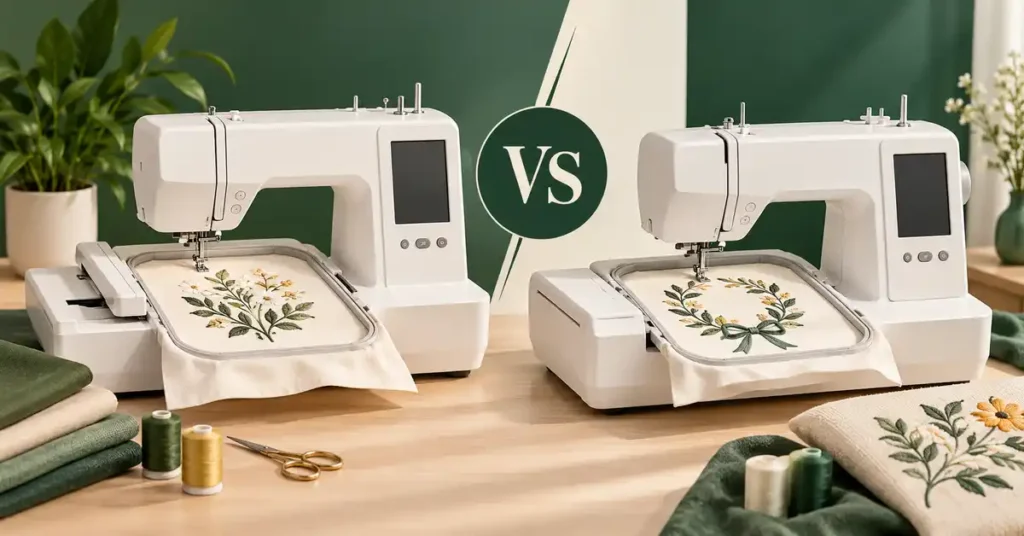
The best embroidery machine for large designs is determined by both dimensions of the finished motif, not the longest number beside a hoop. Wide squares, long panels, and repeated layouts create different requirements. This guide compares three larger-field options and explains garment access, stabilization, file preparation, splitting, and workspace so you can choose equipment around the design you actually want to stitch in one practical, well-supported home or studio setup.
As an Amazon Associate, Practical Textile earns from qualifying purchases. Product links may earn us a commission.
Quick Answer
Compare Poolin EOC06 for designs within 7.9 by 11 inches, Janome MC550E for a longer 7.9-by-14.2 field, and Smartstitch S-1001 when its 9.5-by-14.2 field and multi-needle workflow fit the job. None of those fields accommodates an unrestricted twelve-inch square in one placement. Measure both dimensions, check orientation and garment access, and avoid buying from the largest single number alone.
This guide compares published specifications and project fit; it does not report hands-on testing.
Poolin EOC06

Compare it when the completed design fits both field dimensions.
Janome Memory Craft 550E

Investigate the extra length without assuming more width.
Smartstitch S-1001

Evaluate field width, color workflow, training, and workspace together.
Large Is a Two-Dimensional Requirement
A machine with a long rectangular field can still be unsuitable for a wide square. A seven-inch-wide panel and an eight-inch square ask different questions of a 7.9-inch-wide field. Total area and the longest dimension do not establish whether the actual design fits.
Work in the units and orientation required by the design and machine. Check the final bounding dimensions, including any border or combined elements, rather than estimating from a screen preview. Leave the supported positioning process to the model’s instructions.
Also distinguish one complete design from a layout containing several smaller motifs. Both can use a large field, but they introduce different spacing, sequence, stabilization, and finishing requirements. A large hoop is useful only when the intended arrangement works.
Compare Three Larger-Field Categories
| Model | Listed maximum flat field | Relevant distinction | Example of the limitation |
|---|---|---|---|
| EOC06 | 7.9 × 11 inches | Larger single-needle flatbed category | Extra length does not fit an eight-inch-wide square. |
| MC550E | 7.9 × 14.2 inches | A longer field at similar nominal width | Length does not create additional width. |
| S-1001 | 9.5 × 14.2 inches | Wider field and ten needle positions | A twelve-inch square still exceeds the shorter dimension. |
The examples concern nominal field fit, not a guarantee that an item can be hooped or stitched successfully. Verify the exact model, supported hoop, design orientation, and full operating clearance before treating a numerical fit as a finished project plan.
Poolin EOC06 Review: More Room than a Small Home Field

The EOC06 is relevant when designs exceed smaller fields but remain within its listed dimensions. It can be investigated for suitably sized panels, garment graphics, and planned layouts. Check the complete file size rather than judging the project only by the central motif.
A larger field does not remove single-needle color-change tasks. If the design contains many stops, consider operator attention as well as stitching time. A machine can have adequate area while still being inconvenient for a particular repeat workflow.
Inspect the exact included hoops and model version. A promotional image may show optional equipment or a different package. Confirm the seller’s written contents, particularly when comparing bundles or used offers.
Our Poolin review discusses the model distinctions. Buy the larger field because it solves a measured need, not because a larger rectangle appears automatically superior.
Janome Memory Craft 550E Review: Length without Unlimited Width


The MC550E provides a listed 7.9-by-14.2-inch maximum field and a dedicated embroidery workflow. It is a relevant comparison for longer designs that fit its width. It should not be interpreted as a fourteen-inch-square machine.
Consider how the supplied hoops relate to your actual projects. A smaller supported hoop may suit a modest motif, while the largest field serves another task. The correct choice depends on the design and the way the material can be secured.
Janome describes USB design import and onboard editing. Those functions require a compatible prepared file; they do not make every image or large resize suitable for embroidery. Keep the original file and test the final version.
Our Janome embroidery guide and Janome 550E guide provide further model context. Confirm the exact edition and equipment in the current offer before buying.
Smartstitch S-1001 Review: Wider Field with a Different Workflow

The S-1001 combines a wider listed flat field with ten needle positions on one embroidery head. The additional width can matter for designs that do not fit a 7.9-inch boundary. The multiple installed colors address a separate color-management question.
Do not confuse needle count with simultaneous garment positions. This is a single-head arrangement, not ten independent machines. A larger multi-motif layout is stitched according to its sequence rather than assigning each patch to a separate needle head.
The ownership decision includes training, space, maintenance, and support. A machine that solves a field-size problem can still be more equipment than an occasional home project justifies. Evaluate the full workload rather than buying from dimensions alone.
Our Smartstitch review explains the multi-needle category. The flat field is also different from the supported cap area, so do not transfer these dimensions to structured-cap work.
Garment Access Can Be More Restrictive than the Field
A design may fit digitally while a pocket, zipper, lining, narrow opening, or stiff bag wall prevents practical positioning. Inspect the finished item and the complete path of the hoop. A clear starting point does not establish clearance through the whole design.
When the construction permits it, decorating a flat panel before assembly may be easier than embroidering a completed object. Plan that sequence before sewing the final seams. A larger machine cannot create access to an already closed area automatically.
Support the remaining garment so its weight does not pull on the hooped section. Keep loose layers clear of moving parts. Full operating clearance matters more than whether the machine’s stationary footprint fits the table.
Large Designs Need Appropriate Support
Match the support to the material and density
A large dense fill and a sparse outline can behave differently on the same fabric. Select stabilization and any topping according to the actual material, design, and finished use. A generic starter combination is not a guarantee for every large motif.
Hoop the material evenly without distorting it. Stretching a garment into a pleasing shape while hooping can lead to an undesirable result after it is released. Follow the model and technique instructions and test an equivalent blank.
Inspect the whole design
A sample that looks acceptable halfway through does not verify the final border, outlines, or accumulated density. Complete the design and inspect registration, puckering, coverage, and stiffness. Check the reverse side as well as the surface.
Keep records of the file version, material, support, needle, thread, hoop, and successful setup. Repeating a large project becomes more manageable when the variables are known rather than reconstructed from memory.
Digitizing, Resizing, and Splitting
Large artwork still needs suitable stitch instructions. An ordinary image is not an embroidery file, and a machine’s import capability does not automatically digitize it well. The file should be prepared for the final size and material.
Resizing can change density, detail, and coverage. Obtain a version suited to the intended dimensions rather than relying on a percentage adjustment to make an unsuitable design fit. A preview is useful for layout but does not replace a stitch-out.
Splitting a design across placements is a different workflow from stitching it in one field. It involves preparation and accurate alignment between sections. Ask the digitizer and equipment provider what is supported before buying a smaller machine around an assumed easy workaround.
Retain an untouched original and name edited files clearly. For a commissioned or purchased design, confirm permitted use and keep relevant instructions. A large repeat order deserves a verified file rather than an improvised conversion immediately before production.
Workspace and Production Planning
Measure the table, operating clearance, loading area, and storage for hoops and materials. Long layouts can move farther than a buyer expects from the machine’s resting position. Check the full arrangement against walls, furniture, and supported garment weight.
Do not calculate finished output solely from advertised maximum speed. Stitch movement, trims, stops, color intervention, hooping, finishing, and inspection all contribute. A large design can make mistakes more costly in time and blanks, so sample before promising repeat production.
For a machine that must also construct garments, our combination-machine guide explains another role. The models in this shortlist are evaluated for dedicated embroidery, not as automatic replacements for ordinary sewing.
Pre-Purchase Sample Checklist
- Measure the complete final design in both directions.
- Verify the exact supported field and appropriate hoop.
- Inspect access on the actual item or a realistic equivalent.
- Prepare the intended fabric, support, needle, and thread.
- Run the full boundary check using the prescribed procedure.
- Complete and inspect the design rather than a brief fragment.
- Record the setup and total job time for repeat work.
Stop for repeated thread nesting, needle breakage, or unexpected resistance. Investigate the file and physical setup methodically. Disconnect power as directed before clearing a jam near the needle, and seek qualified support for persistent mechanical trouble.
Advantages and Tradeoffs of This Shortlist
Useful strengths
- The field comparison distinguishes width from length.
- It offers different larger-flat-design workflows.
- The longer-field candidate can suit an appropriate rectangular motif.
- The multi-needle candidate adds another color-management approach.
- Each can be evaluated through a complete representative sample.
Important tradeoffs
- Nominal field fit does not guarantee garment access or good stabilization.
- None of these fields should be described as an unrestricted twelve-inch square.
Buying Checklist
- Confirm exact model, edition, included hoops, and accessories.
- Check design dimensions, orientation, and object access.
- Verify file format and editing requirements.
- Compare single-needle intervention with the actual color sequence.
- Plan workspace, supplies, training, and service.
- Read electrical, condition, warranty, and seller terms for the specific offer.
For used equipment, request relevant file loading, positioning, and a complete embroidery demonstration. Missing essential hoops or components can change the total cost. A low headline price does not establish good value for the intended large project.
A Project Check Before You Commit
Check the entire artwork after importing it, including any frame, lettering, and placement stitches. The central image can fit while the complete file exceeds the supported field. Keep a record of the final dimensions and orientation. If the project requires splitting, obtain a version prepared for that workflow and test the joins on representative fabric before cutting the main item.
Keep the split files, placement references, and approved sample together. A larger project can require several sessions, and a clear record prevents the next section from being loaded in the wrong orientation or sequence.
Frequently Asked Questions
What size machine do I need for large embroidery?
Measure both dimensions of the complete design and check its orientation, hoop, and item access. Large is not a single specification. A long rectangle can still be too narrow for a square motif.
Will a fourteen-inch field fit a twelve-inch square?
Not when the other dimension is smaller than twelve inches. Compare the full rectangle rather than the longest side. The fields in this shortlist do not provide an unrestricted twelve-inch square in one placement.
Can I add a larger hoop to increase the machine’s field?
A larger physical accessory does not automatically enlarge the supported single-design area. Confirm compatibility and workflow. Multiple-position methods involve different preparation and alignment requirements.
Does a multi-needle machine always have a larger field?
No universal relationship should be assumed. Needle positions and embroidery field are separate specifications. Compare the exact model’s dimensions and color-management workflow independently.
Can I split a design instead of buying a larger machine?
Splitting can be an option in an appropriate supported workflow, but it requires preparation and alignment. It is not identical to a single-field stitch-out. Discuss the actual design and equipment before relying on that plan.
Final Recommendation
Investigate EOC06 for suitable larger flat designs, MC550E when additional length solves the need, and S-1001 when its width and multi-needle workflow fit the workload. Test the complete item arrangement.
Buy the field you can actually use, supported by a suitable file, stabilization, workspace, and training. A numerical fit is the beginning of the project plan rather than proof of a finished result.




