

Choose a Brother sewing machine by control style, project requirements, and the exact package. Mechanical sewing, computerized sewing, and imported-design embroidery are different categories. The model label and manual should resolve the category before you compare stitch totals. Keep the current manual available when checking features and compatibility. This review uses manufacturer information and clearly identified editorial analysis. Use a real project sample when comparing controls, access and suitable materials.
How this guide helps you choose
A Brother-only comparison for buyers sorting sewing models rather than choosing an embroidery machine.
Options organized by use
| Option | Reason to compare | Practical selection note |
|---|---|---|
| Brother XM2701 | Basic mechanical sewing | A starting comparison for ordinary seams when a small stitch menu is sufficient. |
| Brother GX37 | Mechanical versatility | Consider it for a specific additional stitch choice while retaining dial selection. |
| Brother XR3774 | Mechanical quilting kit | Assess the table and feet alongside the machine, especially for a first small quilt. |
| Brother CS7000X | Computerized sewing and quilting | A useful reference when speed control and computerized operation are important. |
| Brother XR9550 | Sewn lettering and versatility | Its alphanumeric sewing stitches should not be mistaken for imported logo embroidery. |
| Brother SQ9285 | Computerized accessory package | Compare the controls, table and feet; verify the exact retailer package. |
| Brother ST371HD | Heavier household seams | Treat it as a domestic category and demonstrate the thickest actual seam junction. |
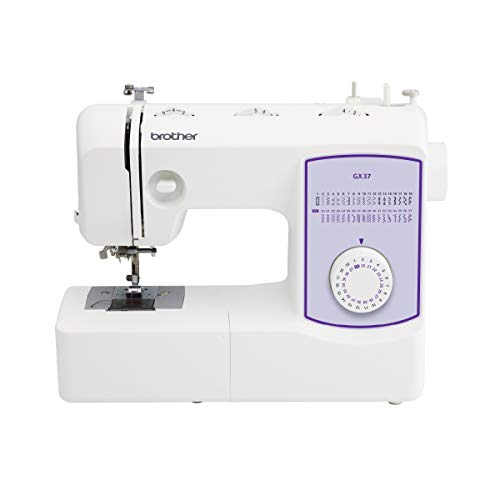
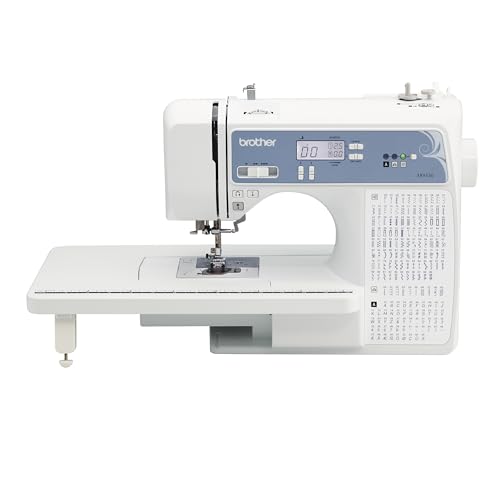
Amazon boxes cover only the specifically verified listings above. Manufacturer and dealer options without a verified ASIN are discussed separately. Bundle contents, condition and availability need checking in the current offer.
Identify sewing capability before shopping
A Brother model may sew ordinary seams, embroider designs, or combine both. Product families and retailer categories can blur those differences. A monogramming foot or a built-in letter stitch does not prove that the machine can import a logo file.
For everyday construction, identify the stitches and feet needed for your pattern. For automated embroidery, identify the field size and supported file workflow. If you need both, compare a true combination machine separately. Keeping the categories clear avoids buying a perfectly functional machine for the wrong task.
Compare the relevant equipment categories using the sewing machine buying guide.
Compare the operations you repeat
Someone repairing clothes may care most about threading, a free arm, and a manageable pedal. A quilter may care more about piecing accuracy, support space, and a suitable quilting setup. A garment maker may spend more time on buttonholes and zipper insertion than on decorative stitches.
Make a short test card for the retailer. Use the same fabric and operations on each shortlisted machine. A comparison made from the finished samples and your own control experience is more meaningful than adding up unrelated stitch, font, and accessory counts into one score.
For related sewing preparation and problem-solving, see the sewing techniques and troubleshooting.
Read total stitch counts carefully
Some computerized models include letters within the total. That can be useful for simple sewn labels, but it means the total is not entirely utility or decorative patterns. Check the stitch chart and identify the patterns you would actually select.
A large total cannot establish feeding performance, heavy-material capacity, or embroidery-field size. Those questions need different specifications and demonstrations. If two machines both cover the required seams, the better controls or more useful accessory kit may be the relevant difference.
Explore accessory categories in our sewing machine parts and accessories; use the exact manufacturer manual for compatibility and maintenance.
New, refurbished, and retailer-specific packages
Several manufacturer and retailer routes present more than one condition or bundle. Match the chosen condition to the advertised price and read the applicable service and return terms. A similar model photograph is not proof that the table or specialty foot is included.
For a used Brother, check the model label, correct foot control, bobbins, and a working sample. For a combination model, require a separate embroidery demonstration as well as sewing. Ask a qualified technician to assess unexplained faults rather than assuming every uneven seam is a simple tension adjustment.
Create a support plan before purchase
Save the exact model’s manual and check the current accessory compatibility information. A foot that fits physically can still require stitch-width or operating restrictions. Bobbins and foot controls also need precise compatibility, especially when buying low-cost replacements.
If your sewing depends on the machine for orders, identify a local service route and a backup plan. Manufacturer reputation is useful context, but downtime is managed through an actual support arrangement. Compare the complete ownership process along with the features you will use.
Five advantages and two limitations
Advantages
- The brand range permits comparisons across control styles.
- Exact manuals make feature and accessory checks concrete.
- Several sewing-and-quilting packages include useful starter items.
- A model-specific shortlist avoids category confusion.
- Separate workflow comparisons make budget decisions more useful.
Limitations
- A broad Brother search often has shopping or support intent rather than pure review intent.
- Model names and stitch totals can mislead without exact category checking.
Check the exact listing and documentation
Brother XM2701: No products found.
Brother GX37: Check Brother GX37 listing
Brother XR3774: No products found.
Brother CS7000X: No products found.
Brother XR9550: Check Brother XR9550 listing
Brother SQ9285: Manufacturer information for Brother SQ9285
Brother ST371HD: Manufacturer information for Brother ST371HD
Frequently asked questions
Do all Brother sewing machines embroider?
No. Ordinary sewing models do not automatically accept embroidery files. Check for an actual embroidery unit and supported design workflow.
What does an alphanumeric sewing stitch mean?
It is lettering made as a sewing operation. It is different from loading a digitized design into a motorized embroidery hoop.
Are mechanical Brothers only for beginners?
No. They can suit anyone whose projects and control preferences match their capabilities.
Is a higher stitch count a better purchase?
Only if the extra operations are useful. Compare controls, accessories, fabric handling and support too.
How should I compare reviews of Brother sewing machines?
Use the exact model and verify whether the reviewer tested it or analyzed documentation. Keep subjective claims separate from confirmed specifications.
Related Practical Textile guides
Explore sewing, embroidery, dyeing, printing and other fabric topics at Practical Textile.
Sources and research method
Manufacturer pages, product documentation and exact listing identities were checked on 2026-10-13. Feature-based recommendations are editorial judgments; they are not measured performance results. Availability, software requirements, packages and lifecycle can change.
- https://www.brother-usa.com/p/sewing/XM2701
- https://www.brother-usa.com/p/sewing-embroidery/SQ9285?Condition=New
- https://www.brother-usa.com/p/sewing/ST371HD
- https://www.brother-usa.com/p/sewing-embroidery/RGX37?Condition=New&pid=GX37
- https://www.brother-usa.com/p/sewing/XR3774
- https://www.brother-usa.com/p/sewing-embroidery/CS7000X
- https://www.brother-usa.com/p/sewing-embroidery/XR9550

