
Brother SQ9285 Review: Quilting Accessories, Controls and Lettering Limits
The Brother SQ9285 combines computerized household sewing, quilting accessories, and basic sewn lettering. Its large stitch total does not make it a.

This guide has Amazon links. If you buy through them we may earn a small commission, at no extra cost to you.
The Brother SQ9285 combines computerized household sewing, quilting accessories, and basic sewn lettering. Its large stitch total does not make it a hoop embroidery machine. This review explains the useful controls, what the lettering can do, how to evaluate the supplied kit, and which projects deserve a sample test so you can compare the model with alternatives according to your sewing workflow rather than the largest number on its carton.
As an Amazon Associate, Practical Textile earns from qualifying purchases. Product links may earn us a commission.
What’s in this article18 sections
Quick Answer
Evaluate the SQ9285 for ordinary computerized sewing and its quilting-oriented accessories. Its sewn alphabet is not imported hoop embroidery. Confirm the exact model, condition, and supplied kit. The clearly named Amazon alternatives below are separate models, not a substitute listing labeled as SQ9285.
This guide compares published specifications and project fit; it does not report hands-on testing.
Brother XR9550
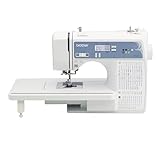
Compare controls, package, and useful household operations.
Brother CS5055
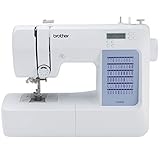
A smaller feature set; compare the exact controls rather than assuming equivalence.
Brother PQ1600S

A different role for suitable repeated straight sewing, not an all-purpose replacement.
Documented features and important limits
| Item | Documented detail |
|---|---|
| Stitches | 205 total including 55 alphanumeric |
| Buttonholes | Eight one-step styles |
| Supplied feet | Ten |
| Support table | Included |
| Controls | LCD and variable speed control |
| Embroidery-file support | Not a hoop embroidery machine |
Confirm the exact model’s features and accessories in the manufacturer information.
What the 205-stitch total includes
The manufacturer includes 55 alphanumeric sewing stitches in the total. Those letters are made as sewing stitches while the work is handled at the machine. They should not be confused with the scalable imported lettering and designs of a dedicated embroidery system.
If you want to label a small item or add a simple line of sewn characters, ask for a sample on the fabric you will use. If you need a business logo, a filled motif, or a design transferred from your computer, compare a genuine sewing-and-embroidery combination machine instead. The word monogramming on a foot does not establish file compatibility.
Compare the relevant equipment categories using the sewing machine buying guide.
Why the controls may matter more than the stitch count
Variable speed control can be relevant when learning a precise seam or managing a difficult corner. Try sewing a curve, stopping at a mark, and restarting without shifting the fabric. These operations tell you more about daily comfort than a long list of decorative patterns.
Use the display yourself during a demonstration. Find a stitch, check its settings, and return to a utility seam. A screen is helpful only when the navigation is understandable to you. If you need reading glasses or improved task lighting, assess the actual screen and sewing area in realistic conditions.
For related sewing preparation and problem-solving, see the sewing techniques and troubleshooting.
Is the quilting package enough for your first project?
The table and listed feet provide a starting kit, but project preparation remains essential. Piece a small block, press it, then try quilting a separate sandwich with batting and backing. The machine should be evaluated at both stages.
Read the accessory instructions before using a walking or free-motion foot. Do not apply one foot’s rules to another merely because both appear in a quilting package. For a large quilt, consider the remaining handling space and your table arrangement. Buying a wide table does not remove the need to support heavy fabric beyond its edge.
Explore accessory categories in our sewing machine parts and accessories; use the exact manufacturer manual for compatibility and maintenance.
SQ9285 versus CS7000X and XR9550
Compare the exact features and current packages side by side. The most useful differences are control preferences, lettering requirements, and accessories you will actually use. A higher stitch total is not automatically a better machine for a quilter who mainly pieces with a straight stitch.
The Amazon offers below identify separate alternatives, rather than an SQ9285 purchase listing. If you choose an SQ9285 from another retailer, confirm the exact model label, condition, foot kit, table, and service terms. A similar photograph or broad quilting description does not establish that a particular offer includes the same equipment or support as the package you compared.
Five advantages and two limitations
Advantages
- Computerized selection supports a varied sewing menu.
- Variable speed control can help with deliberate sewing.
- The included table supports larger household pieces.
- The ten-foot package provides several sewing and quilting options.
- Alphanumeric sewing stitches are available for appropriate projects.
Limitations
- Sewn lettering does not provide imported hoop embroidery.
- The total stitch count can obscure which patterns a buyer will use.
Buying and demonstration checklist
| Step | What to check |
|---|---|
| 1 | Sew a line of letters on a stabilized sample. |
| 2 | Use the display and speed control without help. |
| 3 | Confirm the ten-foot kit and table. |
| 4 | Compare a small quilt sandwich with the CS7000X. |
Named alternatives to compare
Brother CS7000X is a separate comparison model. The link below is not represented as the reviewed machine.
Brother XR9550 is a separate comparison model. The link below is not represented as the reviewed machine.
Compare alternative machines by the operations you need and the parts supplied with the exact unit. A broader feature total is less useful than knowing whether your preferred control, suitable foot, and required support are actually part of the purchase.
Match the Kit to the Stage of Quilting
Piecing, joining layers, and binding are different operations. Piecing emphasizes a consistent seam allowance and accurate preparation. Layered stitching adds fabric movement and support requirements. Binding introduces folded edges and corners. A useful quilting package should be evaluated across the stages you actually intend to perform.
A supplied quarter-inch foot does not establish accuracy by itself. Test the seam with your needle position, fabric, thread, and pressing method. Measure the resulting unit rather than assuming the foot’s name guarantees the finished dimension. Small preparation differences can accumulate across repeated blocks.
For layered stitching, prepare a sandwich with the batting and fabrics you plan to use. Inspect both faces after sewing and check whether the layers shift or the material distorts. A successful result on two flat pieces of cotton does not answer that layered-work question.
Free-Motion Work Still Depends on Your Hands
When the machine is set up for compatible free-motion work, the operator moves the quilt and coordinates that movement with needle speed. A spring-action quilting foot or dropped-feed setup does not automatically create uniform stitch length. Begin with a manageable sample and follow the exact model and accessory instructions.
Practice gentle curves, changes of direction, and stopping points on scrap. Do not begin with the most valuable or largest quilt simply because the machine includes quilting accessories. Supporting the project around the needle reduces drag and lets you focus on controlled movement.
The extension table provides support surface, but it does not enlarge the space between the needle and machine body. Large quilts still need careful management. Compare the whole workstation and the actual project size before assuming a quilting label solves bulk handling.
Use Sewn Lettering for an Appropriate Project
Ordinary alphanumeric stitches can be useful for small labels or decorative details, but they are not a way to load an arbitrary logo and stitch it in a hoop. Test the scale, spacing, direction, and readability on the actual material. The appearance can differ from an on-screen font preview or printed text.
For a quilt label, decide which information matters and whether the available lettering suits it. Very small text or an elaborate custom typeface may call for a different method. A simple sewn label can still be useful when its limitations are understood.
If automated logo embroidery is the goal, compare the equipment categories in our Brother machine guide. A combination model and an embroidery-only model introduce field-size and file-preparation decisions that do not apply in the same way to this sewing machine.
Test a Garment Sequence as Well as Quilting
For mixed household use, ask to sew a curve, a suitable buttonhole, and a folded hem. Use the actual garment fabric and interfacing where possible. The machine should fit your routine repairs and clothing projects as well as the quilting project shown on its packaging.
Try the control layout at a deliberate pace and stop near a marked point. A useful computerized feature is one you can operate comfortably. Do not assume that a screen provides every convenience or that another Brother model has identical controls.
Our control-system guide and computerized beginner guide provide background. Compare the exact specifications and manual before treating a different model’s demonstration as evidence about the SQ9285.
Confirm Compatible Parts Before Adding Accessories
Keep a list of the supplied feet, bobbin type, and needle system for the exact unit. If a secondhand package is missing accessories, identify the correct replacements before estimating its value. A similar-looking foot or bobbin from another machine may not be appropriate.
Our Brother walking-foot guide helps frame compatibility questions. The correct accessory instructions control attachment and operating restrictions. Check needle clearance and suitable stitch selection before powered use.
For fabric setup, our needle guide provides context, and our tension guide supports systematic troubleshooting. Neither replaces the SQ9285 manual or model-specific service when a basic setup remains unreliable.
Evaluate a Used SQ9285 as a Complete Working Setup
Ask for a demonstration of threading, bobbin winding, stitch changes, reverse securing, a buttonhole, and any quilting accessory essential to your plans. Inspect the machine and supplied parts and confirm the exact condition. A power-on photograph does not establish that it performs the operations you need.
Compare the usable purchase cost with a current alternative, including missing feet, table, controller, transport protection, and potential service. Confirm the seller’s return arrangement before relying on an unusually attractive price. The best value is the setup you can use reliably for the intended projects.
Keep one successful sample and its setup notes near the machine. When a later project changes, compare the fabric, batting, thread, needle, and handling before adjusting several controls at once. This helps separate a changed material requirement from a machine fault and makes it easier to describe the problem accurately if support is needed.
Before planning a quilt label around the sewn alphabet, make one complete label on the intended material. Check the size, spacing, and readability after finishing. That practical result is more useful than assuming that a lettering selection will reproduce a printed typeface exactly.
A Project Check Before You Commit
Before buying the SQ9285 for its lettering, stitch the exact name or sequence at the intended size on the project fabric. Inspect spacing, alignment, and the feel of the stitched area. Sewing lettering is a guided stitch function, so the operator’s handling still affects placement; it is not a substitute for automatic embroidery movement in a hoop.
For quilting, list the feet required by your method and compare them with the exact seller inventory. A table and several quilting accessories can be useful without supplying every foot you need. Add missing compatible items to the purchase total. During the return period, complete a small project that uses the speed and needle-position controls that influenced your choice, then keep a successful sample and setting notes for later reference.
Frequently Asked Questions
Does the SQ9285 have 205 utility stitches?
The total includes 55 alphanumeric stitches. Read the stitch chart rather than assuming every entry is a different utility seam.
Can it embroider my logo from a computer file?
It is a sewing-and-quilting machine, not a motorized hoop embroidery machine. Its lettering stitches do not add logo-file embroidery.
Does it include a wide table?
The manufacturer’s reviewed package lists a wide table. Confirm the specific retailer’s contents.
Why compare it with CS7000X?
Both are computerized household sewing options, but their stitch menus and packages differ. Choose by controls and needed accessories.
Can I rely on the alternative Amazon link as a SQ9285 purchase?
No. It identifies a different named model. Purchase the SQ9285 only through an offer that clearly identifies that exact unit.
Final Recommendation
Compare the SQ9285 by the controls and accessories you will use, with the exact package confirmed. Its lettering remains ordinary sewing, and its quilting kit does not automate quilt movement. A repeatable project sample and accessible support are better buying evidence than the total number of stitch selections.
