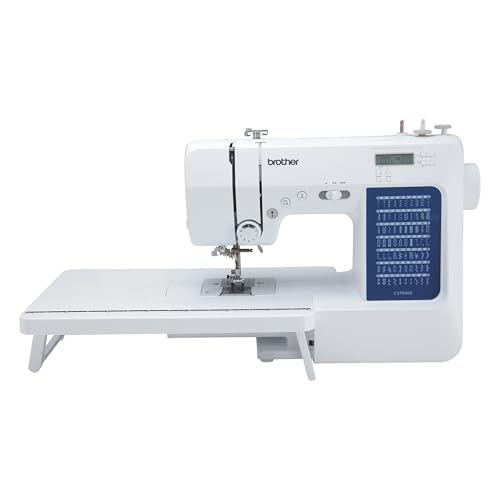
When you’re in the middle of a sewing project, the last thing you want to see is an error message flashing on your Brother sewing machine. Among the various error codes that can pop up, the e6 error is one that many users encounter. Understanding what this error means and how to resolve it can save you time and frustration, allowing you to get back to your creative endeavors.
Table of Contents
- Understanding the e6 Error
- Common Causes of the e6 Error
- Troubleshooting Steps
- Preventive Measures
- When to Seek Professional Help
- FAQs
Understanding the e6 Error
The e6 error code on a Brother sewing machine indicates that the machine has encountered a specific problem during operation. This error is often related to issues with the needle, such as the needle being incorrectly inserted, inappropriate needle size, or even a damaged needle. Understanding this error is crucial for efficient troubleshooting and ensuring that your sewing tasks proceed smoothly.
Common Causes of the e6 Error
Identifying the underlying reasons for the e6 error can help you resolve it quickly. Here are some common causes:
Incorrect Needle Insertion
A needle that is not inserted correctly can trigger the e6 error. Make sure the needle is pushed all the way up into the holder and that it is facing the correct direction.
Improper Needle Size
Using a needle that is too large or too small for the fabric you are working with can lead to the e6 error. Always match your needle to the type and weight of the fabric.
Thread Issues
Problems with the thread, such as tangling or incorrect threading, can also cause the e6 error. Ensure that the thread is properly threaded through the machine and the bobbin is wound correctly.
Damaged Needle
A bent, broken, or damaged needle can lead to the e6 error. Regularly inspect your needles for wear and replace them as necessary.
Machine Malfunction
Sometimes, the e6 error may indicate a more significant machine malfunction. If you have checked all the above factors and the error persists, there may be an internal issue that needs professional attention.
Troubleshooting Steps
If your Brother sewing machine displays the e6 error, here are some effective troubleshooting steps to follow:
Step 1: Turn Off the Machine
Begin by turning off your sewing machine and unplugging it from the power source. Wait for a few minutes before turning it back on. This can reset the machine’s internal sensors.
Step 2: Check the Needle
Inspect your needle for any bends or damage. If necessary, replace the needle with the correct type and size for your fabric. Ensure it is inserted correctly.
Step 3: Verify Threading
Unthread the machine completely and rethread it, following the threading diagram in your user manual. Pay special attention to threading the bobbin and upper thread correctly.
Step 4: Inspect the Bobbin
Check the bobbin for any tangles or jams. Remove the bobbin and ensure it is wound correctly. If it appears to be damaged or worn, replace it with a new one.
Step 5: Clean the Machine
Dust and lint buildup can cause various issues, including the e6 error. Clean the machine’s interior, particularly around the needle area and the bobbin compartment.
Preventive Measures
To avoid encountering the e6 error in the future, consider implementing the following preventive measures:
Regular Maintenance
Ensure that your sewing machine undergoes regular maintenance. This includes cleaning, oiling, and checking for any signs of wear and tear.
Use the Right Tools
Always use the recommended needles and threads for your specific Brother sewing machine model. This will reduce the chances of errors occurring during operation.
Follow the User Manual
Refer to your user manual for specific instructions on threading, needle changes, and maintenance. Each machine may have unique requirements that, when followed, can prevent errors.
When to Seek Professional Help
If you have followed all troubleshooting steps and the e6 error still persists, it might be time to seek professional help. Here are some signs that indicate you should contact a technician:
- The error reoccurs frequently.
- Other error codes begin to appear.
- The machine makes unusual noises during operation.
- You’ve exhausted all troubleshooting options without success.
Professional technicians can diagnose and repair more complex issues that may not be easily fixable by users.
A: The e6 error typically indicates an issue related to the needle or threading process, such as an incorrectly inserted needle or improper threading.
A: Start by checking the needle for damage, ensuring it is inserted correctly, rethreading the machine, and cleaning any lint or debris from the machine.
A: No, it’s advisable to stop sewing immediately to prevent further damage to the machine.
FAQs
Here are some frequently asked questions regarding the e6 error on Brother sewing machines:
A: Yes, the e6 error can occur in various Brother sewing machine models, but the causes and solutions may vary slightly. Always consult your specific model’s manual for guidance.
A: Heavier fabrics or those with embellishments can sometimes lead to the e6 error if the wrong needle is used. Always match your needle to the fabric type.
A: It is recommended to clean your machine after every few projects or every 8-10 hours of sewing to prevent lint buildup and ensure smooth operation.
Conclusion
Encountering the e6 error on your Brother sewing machine can be frustrating, but understanding its causes and solutions can make a significant difference in your sewing experience. By following the troubleshooting steps outlined above and implementing preventive measures, you can minimize the chances of this error recurring. Remember that regular maintenance is key to keeping your machine in optimal condition. If all else fails, don’t hesitate to seek professional help to ensure your Brother sewing machine remains a reliable companion in your sewing journey.
For more insights into sewing and embroidery, check out our articles on how much for an embroidery machine, stylish jeans with unique back pocket embroidery, and prewound bobbins for Babylock.