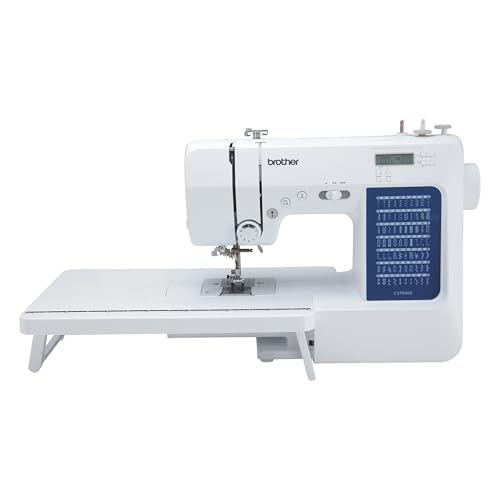
Epic 2 Sewing Machine

The Epic 2 Sewing Machine has gained a reputation in the sewing and embroidery community for its sophisticated features and user-friendly design. Whether you are an experienced seamstress or a beginner looking to dive into the world of sewing, the Epic 2 offers an array of functionalities that cater to all skill levels. With its advanced technology and intuitive interface, this sewing machine stands out as a top choice for those wanting to elevate their crafting experience. In this article, we will explore the key features, benefits, and practical tips for using the Epic 2 Sewing Machine effectively.
What’s in this article7 sections
Key Features of the Epic 2 Sewing Machine
The Epic 2 Sewing Machine is equipped with a range of impressive features that enhance your sewing and embroidery projects. Here are some of the standout attributes:
Large Touchscreen Display
The Epic 2 features a large, color touchscreen that provides access to its various functions and settings. This intuitive interface allows you to navigate through options seamlessly, making your sewing experience more enjoyable.
Advanced Stitch Options
With over 700 built-in stitches, including utility stitches and decorative stitches, the Epic 2 allows you to explore a wide range of creative possibilities. The machine also offers unique embroidery designs that can be customized to suit your projects.
Automatic Needle Threading
Say goodbye to the frustration of manual threading! The Epic 2’s automatic needle threading system simplifies the setup process, allowing you to spend more time sewing and less time fussing with the machine.
Large Embroidery Area
One of the most notable features of the Epic 2 is its spacious embroidery area, which measures 10″ x 16″. This ample space allows you to work on larger designs without the hassle of repositioning your fabric repeatedly.
Built-In Dual Feed System
The Epic 2 is equipped with a built-in dual feed system that ensures even fabric feeding, making it easier to work with multiple layers or slippery fabrics. This feature helps prevent puckering and uneven stitches.
Customizable Settings
The machine allows you to save your personalized settings for future projects. This can include stitch length, width, and tension, making it convenient to switch between different types of sewing tasks.
Setting Up Your Epic 2
Getting your Epic 2 Sewing Machine ready for use is straightforward. Follow these steps to ensure a smooth setup process:
Unboxing and Assembly
When you first receive your machine, carefully unbox it and ensure all components are included. The package typically contains the sewing machine, power cord, foot pedal, and various accessories.
Connecting Power and Foot Pedal
Plug the power cord into the machine and connect it to a power outlet. Attach the foot pedal to the designated port on the machine. Ensure that all connections are secure to prevent any operational issues.
Threading the Machine
Refer to the user manual for detailed instructions on threading your machine. Follow the diagram for the correct threading path and make use of the automatic needle threading feature for convenience.
Choosing Your Needle and Thread
Select the appropriate needle and thread based on your fabric type and project requirements. The Epic 2 works well with various needle types, including universal, ballpoint, and specialty needles. Ensure you use high-quality thread to achieve the best results.
Sewing with the Epic 2
Once your machine is set up, you can start sewing. Here are some tips and techniques to help you make the most of your Epic 2:
Understanding Stitch Options
Familiarize yourself with the various stitch options available on the Epic 2. Spend some time experimenting with different stitches on scrap fabric to find the ones that work best for your projects.
Using the Sewing Feet
The Epic 2 comes with several presser feet designed for different types of sewing tasks. Make sure to switch out the feet depending on the project—for instance, using a walking foot for quilting or a zipper foot for installing zippers.
Quilting and Patchwork
The Epic 2 is an excellent choice for quilting enthusiasts. Utilize the dual feed system and large workspace to tackle complex quilt patterns. The cutting and piecing options available on the machine make it easier to achieve precise results.
Creating Buttonholes
Creating buttonholes is a breeze with the Epic 2. Use the automatic buttonhole feature to ensure consistent sizing across all your buttonholes, saving time and improving the look of your finished garments.
Finishing Techniques
To give your projects a professional finish, explore the various finishing techniques available on the Epic 2, such as overcasting and hemming stitches. These features help prevent fraying and enhance the durability of your work.
Embroidery Capabilities
The embroidery features of the Epic 2 are one of its standout attributes. Here’s how to make the most of its embroidery capabilities:
Design Selection
The Epic 2 comes with a variety of built-in embroidery designs and allows you to import custom designs via USB or direct connection. Familiarize yourself with the design selection process to quickly access your favorite patterns.
Editing Designs
Use the machine’s editing features to resize, rotate, or mirror images before stitching. This flexibility allows for greater creativity and personalization in your embroidery projects.
Stabilizers and Fabrics
Choosing the right stabilizer is crucial for successful embroidery. Depending on your fabric type, different stabilizers (tear-away, cut-away, or wash-away) may be required to ensure clean stitching without puckering.
Embroidery Speed and Quality
The Epic 2 allows you to adjust the embroidery speed, enabling you to work at a pace that suits your skill level and the complexity of the design. Always monitor the stitching process to ensure high quality and address any issues promptly.
Maintenance Tips
Regular Cleaning
Dust and lint can accumulate in and around your machine, affecting its performance. Regularly clean the bobbin area, feed dogs, and needle plate using a soft brush or lint roller.
Oil the Machine
Check your manual for recommendations on oiling your machine. Regular oiling keeps moving parts lubricated and reduces wear and tear, prolonging the life of your sewing machine.
Software Updates
Occasionally, manufacturers release software updates that enhance your machine’s performance or add new features. Keep your machine updated to ensure you make the most of its capabilities.
Frequently Asked Questions
A: Yes, the Epic 2 can handle thick fabrics, especially when using the appropriate needle and presser foot.
A: Absolutely! The Epic 2 is designed with quilting in mind, featuring a spacious work area and dual feed system for even fabric feeding.
A: You can import designs using a USB drive or directly connect your computer to the machine, following the instructions in the user manual.
A: Yes, the Epic 2 typically comes with a limited warranty, covering certain parts and labor. Check with your retailer for specific details.
Conclusion
The Epic 2 Sewing Machine is a remarkable tool for anyone passionate about sewing and embroidery. Its extensive features, user-friendly interface, and advanced technology make it a worthy investment for crafters of all skill levels. From its large touchscreen display to its impressive embroidery capabilities, the Epic 2 is truly a game-changer in the world of sewing machines. Whether you are creating custom graduation stole embroidery or exploring stunning modern embroidery patterns, the Epic 2 can help you achieve your creative goals with ease and precision. Remember to maintain your machine regularly and explore its full range of features to get the best possible results from your sewing and embroidery projects.