
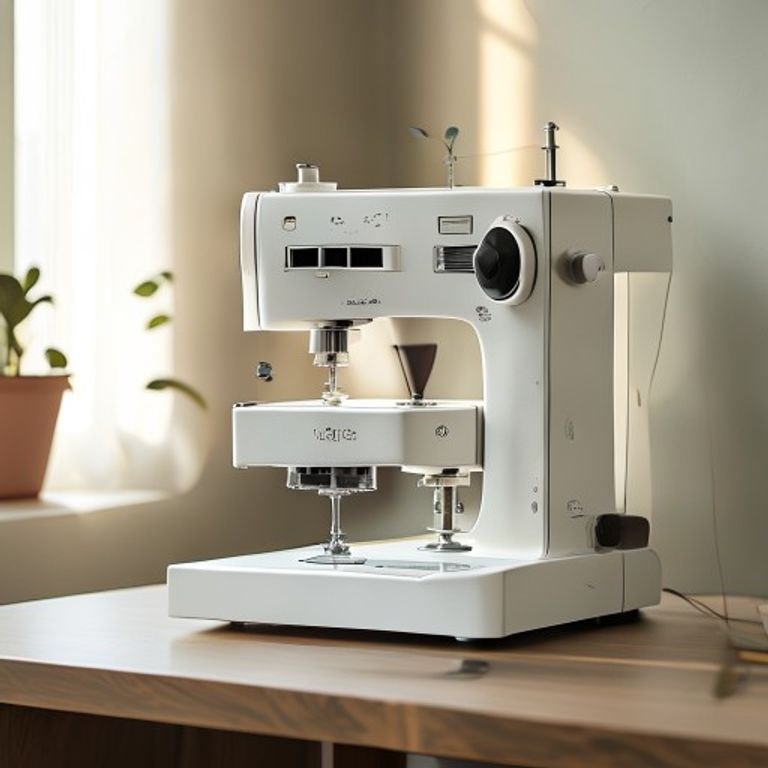
You bought a plain tote bag and thought, “I could stitch a little flower on this.” Three hours of YouTube tutorials later, you’re drowning in terms like stabilizer, digitizing, and hoop tension. The truth is, picking your first embroidery machine can feel like guessing a password you’ve never seen. One wrong choice and you’re stuck with a machine that sits in the closet, tangled thread and broken needles haunting your dreams.

What actually makes a beginner machine worth owning? It needs to be forgiving when you make mistakes. It should have enough built-in designs and fonts that you can start creating immediately, without buying extra software. The hoop size should be large enough for real projects but small enough that you don’t waste fabric. And the controls need to be intuitive, not like operating a cockpit. Most importantly, the machine should grow with you, letting you import your own designs when you’re ready.
This roundup covers five distinctly different options, from a versatile sewing-and-embroidery combo to a focused embroidery-only machine. The Brother SE700 leads the pack for most beginners because it does double duty. But if you already own a sewing machine, a dedicated embroidery machine like the PooLin EOC03 might save you money and frustration. We also included a surprising resource — a book that can save you hours of trial and error. Read on to find the match for your skill level, budget, and workspace.
Before we dive into each pick, here’s a side-by-side look at the key specs that matter most for beginners.
| Feature | Brother SE700 | SE700 Bundle | Embroidery Book | Poolin EOC05 | PooLin EOC03 |
|---|---|---|---|---|---|
| Machine Type | Combo (sewing+embroidery) | Combo with extras | Reference book | Embroidery only | Embroidery only |
| Embroidery Area | 4″ x 4″ | Multiple hoops | N/A | 4″ x 9.25″ | 4″ x 4″ & 4″ x 9.25″ |
| Built-in Designs | 135 | 135 + bonus cards | N/A | Not listed | 130 |
| Touchscreen Size | 3.7″ | 3.7″ | N/A | 7″ | Not listed |
| Special Feature | Wireless LAN + Artspira app | Accessory bundle | Stabilizer tutorial | Institch OS2 | WiFi transfer + fonts |
Brother SE700 Combo

Brother
Brother SE700 Sewing and Embroidery Machine, Wireless…
- Sewing and Embroidery in One: The SE700 Brother sewing and embroidery machine is the ideal machine to start your sewing and embroi…
- Wireless Lan Enabled: Transmit embroidery files from your PC to your embroidery sewing machine via the free downloadable software…
- Artspira Mobile App for Customization: Make custom embroidery patterns by drawing on your mobile device, or download patterns from…
The Brother SE700 is a computerized sewing and embroidery machine that acts as two tools in one. It’s best for someone who wants to sew garments or home decor and also embroider monograms, small patches, or decorative accents. You don’t need to own a separate sewing machine — this handles everything from hemming pants to stitching a name on a towel.
What sets it apart is the wireless LAN connectivity. You can transfer embroidery designs from your computer using Brother’s Design Database Transfer software, no USB cable required. The Artspira mobile app even lets you draw custom patterns on your phone and send them to the machine. That’s a feature most machines at this price point don’t have. The 3.7-inch color touchscreen makes editing and previewing designs straightforward.
There’s one trade-off: the 4×4 inch hoop size. That’s plenty for hats, small bags, and pocket logos, but you can’t embroider a large back panel on a jacket or a full towel. You’d need to re-hoop and reposition for bigger designs, which takes practice. Also, if you mainly want to sew, the SE700 is a capable sewing machine, but serious quilters might prefer a heavier-duty model.
- Combination machine: sew and embroider without switching devices
- Wireless LAN and Artspira app for easy design transfer
- 135 built-in embroidery designs and 103 sewing stitches
- 8 included sewing feet for different tasks
- 4″ x 4″ embroidery field with included hoop and arm
Best for: Beginners who want one machine that does both sewing and embroidery, and who value wireless convenience over a larger hoop size.
SE700 Bundle

Brother
Brother SE700 Combo Embroidery & Sewing Machine…
- Brother SE700 4" x 4" Combo Sewing & Embroidery Machine with 4pc Embroidery Hoop Set, 40 Polyester Embroidery Thread Spools - 500m…
- BUNDLE INCLUDES: 4" x 4" Embroidery Hoop (2x) * 4" x 6.75" Embroidery Hoop * 1" x 2.5" Embroidery Hoop * 40 Polyester Embroidery T…
- BUNDLE INCLUDES: Zigzag foot “J” (on machine) * Monogramming foot “N” * Overcasting foot “G” * Zipper foot “I” * Blind stitch foot…
This is the same Brother SE700 machine, but it ships with a generous accessory bundle. Alongside the standard 4×4 hoop, you get two more hoops (including a larger 4×6.75 inch one and a tiny 1×2.5 inch one) plus 40 spools of polyester embroidery thread, each 500 meters long. There’s also a set of design cards with SVG and JPG files for commercial use. For a beginner, this bundle removes the need to buy thread, hoops, or patterns right away.
The main advantage here is convenience. You unbox the machine and immediately have enough thread for dozens of projects, plus the right hoop sizes for different items. The extra 4×6.75 inch hoop is particularly useful because it lets you stitch larger designs or reposition less often. The design cards offer over 500 patterns, so you’re not limited to the built-in 135.
On the downside, the bundle costs more than buying the machine alone, and you might not need all 40 thread spools if you only embroider occasionally. Some of the included accessories (like the extra bobbins and scissors) are fairly standard and could be bought cheaper elsewhere. But for a complete beginner who doesn’t want to shop for individual supplies, the bundle saves time and guesswork.
- Same SE700 machine plus 4 total hoops, including 4×6.75″
- 40 polyester thread spools (500m each) in various colors
- Design cards with 500+ patterns for immediate use
- Includes 8 sewing feet, needles, bobbins, and basic tools
- Wireless LAN, Artspira app, and 135 built-in designs
Best for: A beginner who wants a true all-in-one starter package and doesn’t want to piece together supplies separately.
Embroidery Machine Book

Krause Publications
Embroidery Machine Essentials: How to Stabilize, Hoop…
- QUILTING BOOK AND PROJECTS
Yes, it’s a book, not a machine. But it addresses what many beginners overlook: stabilization. Embroidery Machine Essentials by Krause Publications walks you through how to choose the right stabilizer, how to hoop correctly, and how to stitch decorative designs without puckering. You can own the best machine in the world, but if your fabric shifts or your stabilizer dissolves too early, the result looks messy.
This book shines because it explains the “why” behind each technique. It covers different stabilizer types (tear-away, cut-away, wash-away) and when to use them for towels, knits, denim, and more. It also includes step-by-step projects you can follow with any machine. For someone who learns by reading rather than watching videos, this is a practical companion.
Here’s the honest limitation: it’s a book, so you can’t watch someone do it. If you prefer visual or hands-on learning, a YouTube channel might serve you better. Also, the book is from Krause Publications, which publishes quilting and craft books — it’s reliable but not a machine manual specific to any brand. Still, the core knowledge applies universally.
- Teaches stabilization, hooping, and stitching techniques
- Projects suitable for any embroidery machine
- Covers multiple stabilizer types and their best uses
- Written for beginners with clear instructions
- Physical book for reference at your sewing table
Best for: Beginners who want to understand the technical side of embroidery and avoid common fabric-handling mistakes.
Poolin EOC05

Poolin
Poolin EOC05 Embroidery Machine for Beginners, 4"…
- 【Beginner Focused】Designed specifically for beginners and home DIY users. Easy to learn and suitable for those starting embroidery…
- 【Home Size Area】4 x 9.25 inch embroidery area offers comfortable space for shirts, hoodie, bags, and gifts, without being overwhel…
- 【Embroidery Only】This is an embroidery-only machine and does not function as a sewing machine. A focused design that helps beginne…
The Poolin EOC05 is an embroidery-only machine designed specifically for home users with zero experience. It does not sew. Its entire purpose is to embroider designs onto fabric, and it achieves that with a large 7-inch color touchscreen that shows you exactly what you’re doing. The embroidery area is 4 inches by 9.25 inches, which is nearly double the width of the Brother SE700’s 4×4 space.
That extra width matters. You can embroider across the back of a hoodie, a long vertical banner on a tote bag, or a design that spans the entire width of a pillowcase without re-hooping. The machine runs on Institch OS2, an operating system that Poolin designed for easy navigation. Menus are simple, and you can select, resize, and rotate designs directly on the screen. For a beginner who is intimidated by complicated settings, this machine feels approachable.
But there are two trade-offs. First, it’s embroidery only — if you also need to sew, you’ll need a separate machine. Second, Poolin is a newer brand compared to Brother, so long-term support and parts availability are less proven. The machine also doesn’t come with built-in designs listed in the specs, meaning you’ll likely need to transfer your own patterns via the included software or USB. It’s best for someone who already has a sewing machine and wants a dedicated embroidery workstation.
- 4″ x 9.25″ embroidery area — larger than most beginner models
- 7-inch color touchscreen with clear guidance
- Institch OS2 operating system for simple operation
- Embroidery-only design, no sewing functions
- Suitable for shirts, hoodies, bags, and gifts
Best for: Home DIYers who already own a sewing machine and want a large embroidery area without the complexity of a combo machine.
PooLin EOC03
The PooLin EOC03 is the sibling to the EOC05, but it adds a second hoop size: 4×4 inches and 4×9.25 inches. It also comes with 130 built-in designs and 8 fonts right out of the box, so you can start personalizing items immediately without hunting for patterns. It runs the same Institch operating system, keeping the interface beginner-friendly.
Where this model stands out is the WiFi design transfer. You can create your own patterns using free embroidery software, then send them directly to the machine wirelessly. No USB drive, no cable. That’s a feature usually found on machines costing twice as much. The starter kit includes a few basic accessories like bobbins and needles, so you can begin stitching after a quick setup. The combination of two hoop sizes gives you flexibility: use 4×4 for small projects like baby bibs, and switch to the large hoop for adult hoodies or tote bags.
One limitation: the spec sheet doesn’t mention the touchscreen size, but it’s likely smaller than the EOC05’s 7-inch display. The EOC03 also doesn’t include a sewing function, same as the EOC05. And while the built-in designs are decent, they skew toward decorative patterns rather than modern aesthetics. You’ll probably want to design your own or buy digital patterns eventually.
- Two hoop sizes: 4″ x 4″ and 4″ x 9.25″
- 130 built-in designs and 8 fonts
- WiFi transfer for sending custom designs
- Starter kit includes basic accessories
- Institch operating system for easy navigation
Best for: Budget-minded beginners who want both small and large hoop options, plus wireless pattern transfer, without buying a more expensive combo machine.
How We Chose These Products
We started by looking at what beginners actually struggle with. The biggest barrier is setup complexity, so we prioritized machines with clear touchscreens, minimal steps to start stitching, and no requirement to buy extra software immediately. We also considered hoop size — a 4×4 area works for many projects, but larger hoops reduce frustration for those who want to do apparel or home decor.
Brand reputation matters, but we didn’t rule out newer brands like Poolin. Their machines offer modern features (WiFi transfer, large touchscreens) at lower prices, which can be a smart entry point. We included the Brother SE700 because its combination of sewing and embroidery is ideal for someone with limited space and budget. The book made the list because stabilization technique is the number one reason beginners get poor results, and a good reference saves money on wasted fabric and thread.
We did not include multi-needle machines (like the Brother PR series) because they are overkill for beginners. They cost thousands, require dedicated software, and are best for small businesses or advanced hobbyists. Single-needle machines are the right place to start — and every machine on this list uses a single needle, which keeps learning simple.
Buying Guide: What Really Matters
The first decision is whether you need a combo machine or embroidery-only. If you already own a sewing machine, there’s no reason to pay extra for a combo. Put that money into a larger hoop or more thread. But if you’re starting from scratch with a limited desk, a combo like the Brother SE700 saves space and lets you learn two skills on one device.
Hoop size determines what you can stitch. A 4×4 inch hoop fits hats, small bags, and shirt fronts. For hoodie backs, full towel designs, or larger placements, you need at least 4×8 inches. The good news is that many beginner machines (like the Poolin EOC03) let you swap between small and large hoops. Don’t ignore built-in designs and fonts — they give you instant creative options while you learn to digitize your own patterns. Look for at least 100 built-in designs and 6 to 8 fonts for monogramming.
Touchscreen quality matters more than you’d think. A 3.7-inch screen works, but a 7-inch screen (like on the Poein EOC05) makes editing and previewing much easier on your eyes. Wireless connectivity is a huge time-saver compared to USB sticks, especially if you plan to create custom designs on a computer or phone. Finally, consider what’s included in the box. Machines that ship with extra hoops, thread, and a starter kit let you start creating on day one without a shopping trip.
Our Top Recommendation
For most beginners, the Brother SE700 is the best overall choice. It gives you two functional machines in one footprint, and the wireless LAN and Artspira app make design transfer genuinely simple. Yes, the 4×4 hoop is limiting, but you can upgrade to a bundle that includes a larger hoop. The brand has decades of support and tutorials, so if you get stuck, there’s a huge community and replacement parts are easy to find.
If you already have a sewing machine and want a dedicated embroidery machine, the PooLin EOC03 offers the best value. Two hoop sizes, WiFi transfer, and 130 built-in designs for a fraction of the cost of a Brother combo. The only catch is that it’s a newer brand with a smaller support network, but the machine itself feels well-built for the price. The Poolin EOC05 is a solid runner-up if you prioritize a huge touchscreen and don’t need the smaller hoop.
And regardless of which machine you choose, grab that embroidery book. It will save you more time and frustration than any other accessory.
Frequently Asked Questions
Do I need a sewing machine if I buy an embroidery-only machine?
Yes, if you plan to sew garments or repair clothes. An embroidery-only machine cannot stitch seams, hem fabric, or attach buttons. If you don’t already own a sewing machine, a combo model like the Brother SE700 will cover both needs. If you do own a sewing machine, an embroidery-only model saves money and lets you keep your sewing setup intact.
What’s the difference between single-needle and multi-needle machines for a beginner?
Single-needle machines (all models in this review) use one thread color at a time. To change colors in a design, the machine stops and you swap the thread manually. Multi-needle machines have multiple needles loaded with different colors and switch automatically. Multi-needle machines cost $3,000 to $15,000 and are meant for production work or small businesses. As a beginner, start with a single-needle. You can always upgrade later if you start selling.
How do I maintain my embroidery machine so it lasts?
Clean the bobbin case and feed dogs after every project. Lint and dust accumulate quickly and can cause tension problems. Oil the machine only where the manual says — many modern machines are self-lubricating. Use quality thread; cheap thread sheds more lint. Replace needles regularly; a dull needle can snag fabric and break threads. If you use a machine weekly, give it a full service once a year from a dealer.
How hard is digitizing your own designs?
Digitizing is the process of converting an image or text into stitch commands a machine understands. It takes practice. Beginner-friendly software like Brother’s Artspira app or free programs like Ink/Stitch can walk you through it, but expect a few wonky results at first. A good shortcut is to buy pre-digitized designs online from sites like Etsy or Urban Threads while you learn. Most machines come with enough built-in designs to keep you busy for months.

