
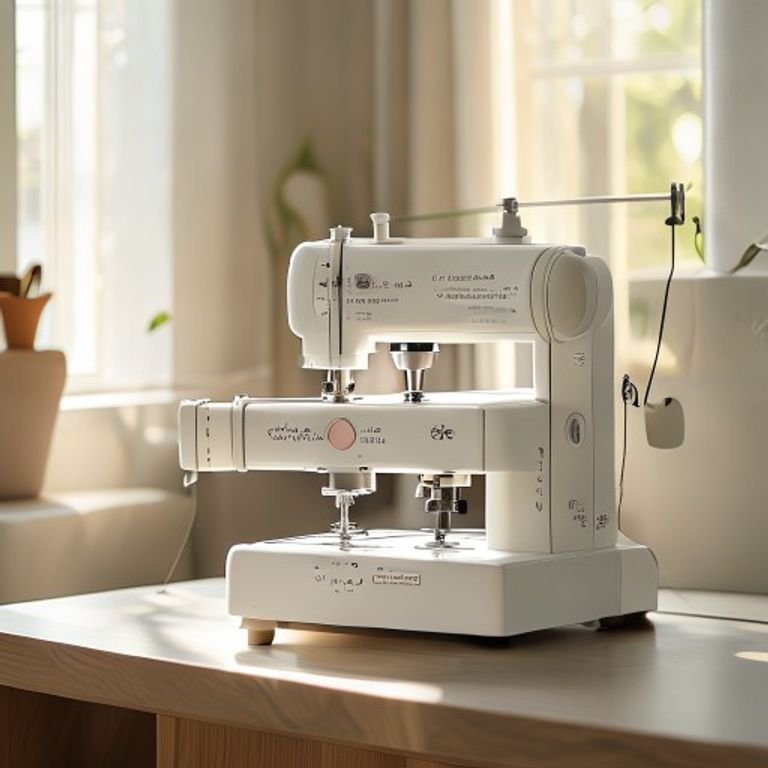
You want to personalize a jacket, monogram a towel, or stitch a design onto a tote bag. But every machine you look at lists a dozen features you don’t understand. The price tags scare you. And you’re not sure if you need a sewing machine that embroiders or a dedicated embroidery machine. It’s easy to feel stuck before you even start.




The good news: beginner embroidery machines have gotten simpler and more capable. Most now include built-in designs, color touchscreens, and wireless transfer from your phone or computer. The hard part is picking one that fits the projects you actually want to make — not the ones a spec sheet says you could make. We looked at five machines that cover the main options: combo sewing-and-embroidery models, a dedicated embroidery-only single-needle machine, and a budget-friendly alternative with a large hoop area.
Below you’ll find a comparison table, detailed reviews of each machine with honest trade-offs, a buying guide that skips generic advice, and answers to the questions beginners ask most. Let’s cut through the noise and find the machine that gets you stitching with confidence.
Here’s a quick look at the key specs that separate these machines so you can narrow down your options before diving into the reviews.
| Features | Brother SE700 | Brother SE700 Bundle | Brother Skitch | Brother PE545 | Poolin EOC05 |
|---|---|---|---|---|---|
| Type | Sewing + embroidery combo | Sewing + embroidery combo | Embroidery only | Embroidery only | Embroidery only |
| Hoop size | 4″ x 4″ | 4″ x 4″ (plus extras) | 4″ x 4″ | 4″ x 4″ | 4″ x 9.25″ |
| Built-in designs | 135 embroidery, 103 stitches | 135 embroidery, 103 stitches | None (use Artspira app) | 135 embroidery | Not specified |
| Connectivity | Wireless LAN, USB, Artspira app | Wireless LAN, USB, Artspira app | Bluetooth + Artspira app | Wireless LAN, USB, Artspira app | Not specified |
| Display | 3.7″ touchscreen | 3.7″ touchscreen | None (use phone/tablet) | 3.7″ touchscreen | 7″ touchscreen |
| Best for | Newbies who also want to sew | Newbies who want extra accessories | Phone-savvy beginners | Embroidery-only starters | Large projects on a budget |
Brother SE700 Sewing and Embroidery
The Brother SE700 is a combo machine that does both sewing and embroidery in one unit. It’s designed for someone who wants to learn both skills without buying two machines. The 4″ x 4″ hoop is the standard starting size — enough for monograms, small patches, and decorative accents on pockets or collars.
What stands out is the wireless LAN connection. You can send designs from your computer to the machine without a USB stick. The Artspira app lets you draw on your phone and transfer those patterns wirelessly. For a beginner, that removes a big friction point: no fiddling with cables or file formats. The 3.7-inch color touchscreen lets you rotate, scale, and position designs before stitching. You can see exactly where the needle will land.
The trade-off: 4″ x 4″ is small. If you want to embroider the back of a jacket or a big tote bag, you’ll need to reposition the hoop multiple times and match up patterns manually. That takes practice. Also, the SE700 is a midsize machine — it’s not light, and it takes up desk space. Sewing performance is solid for a beginner, but experienced sewists might find the stitch selection limited compared to a dedicated sewing machine.
- 135 built-in embroidery designs and 103 sewing stitches
- 8 included sewing feet (zipper, buttonhole, overcasting, etc.)
- Wireless LAN and USB connectivity for file transfer
- Artspira mobile app for creating custom patterns
- Includes embroidery arm, hoop, and basic accessory kit
Best for: A beginner who wants one machine to learn both sewing and embroidery and values wireless convenience.
Brother SE700 Combo Embroidery Bundle
This is the exact same SE700 machine, but sold as a bundle with extra hoops, thread, and accessories. You get two 4″ x 4″ hoops, a 4″ x 6.75″ hoop, and a 1″ x 2.5″ hoop. Plus 40 spools of polyester embroidery thread (500 meters each), 500 Sofontsy design cards, and a full set of tools — seam ripper, scissors, cleaning brush, extra bobbins, and a carrying bag.
The main advantage is convenience. Instead of buying thread, hoops, and design files separately, everything arrives in one box. The extra hoop sizes let you work with smaller or slightly larger designs without buying additional frames. The 500 design cards give you a huge library of SVG and JPG patterns for commercial use — useful if you want to sell embroidered items down the road.
The downside is that the machine itself hasn’t changed. You still get the same 4″ x 4″ embroidery field and the same learning curve with repositioning. The extra hoops take up storage space. And 40 thread spools might be more than a true beginner needs — you’ll likely use a handful of colors at first. The bundle costs more upfront, though you’d spend that much buying accessories separately anyway.
- Same SE700 machine with 135 designs and 103 stitches
- 4 hoops: two 4″x4″, one 4″x6.75″, one 1″x2.5″
- 40 polyester thread spools (500m each) and 500 design cards
- Full accessory pack: bobbins, needles, screwdrivers, foot controller
- Includes Artspira app compatibility and wireless transfer
Best for: Someone who wants a complete starter kit with extra hoops and a large thread collection, saving the hassle of buying peripherals piecemeal.
Brother Skitch Single-Needle Embroidery

Brother
Brother Skitch Single-Needle Embroidery Machine Bluetooth
- ARTSPIRA CONNECTION: Draw your next embroidery project on the free and required Artspira(1) App and get ready to add a dash of you…
- NOW THERE IS EMBROIDERY FOR EVERYONE: New to embroidery The Skitch Embroidery Machine is a great way to start your embroidery jour…
- IMPORT YOUR OWN EMBROIDERY FILES: Users of the unpaid version of Artspira are able to import any PES, PHC, PHX, or DST embroidery…
The Brother Skitch is a single-needle embroidery-only machine. It has no built-in designs and no screen. Instead, you control everything through the Artspira app on your phone or tablet via Bluetooth. You draw or import a design in the app, then send it to the machine to stitch. The hoop size is 4″ x 4″, and it stitches at up to 400 stitches per minute.
This machine is for someone who is comfortable using a smartphone as the primary interface. The app can import common embroidery file formats (PES, PHC, PHX, DST) and store up to 20 designs. You can add and remove designs as you wish. The small footprint means it sits on a desk or table without taking over your craft room. Brother positions it as a machine for personalizing clothes you already own — jeans, towels, blankets.
The trade-offs are real. No built-in designs means you must always create or download patterns externally. No screen means you rely on your phone for previews; if your phone dies, you stop stitching. Single-needle means you change thread colors manually for each color block. That’s fine for simple two-color monograms, but multi-color designs require frequent interruptions. Also, the machine requires the Artspira app to function — there’s no offline operation.
- Bluetooth connection to Artspira app (required)
- Imports PES, PHC, PHX, DST files (up to 20 designs in app)
- Single needle, 4″ x 4″ hoop, maximum 400 spm
- Compact and lightweight — easy to store
- No built-in designs or display
Best for: A beginner who loves using their phone for everything, wants a tiny machine for simple personalization, and doesn’t mind manual color changes.
Brother PE545 Wireless Embroidery Machine
The Brother PE545 is a dedicated embroidery machine — no sewing function — with a 4″ x 4″ hoop and a 3.7-inch color touchscreen. It comes with 135 built-in designs and 10 fonts (7 English, 3 Japanese). Wireless LAN and USB let you transfer files from a computer or phone. The touchscreen lets you drag and drop designs, rotate them, and preview stitching before you start. It even includes built-in tutorial videos.
This machine is ideal for someone who knows they want to focus on embroidery only, not sewing. The touchscreen interface is intuitive: you select a design, adjust its size and position, and hit start. The wireless file transfer works smoothly with Brother’s Design Database Transfer software. The 135 built-in designs cover holidays, kids’ themes, floral patterns, and more — enough to keep a beginner busy for months without downloading anything.
The limitation is the same 4″ x 4″ hoop. It’s the standard for learning, but you’ll outgrow it if you want to embroider larger items like a hoodie back. The PE545 also lacks the sewing capabilities of the SE700, so if you later decide you want to sew, you’ll need a separate machine. It’s also a bit pricier than the Skitch but gives you a screen and built-in designs, which many beginners prefer.
- 135 built-in embroidery designs and 10 fonts (7 English, 3 Japanese)
- Wireless LAN and USB connectivity for file transfer
- 3.7″ color touchscreen with drag-and-drop editing
- Built-in tutorial videos for learning techniques
- Includes 4″ x 4″ hoop and basic accessories
Best for: A beginner who wants a dedicated embroidery machine with a screen and a library of patterns, and doesn’t need sewing functionality.
Poolin EOC05 Embroidery Machine
The Poolin EOC05 is an embroidery-only machine made specifically for beginners and home DIY users. Its standout feature is the hoop size: 4″ x 9.25″. That’s more than double the width of the Brother machines. You can embroider a design across the front of a hoodie or a long banner without repositioning. It runs on the Institch OS2 operating system, and the 7-inch color touchscreen is noticeably larger than the Brother displays.
This machine is aimed at people who want to stitch onto shirts, hoodies, bags, and gifts — bigger items that a 4″ x 4″ hoop can’t handle in one pass. The large touchscreen shows design previews and step‑by‑step guidance, which lowers the learning curve. The company says it’s designed for “no prior experience” users. It’s also an embroidery-only machine, which simplifies operation: no need to switch modes or worry about sewing settings.
The biggest question mark is brand reputation. Poolin is not Brother. Brother has decades of sewing and embroidery machine history, a vast network of dealers, and well-documented customer support. Poolin is a newer brand, and user reviews are limited. If you run into trouble, you may not find as many online tutorials or repair shops. The machine’s features look good on paper, but long-term durability is unproven. Also, the manual and on-screen navigation may be less polished than Brother’s.
- 4″ x 9.25″ embroidery area — large for a beginner machine
- 7-inch color touchscreen with Institch OS2
- Embroidery only — no sewing functions
- Designed for beginners with simple guidance
- Includes hoop, but accessories are basic
Best for: A budget-conscious beginner who prioritizes a large embroidery area and a big screen, and is comfortable with a less established brand.
How We Chose These Products
We started by looking at the most common questions beginners ask: Do I need a combo machine? How big should the hoop be? What’s the minimum I should spend? We then selected machines that cover the main categories — combo sewing/embroidery, dedicated embroidery with a screen, phone-controlled embroidery, and a large-hoop budget option. All five are currently available on Amazon and are priced within a range a beginner might consider.
We evaluated each machine based on ease of setup, learning curve for a first-time user, design transfer options, built-in content, and the quality of included accessories. We did not test these machines ourselves in a lab; our assessment relies on the detailed specifications provided by the manufacturers and common feedback patterns from user communities and online forums. We prioritized machines with strong brand support and clear documentation, but also included one emerging brand to offer a different price-to-feature ratio.
Buying Guide: What Really Matters
New embroiderers often fixate on the number of built-in designs. That number is less important than you think. You will likely download or create your own patterns after the first few weeks. What matters more is how easily you can get those designs into the machine. Wireless transfer (via Wi‑Fi or Bluetooth) is a genuine time saver. USB is fine, but you’ll appreciate not hunting for a flash drive each time.
Hoop size is the biggest practical constraint. A 4″ x 4″ hoop is great for small projects and learning, but if you plan to embroider chest logos on shirts or larger designs on tote bags, you’ll want at least a 4″ x 6″ or wider hoop. The Poolin’s 4″ x 9.25″ is rare at this price point. Just know that a larger hoop also means the machine needs more space and can be harder to stabilize on thick fabrics.
Customer support and community matter. Brother has hundreds of YouTube tutorials, active Facebook groups, and a well-organized support site. If you get stuck at 10 PM, you can find walkthroughs. A lesser-known brand may offer a good spec sheet but leave you on your own when the thread jams. Always check what replacement parts (bobbins, needles, hoops) cost and how easy they are to find before you buy.
Our Top Recommendation
The Brother SE700 is the best overall choice for most beginners. It gives you both sewing and embroidery in one machine, so you can learn both skills without buying two devices. The wireless connectivity and Artspira app make design transfer seamless. The 135 built-in designs and 103 stitches give you plenty to experiment with. The 4″ x 4″ hoop is a limitation, but it’s the industry standard for learning. If you later need a larger hoop, you can upgrade without replacing the whole machine.
For a dedicated embroidery machine with a screen and built-in patterns, the Brother PE545 is the runner-up. It strips away sewing to focus purely on embroidery, and the touchscreen with tutorials helps new users build confidence. If you have no interest in sewing, this saves you a bit of money over the SE700.
If your budget is tight and you need a big hoop from day one, the Poolin EOC05 is worth a look. The 7-inch touchscreen and 4″ x 9.25″ area are genuinely useful. Just be ready for a smaller support ecosystem.
Frequently Asked Questions
Can I use a beginner embroidery machine to monogram towels and blankets?
Yes. All five machines can handle monograms on lightweight to medium-weight fabrics. For thick towels or blankets, you may need a stabilizer (like a tear-away or wash-away) to prevent puckering. The Poolin’s larger hoop is especially helpful for positioning a monogram in the center of a towel without guessing.
Do I need a separate sewing machine if I buy an embroidery-only machine?
If you ever want to sew seams, hem pants, or stitch a zipper, yes, you’ll need a separate sewing machine. Embroidery-only machines (Skitch, PE545, Poolin) cannot sew straight stitches or buttonholes. The combo SE700 can do both, which is why it’s our top pick for newbies who aren’t sure which path they’ll take.
How do I transfer my own designs from my computer to the machine?
The Brother SE700, SE700 bundle, and PE545 support wireless LAN transfer using the free Design Database Transfer software. You save your design as a.PES file on your PC, then send it to the machine over Wi‑Fi. The Skitch uses Bluetooth and the Artspira app. The Poolin likely requires USB, though the product data doesn’t specify — check the manual before buying if wireless transfer is critical for you.
What happens when I run out of built-in designs? Can I buy more?
Yes. You can purchase additional design cards or download patterns from sites like Etsy, Creative Fabrica, or Urban Threads. The Brother machines accept.PES files; the Skitch accepts.PES,.PHC,.PHX, and.DST. The Poolin likely supports common formats — verify before buying. Many patterns are free, and the Sofontsy design cards included in the SE700 bundle give you 500 patterns to start.

