
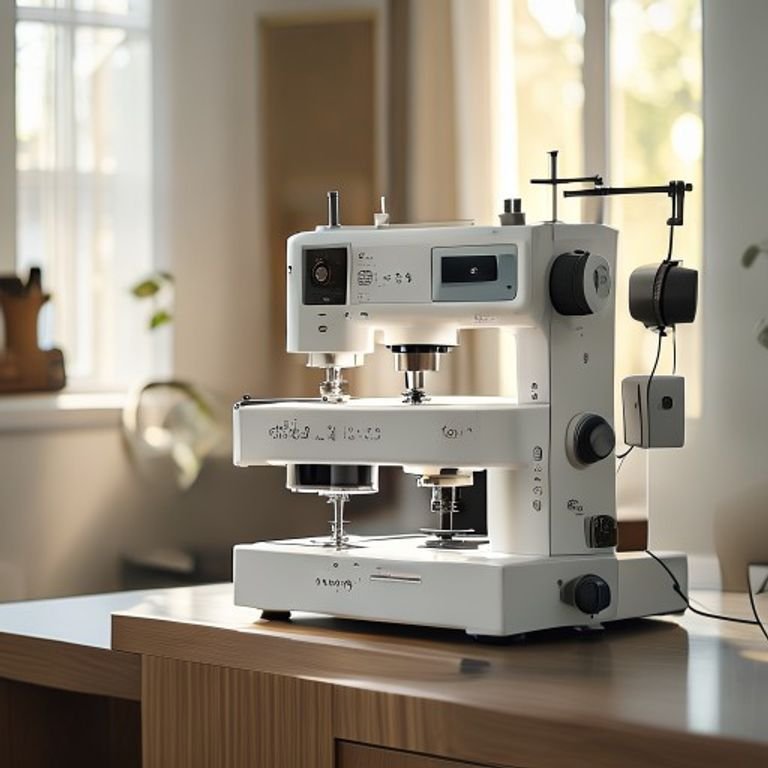
You bought a new jacket and want to add your own patch. Or maybe you have a stack of plain tote bags that could use some personality. Hand embroidery takes hours, and store-bought patches don’t always fit the look you’re after. A good embroidery machine changes that — it turns a hobby into something you can actually finish.
Choosing the right machine means looking at hoop size, stitch quality, software ease, and whether you want a combo sewing-and-embroidery unit or a dedicated machine. Beginners need something that won’t fight them. Advanced users want speed and large design areas. Multi-needle machines handle production work. This guide covers five solid options across those needs.
We picked the Brother SE700 as best for most beginners, the Brother PE900 for dedicated embroidery without sewing, and the Smartstitch S-1001 for commercial-level work. The Brother SE2000 is the best combo for larger designs. The SE700 bundle adds thread and hoops for those starting from scratch. Read on for details on each, plus buying advice and real-world maintenance tips.
Here is a quick comparison of the key specs that separate these machines:
| Features | Brother SE700 | Brother SE700 Combo | Smartstitch S-1001 | Brother PE900 | Brother SE2000 |
|---|---|---|---|---|---|
| Machine Type | Combo sew/emb | Combo + bundle | Multi-needle commercial | Dedicated embroidery | Combo sew/emb |
| Embroidery Area | 4×4 inches | 4×4 inches | 9.5×14.2 inches | 5×7 inches | 5×7 inches |
| Built-in Designs | 135 | 135 + bonus cards | N/A (DST/DSB files) | 193 | 190+ built-in |
| Connectivity | Wireless LAN, USB | Wireless LAN, USB | USB, WiFi | Wireless LAN, USB | Wireless LAN, USB |
| Best For | Beginners, small projects | New users wanting supplies | Small business, hats, jackets | Embroidery-only, larger patches | Large combo projects |
Brother SE700 Sewing and Embroidery

Brother
Brother SE700 Sewing and Embroidery Machine, Wireless…
- Sewing and Embroidery in One: The SE700 Brother sewing and embroidery machine is the ideal machine to start your sewing and embroi…
- Wireless Lan Enabled: Transmit embroidery files from your PC to your embroidery sewing machine via the free downloadable software…
- Artspira Mobile App for Customization: Make custom embroidery patterns by drawing on your mobile device, or download patterns from…
The Brother SE700 is a combo machine built for someone who wants to sew and embroider without buying two separate units. It works well for crafters making personalized gifts, small clothing items, or home decor. The 4×4 inch hoop handles common projects like towels, baby onesies, and tote bag fronts. If you mostly do small patches and monograms, this size is fine.
What stands out is the wireless connectivity and the Artspira mobile app. You can draw a design on your phone and send it to the machine without plugging in a cable. The 3.7-inch touchscreen is bright enough to preview stitches clearly. It comes with 135 built-in designs and 103 sewing stitches, so you have plenty to start with. The included eight sewing feet cover basic needs like zippers, buttonholes, and blind hems.
The trade-off is the hoop size. 4×4 is limiting if you ever want to embroider on the back of a jacket or a large quilt block. Also, the single-needle setup means you change thread manually for each color. That’s normal for this class, but it slows down multi-color designs. The machine is light — around 13 pounds — which is good for storing but means it can vibrate on a flimsy table during fast sewing.
- 4″ x 4″ embroidery field with included hoop and arm
- 135 built-in designs, 103 sewing stitches
- Wireless LAN and USB design transfer
- Artspira app compatibility for custom patterns
- 8 sewing feet in the box
Best for: Beginners who want a single machine for sewing and small embroidery projects, with wireless convenience.
Brother SE700 Combo Embroidery Bundle

Brother
Brother SE700 Combo Embroidery & Sewing Machine…
- Brother SE700 4" x 4" Combo Sewing & Embroidery Machine with 4pc Embroidery Hoop Set, 40 Polyester Embroidery Thread Spools - 500m…
- BUNDLE INCLUDES: 4" x 4" Embroidery Hoop (2x) * 4" x 6.75" Embroidery Hoop * 1" x 2.5" Embroidery Hoop * 40 Polyester Embroidery T…
- BUNDLE INCLUDES: Zigzag foot “J” (on machine) * Monogramming foot “N” * Overcasting foot “G” * Zipper foot “I” * Blind stitch foot…
This is the same SE700 machine but wrapped with a generous starter kit. You get four embroidery hoops (including a 4×6.75 inch and a 1×2.5 inch mini hoop), 40 spools of polyester thread (500 meters each), and a full set of accessories: scissors, seam ripper, pre-wound bobbins, cleaning brush, and more. There are also five Sofontsy design cards with SVG and JPG files for commercial use. This bundle is for someone who doesn’t want to run to the store for thread and hoops right after unboxing.
The extra hoops matter. The 4×6.75 inch hoop lets you do slightly taller designs than the standard 4×4. The mini hoop is great for tiny details like shirt collar logos. Having 40 thread colors means you can start multi-color projects without purchasing a thread kit separately. The design cards add over 150 additional patterns, which bridges the gap until you learn custom software.
A limitation: the machine itself is still the SE700, so you get the same 4×4 maximum field. The extra hoops don’t change the maximum stitch area — only the larger hoop shapes within that field. Also, the thread is standard polyester; it’s fine for practice and beginner projects, but you may want higher quality thread for items that get washed frequently. The bundle box is large, so keep that in mind for storage.
- SE700 machine plus 4 embroidery hoops
- 40 spools of polyester thread (500m each)
- Accessories: scissors, seam ripper, bobbins, screwdrivers
- 5 design cards with SVG/JPG files (commercial use allowed)
- Pre-wound bobbins and spool caps included
Best for: Start-from-scratch buyers who want everything needed to begin embroidery right away, including thread and extra hoops.
Smartstitch S-1001 Upgraded Machine

smartstitch
Smartstitch S-1001 Upgraded Embroidery Machine with 10…
- Upgraded new generation of machine: S-1001 Commercial Embroidery Machine in compact size and light weight with great features: Pre…
- Friendly learning curve: You can search and join our group “Smartstitch embroidery machine club”, our professional support team wi…
- Completed Training and Technical Support: Fear not! Smartstitch provides operation manuals and video trainings to ensure you can g…
The Smartstitch S-1001 is a 10-needle commercial embroidery machine aimed at small businesses and serious hobbyists making patches, hats, jackets, and bags. It handles a 9.5×14.2 inch embroidery area — enough to do a full back of a denim jacket or multiple smaller designs in one hooping. The 10 needles mean you can load ten thread colors and let the machine switch automatically. That cuts production time dramatically compared to single-needle machines.
Speed is the headline here: 1200 stitches per minute with auto thread trimming, auto color change, and thread break detection. The 7-inch touchscreen is larger than the Brother units, and the laser positioning helps you line up designs on tricky items like caps. Physical buttons are added for quick access. Smartstitch also provides online training videos and a user group on Facebook. For people worried about learning a commercial machine, the support team does one-on-one remote setup.
The downsides are size and cost. This machine is heavy and needs a sturdy table or stand. It’s not something you tuck in a closet. It uses DST/DSB files, so you’ll need digitizing software to create or edit designs. The starter pack includes thread, stabilizers, and bobbin thread, but you’re expected to already know basics of digitizing. Also, the return policy requires keeping the wooden pallet and all packing material — if you decide it’s not for you, repackaging is a chore.
- 10 needles, auto thread trim and color change
- 9.5″ x 14.2″ embroidery area
- 1200 stitches per minute max speed
- 7″ touchscreen with laser positioning
- Stitches on denim, canvas, leather, caps, shoes
Best for: Small business owners or advanced hobbyists who produce embroidered items in volume and need speed, large area, and multi-color automation.
Brother PE900 Wireless Embroidery

Brother
Brother PE900 Wireless Embroidery Machine with WLAN
- ARTSPIRA MOBILE APP: Access 50 free embroidery designs, make custom embroidery patterns by drawing on your mobile device, or downl…
- WIRELESS LAN ENABLED: Transmit embroidery files from your PC to your embroidery machine via the free downloadable software Design…
- 5" x 7" EMBROIDERY FIELD: PE900 has a generous 5” x 7” maximum embroidery area perfect for stitching larger designs, and a 7.4” sp…
The Brother PE900 is a dedicated embroidery machine — no sewing functions — with a 5×7 inch embroidery field. That extra space over the 4×4 machines lets you stitch on the back of a hoodie, a large tote, or even a quilt block. It has 193 built-in designs and 13 fonts (including Japanese and Cyrillic). If you do mostly embroidery and already own a sewing machine, this is a smart upgrade.
Two features save time on multi-color designs: Advanced Color Sort and jump stitch trimming. Color Sort reorders the stitching sequence to minimize thread changes. For example, if you have three red sections scattered across the design, it stitches them all at once. Jump stitch trimming cuts those loose threads automatically. That means less time with scissors and less thread waste. The wireless LAN and Artspira app work the same as the SE700 — you can send designs from your phone or PC without a USB cable.
A drawback: no sewing capability. If you want to sew and embroider, you need a separate sewing machine. Also, the included hoop is only the default 5×7; you may need additional hoops for smaller or odd-shaped items. The machine is not especially fast at around 400 stitches per minute, but that’s typical for this class. The screen is a smaller non-touch LCD, not the color touchscreen of the SE700. You navigate using buttons.
- 5″ x 7″ embroidery field, 7.4″ needle-to-arm space
- 193 built-in designs, 13 lettering fonts
- Advanced Color Sort and auto jump stitch trim
- Wireless LAN and USB design transfer
- Access to 50 free designs via Artspira app
Best for: Embroiderers who want a larger design area and time-saving features, and already have a sewing machine.
Brother SE2000 Sewing and Embroidery

Brother
Brother SE2000 Sewing and Embroidery Machine Computerized
- ARTSPIRA MOBILE APP: Access 50 free embroidery designs, make custom embroidery patterns by drawing on your mobile device, or downl…
- WIRELESS LAN ENABLED: Transmit embroidery files from your PC to your sewing and embroidery machine via the free downloadable softw…
- SEWING and EMBROIDERY IN ONE: With a host of over 190 built-in and 50 downloadable embroidery designs with 13 embroidery fonts, 24…
The Brother SE2000 is the big sibling of the SE700. It offers a 5×7 inch embroidery field while still being a combo sewing-and-embroidery machine. With over 190 built-in embroidery designs, 241 sewing stitches, and 13 fonts, it’s the most feature-rich single-needle combo unit in this lineup. If you want to sew garments and embroider larger motifs on the same machine, this is the one.
The 5×7 field lets you tackle projects the SE700 cannot — like a large floral on a quilt block or a name across the back of a hoodie. It also has Color Sort and jump stitch trimming, same as the PE900. The sewing stitch library is extensive: decorative stitches, buttonholes, stretch stitches for knits, and quilt stitches. The 8 sewing feet are included. Wireless connectivity and Artspira app are standard, so design transfer is easy.
Trade-offs: the learning curve is steeper than the SE700 simply because there are more features. The screen is a color touchscreen but only 3.7 inches — same as the SE700 — so editing complex designs feels cramped. The machine is heavier (about 17 pounds) but still portable. Single-needle means manual color changes for embroidery. Some users report that the jump stitch trim works well but occasionally misses a tiny thread. It’s a minor annoyance, not a dealbreaker.
- 5″ x 7″ embroidery field, 241 sewing stitches
- 190+ built-in designs, 13 embroidery fonts
- Color Sort and automatic jump stitch trimming
- Wireless LAN and USB transfer
- 8 sewing feet included
Best for: Sewists who want a large embroidery area without buying a separate sewing machine, and enjoy having many stitch options.
How We Chose These Products
We looked at five machines that cover the main buying scenarios: beginner combo, dedicated embroidery, large-area combo, and multi-needle commercial. Each had to be currently available and well-supported with software and accessories. We prioritized machines with wireless design transfer because that’s a real convenience most modern buyers want. We also considered the number of built-in designs and fonts — beginners need content to start without buying extra cards.
Hoops size was a key differentiator. Machines with 4×4 hoops are fine for small projects but limit growth. We made sure to include two 5×7 options for those who plan to embroider bigger items. The Smartstitch S-1001 was included because multi-needle machines are often overlooked in roundups aimed at home sewers, but they are the right tool for hats and jackets. We avoided machines with poor software support or that require proprietary cartridges.
Buying Guide: What Really Matters
Hoop size is the first decision. A 4×4 inch area handles about 90 percent of what beginners want: names, small flowers, logos on pocket-sized areas. But once you want to do the back of a shirt or a large jacket patch, you’ll wish you had a 5×7 or larger. The Smartstitch’s 9.5×14.2 area is overkill for home use but essential for production. Pick the size that matches the biggest project you realistically plan to stitch in the next year.
Single-needle versus multi-needle matters for time and thread management. A single-needle machine requires you to manually change thread for each color. That’s fine for one-off projects with 3-4 colors. But if you sell embroidered hats at a market, a 10-needle machine pays for itself in saved labor. Also consider how designs are transferred. Built-in designs are convenient, but you’ll eventually want to import custom files. Make sure the machine supports USB or WiFi transfer, and check if the software to edit them is included or extra.
Maintenance tips: clean the bobbin area after every 8 hours of stitching. Use a small brush to remove lint. Oil only along the points specified in your manual — over-oiling attracts dust. Keep the machine covered when not in use. For multi-needle machines, check thread tension regularly because different materials stretch differently. Wash stabilizer residue off hoops after each use; sticky residue can throw off alignment. Replace needles every 10-12 hours of embroidery time, especially if you’re stitching on denim or leather.
Our Top Recommendation
For most home sewers and crafters, the Brother SE700 (or the bundle version if you need supplies) is the best entry point. It does both sewing and embroidery, it’s simple to set up, and the wireless app is genuinely useful. If you have a little more budget and want larger designs, the Brother SE2000 is the clear upgrade — same convenience with a bigger hoop and more stitches. For dedicated embroidery without sewing, the Brother PE900 offers the best value with its Color Sort and jump trim.
If you run a small embroidery business or plan to do hats and jackets regularly, skip the single-needle machines entirely and invest in the Smartstitch S-1001. The speed and multi-color automation will pay off fast. The learning curve is real, but Smartstitch’s support and user community make it manageable. For anyone on a tight budget, the SE700 bundle gives you the most bang for the buck because you don’t have to buy thread and hoops separately.
Frequently Asked Questions
Can I embroider on thick materials like denim or leather with these machines?
Yes, with the right needle and stabilizer. The Brother machines handle light to medium denim fine. The Smartstitch S-1001 is designed for caps, leather, and heavy canvas. For leather, use a leather needle and a tear-away stabilizer. Test on a scrap first to adjust tension.
Do I need embroidery software to create my own designs?
For the Brother machines, you can use the Artspira app to draw simple designs or buy pre-made patterns. For custom digitized logos, you need software like Embird or Hatch. The Smartstitch works with any software that outputs DST files. The bundle includes SVG/JPG design cards that work with Artspira or a computer.
How often should I service my embroidery machine?
For home use (a few hours per week), self-cleaning and oiling every month is enough. For commercial use, professional servicing every 200 hours of stitching. Common signs you need service: skipped stitches, thread bunching underneath, or unusual noise. Always use the recommended oil brand — cheap substitutes can gum up the tension disks.
What is the difference between a single-needle and multi-needle machine in real daily use?
A single-needle machine requires you to stop, cut the thread, change color, rethread, and restart for each color in the design. A 10-needle machine lets you load all colors at the top and the machine switches automatically. For a design with 6 colors, a single-needle may take 15 minutes of changeovers; a multi-needle handles it in one pass. The trade-off is cost and learning how to manage multiple thread cones and tension adjustments per needle.

