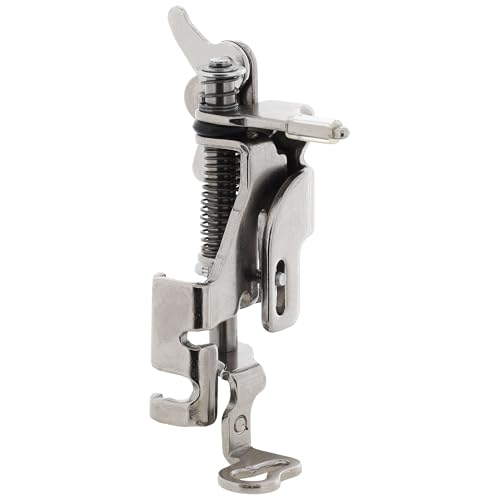
The Brother SE400 Embroidery and Sewing Machine stands out in the market for its versatility, functionality, and user-friendly features. Whether you’re a seasoned sewing enthusiast or a beginner looking to explore the world of embroidery, this machine has something to offer everyone. In this article, we will delve into the features, benefits, and tips associated with the Brother SE400, helping you understand why it’s a popular choice among crafters and sewists alike.
Key Features of the Brother SE400
The Brother SE400 is packed with features that cater to various sewing and embroidery needs. Here are some of the standout characteristics that make this machine a favorite:
1. Versatile Sewing and Embroidery Functions
The SE400 seamlessly transitions between sewing and embroidery, allowing you to switch tasks without needing multiple machines. With over 67 built-in sewing stitches and 70 embroidery designs, the possibilities are endless.
2. Large LCD Touch Screen
The LCD screen provides an easy-to-navigate interface, where you can preview designs, adjust settings, and select stitches with just a touch. This feature enhances the overall user experience, making it intuitive even for beginners.
3. USB Connectivity
With USB connectivity, you can easily import custom designs from your computer or other devices, expanding your creative options significantly. This feature opens the door to countless design possibilities.
4. Automatic Needle Threader
Threading the needle can often be a tedious task, but with the Brother SE400’s automatic needle threader, this process becomes a breeze, saving you time and frustration.
5. Embroidery Area
The machine offers a 4″x4″ embroidery area, which is suitable for most standard designs. This size is perfect for personalizing clothing, creating home décor items, or crafting unique gifts.
Setting Up the Brother SE400
Getting started with your Brother SE400 is straightforward. Here’s how to set it up for optimal performance:
1. Unboxing and Initial Setup
Carefully unbox the machine, ensuring you have all the components, such as the foot pedal, power cord, and accessories. Place the machine on a sturdy surface, preferably a well-lit workspace.
2. Plugging in and Powering On
Connect the power cord and press the power button. The LCD screen should light up, indicating that the machine is ready for use.
3. Threading the Machine
Follow the threading diagram on the machine to properly thread both the needle and the bobbin. The automatic needle threader will assist in this process.
4. Selecting Stitches and Designs
Use the LCD touch screen to browse through the built-in stitches and embroidery designs. You can customize the size and orientation of the designs, making it easy to fit them onto your chosen fabric.
Sewing with the Brother SE400
With its extensive range of built-in stitches, the Brother SE400 is perfect for various sewing projects, from basic repairs to intricate garments.
1. Choosing the Right Stitch
Utilize the LCD display to select from the 67 built-in stitches. Each stitch is categorized, allowing you to find the right one for your project quickly.
2. Adjusting Stitch Length and Width
The machine allows for customization of stitch length and width, enabling you to adapt stitches to your specific needs. This feature is particularly useful for quilting and decorative stitching.
3. Using the Foot Pedal
The included foot pedal provides hands-free operation, allowing you to maneuver your fabric effortlessly while controlling the speed of your sewing. Practice using the pedal to find a comfortable speed that suits your sewing style.
4. Troubleshooting Common Issues
Common sewing issues, such as thread tension problems or skipped stitches, can often be resolved by adjusting the settings or ensuring the machine is threaded correctly. Always refer to the troubleshooting section of the manual for guidance.
Embroidery with the Brother SE400
Embroidery adds a personalized touch to your creations, and the Brother SE400 makes this process accessible and enjoyable.
1. Selecting Embroidery Designs
With 70 built-in embroidery designs, you can easily choose a pattern that suits your needs. Additionally, the USB port allows you to import designs from your computer, expanding your options significantly.
2. Preparing the Fabric
Before you start embroidering, ensure that your fabric is properly stabilized. Use an appropriate stabilizer to prevent puckering and ensure a smooth finish on your design.
3. Positioning the Hoop
Attach the embroidery hoop securely to the machine and position your fabric within the hoop. Ensure that it is taut and properly aligned to achieve the best results.
4. Starting the Embroidery Process
Once your fabric is hooped and the design is selected, simply press the start button and watch as your machine brings your design to life. Keep an eye on the process to catch any issues early.
Maintenance Tips for Longevity
Proper maintenance is crucial for the longevity and performance of your Brother SE400. Here are some essential tips to keep your machine in top shape:
1. Regular Cleaning
Dust and lint can accumulate in the machine, affecting its performance. Regularly clean the bobbin area and the feed dogs to ensure smooth operation.
2. Oil the Machine
Follow the manufacturer’s instructions regarding lubrication. A well-oiled machine will run more smoothly and last longer.
3. Store Properly
When not in use, cover your machine with a protective case to prevent dust accumulation. Store it in a stable, dry environment to avoid damage.
4. Schedule Professional Servicing
Consider having your machine serviced professionally every few years to address any underlying issues and ensure it continues to perform optimally.
Frequently Asked Questions
A: Yes, the Brother SE400 is suitable for quilting. You can select various stitches that are ideal for quilting projects.
A: You can import custom designs via USB by connecting the machine to your computer and transferring the files directly.
A: The SE400 can handle a variety of fabrics, including cotton, polyester, and blends. Always use the appropriate needle and stabilizer for the fabric type.
A: Absolutely! The user-friendly features and intuitive interface make it an excellent choice for beginners.
Conclusion
The Brother SE400 Embroidery and Sewing Machine is a versatile and user-friendly tool that caters to both beginners and experienced crafters. With its range of features, including built-in designs, USB connectivity, and easy setup, it opens up numerous possibilities for creativity. Whether you’re sewing garments, creating home décor, or exploring the world of embroidery, the SE400 is an excellent investment. With proper maintenance and care, this machine can serve you well for years to come. For more insights into embroidery machines, check out our articles like Curious How Does an Embroidery Machine Work? My Honest Take! and Used Embroidery Machine Barudan Review: Top Picks & Tips. Happy sewing!