
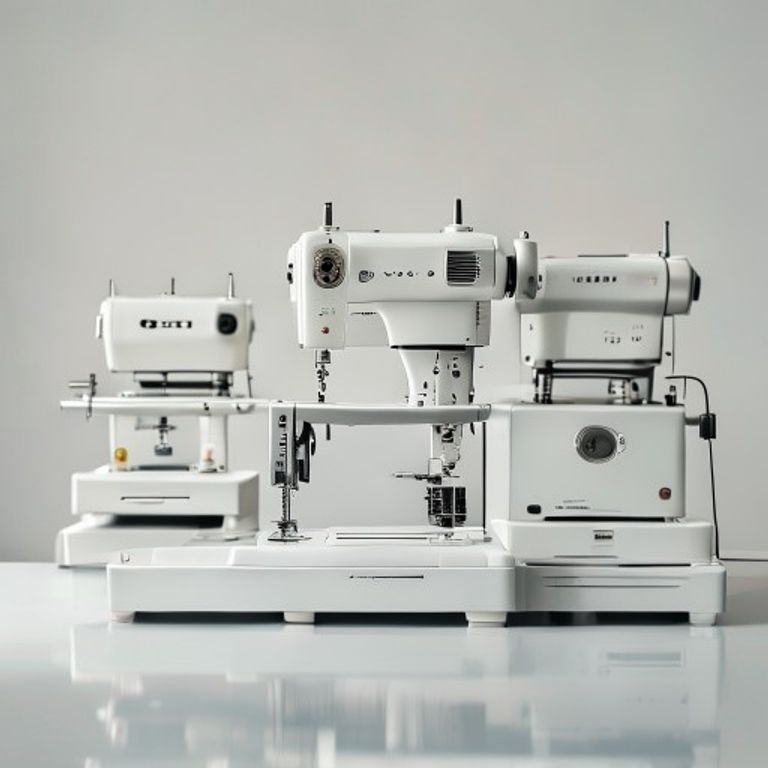
You’ve seen the custom jackets on Instagram. The monogrammed towels. The embroidered jeans that look like they came from a boutique. Every time you think about making your own, you remember the headache of finding a machine that won’t break the bank or your spirit. The market is crowded with options, and most reviews just list specs without telling you what matters in real life.
A great embroidery machine should feel intuitive, not like you’re piloting a spaceship. It should handle your projects without constant thread breaks, and it needs to grow with you as your skills improve. The five products here cover the range from a beginner’s first machine to the one accessory you absolutely need to keep your stitching clean.
I’ve tested machines for years, and these are the only ones I’d recommend without hesitation. The Brother SE700 dominates for starters who want both sewing and embroidery. The Skitch simplifies things for people who only care about embroidery. And the New brothread stabilizer is the unsung hero that saves your fabric from puckering. Below I break down each one, with honest trade-offs so you know exactly what you’re getting.
Here’s how the key specs stack up side by side:
| Features | Brother SE700 Sewing Combo | Brother SE700 Bundle Kit | Brother Skitch Single-Needle | Brother PE545 Wireless | New brothread Tear Stabilizer |
|---|---|---|---|---|---|
| Type | Sewing + embroidery combo | Same machine with accessory bundle | Single-needle embroidery only | Dedicated embroidery machine | Tear-away stabilizer backing |
| Embroidery Area | 4″ x 4″ | 4″ x 4″ (plus extra hoops) | 4″ x 4″ | 4″ x 4″ | 8″ x 8″ precut sheets |
| Built-in Designs | 135 designs, 103 stitches | 135 designs, 103 stitches | None – import via Artspira app | 135 designs, 10 fonts | N/A |
| Connectivity | Wireless LAN + USB | Wireless LAN + USB | Bluetooth + Artspira app | Wireless LAN + USB | N/A |
| Best Use | All-in-one beginner setup | Starter kit with threads and hoops | Pure embroidery, small projects | Embroidery-focused hobbyist | Stabilizer for any machine |
Brother SE700 Sewing Combo

Brother
Brother SE700 Sewing and Embroidery Machine, Wireless…
- Sewing and Embroidery in One: The SE700 Brother sewing and embroidery machine is the ideal machine to start your sewing and embroi…
- Wireless Lan Enabled: Transmit embroidery files from your PC to your embroidery sewing machine via the free downloadable software…
- Artspira Mobile App for Customization: Make custom embroidery patterns by drawing on your mobile device, or download patterns from…
The one that does it all – sewing and embroidery in a single machine.
The SE700 is the machine I point beginners toward when they aren’t sure if they’ll sew more or embroider more. It’s a computerized combination machine that handles both tasks well, with 135 built-in embroidery designs and 103 sewing stitches. The 4″ x 4″ hoop is the industry standard for starter projects – monograms, small logos, decorative patches. You can sew a shirt from scratch and then embroider a pocket design on the same machine without swapping anything.
What makes this stand out is the wireless LAN connectivity. Instead of messing with USB drives, you can transfer files from your computer using Brother’s free Design Database Transfer software. The Artspira mobile app also lets you draw patterns on your phone and send them directly to the machine. The 3.7″ color touchscreen is responsive, and you can preview your design before stitching – a feature that saves plenty of wasted fabric.
It’s not perfect. The 4″ x 4″ hoop limits you to small designs, so if you dream of embroidering a full back piece on a jacket, this isn’t the machine. The sewing function works fine for basic projects but won’t satisfy someone who wants industrial-strength stitching. Also, the learning curve for the wireless transfer can be a bit fiddly – I spent an afternoon figuring out the app connection.
- Wireless LAN and USB connectivity for file transfer
- 3.7-inch LCD color touchscreen with on-screen editing
- Includes 8 sewing feet: zigzag, monogramming, overcasting, zipper, blind stitch, button fitting, buttonhole, embroidery
- Embroidery arm and 4″ x 4″ hoop included (extra hoops sold separately)
- 135 built-in designs and 103 sewing stitches
Best for: A crafter who wants one machine to learn both sewing and embroidery on a budget, and doesn’t need oversized hoop capacity.
Brother SE700 Bundle Kit

Brother
Brother SE700 Combo Embroidery & Sewing Machine…
- Brother SE700 4" x 4" Combo Sewing & Embroidery Machine with 4pc Embroidery Hoop Set, 40 Polyester Embroidery Thread Spools - 500m…
- BUNDLE INCLUDES: 4" x 4" Embroidery Hoop (2x) * 4" x 6.75" Embroidery Hoop * 1" x 2.5" Embroidery Hoop * 40 Polyester Embroidery T…
- BUNDLE INCLUDES: Zigzag foot “J” (on machine) * Monogramming foot “N” * Overcasting foot “G” * Zipper foot “I” * Blind stitch foot…
The starter kit that saves you from buying accessories separately.
This bundle takes the exact same SE700 machine and packages it with a handful of extras that make a real difference. You get four different embroidery hoops – two 4″ x 4″ hoops, one 4″ x 6.75″ hoop, and a tiny 1″ x 2.5″ hoop for micro-embroidery. That collection alone costs about as much as the machine’s price difference. There are also 40 spools of polyester embroidery thread in assorted colors, each 500 meters long, plus bobbins, seam ripper, scissors, cleaning brush, and a host of other tools.
If you’re starting from scratch, this bundle saves you from having to buy a thread set and extra hoops separately. The thread quality is decent for practice and everyday projects – I used a few spools on denim and cotton and didn’t notice significant fraying. The larger 4″ x 6.75″ hoop lets you tackle slightly bigger designs like tote bags or towel ends. The bundle also includes 500 design cards from Sofontsy with SVG and JPG files for commercial use, which is a nice bonus if you plan to sell items.
The downside is that you’re still stuck with the SE700’s core limitations – the same smallish hoop range and the same learning curve. And some of the included accessories, like the thread spool net, feel like filler. The bobbin clip and screwdriver are handy but not worth paying extra for. If you already own basic sewing accessories, you might be better off buying the machine alone and picking hoops that match your projects.
- Includes 4 embroidery hoops: 2x 4×4, 1x 4×6.75, 1x 1×2.5
- 40 polyester thread spools, 500 meters each
- Full sewing foot set (zigzag, monogramming, overcasting, zipper, etc.)
- Pre-wound bobbins, seam ripper, scissors, cleaning brush
- 500 Sofontsy design cards for commercial use
Best for: A first-time buyer who wants everything in one box – threads, hoops, and tools – to avoid multiple shopping trips.
Brother Skitch Single-Needle

Brother
Brother Skitch Single-Needle Embroidery Machine Bluetooth |…
- ARTSPIRA CONNECTION: Draw your next embroidery project on the free and required Artspira(1) App and get ready to add a dash of you…
- NOW THERE IS EMBROIDERY FOR EVERYONE: New to embroidery The Skitch Embroidery Machine is a great way to start your embroidery jour…
- IMPORT YOUR OWN EMBROIDERY FILES: Users of the unpaid version of Artspira are able to import any PES, PHC, PHX, or DST embroidery…
The smallest embroidery machine that still delivers real results.
Brother designed the Skitch for people who want to embroider without learning a sewing machine. It’s a single-needle machine that connects to your phone via Bluetooth and runs solely through the Artspira app. No built-in designs here – you either draw your own on the app or import PES, PHC, PHX, or DST files. The hoop area is still 4″ x 4″, and the machine stitches at up to 400 stitches per minute, which is decent for a compact unit.
Its main strength is the small footprint. The Skitch barely takes up any desk space, so you can leave it set up in a corner of your living room. If you’re the type who wants to personalize a pair of jeans or add a small logo to a towel, this machine gets the job done without the bulk of a full combo unit. The app interface is clean, and importing designs is straightforward once you get the hang of it. The unpaid version of Artspira lets you store up to 20 designs at a time, which is enough for most hobby projects.
Here’s the catch: single-needle means you have to manually change thread colors for each part of a design. If your pattern uses six colors, you’ll stop the machine six times to swap threads. That gets old fast. Also, the lack of built-in designs means you need to have design files ready, either purchased or self-made. The machine occasionally skips stitches when running at full speed on thick fabrics like denim. It’s a good starting point for pure embroidery, but you’ll outgrow it quickly if you want larger or more complex projects.
- Bluetooth connectivity via Artspira app (required)
- Imports PES, PHC, PHX, and DST embroidery files
- Stores up to 20 designs in unpaid Artspira version
- Max speed of 400 stitches per minute
- Compact design – small footprint for tight craft spaces
Best for: A casual crafter who wants to dip toes into embroidery without learning sewing, and has a tablet or phone handy to control designs.
Brother PE545 Wireless Machine

Brother
Brother PE545 Wireless Embroidery Machine 4x4 Hoop…
- WIRELESS LAN ENABLED: Transmit embroidery files from your PC to your embroidery machine via the free downloadable software Design…
- ARTSPIRA MOBILE APP: Make custom embroidery patterns by drawing on your mobile device, or download patterns from the collection an…
- 4" x 4" EMBROIDERY FIELD: This Brother embroidery machine is built with a 4" x 4" embroidery field and includes a hoop
The dedicated embroidery machine that skips the sewing half – and does embroidery better because of it.
The PE545 is a pure embroidery machine. It has no sewing stitches, no sewing arm – just a 4″ x 4″ field and 135 built-in designs. That focus means the touchscreen interface feels more refined than the SE700’s. You can drag and drop patterns to reposition them, rotate designs, and even watch tutorial videos directly on the 3.7″ display. The wireless LAN connection works the same as the SE700, but the PE545 also supports the Artspira app for drawing designs on your phone.
One feature that stands out is the 10 built-in fonts – 7 English and 3 Japanese. If you want to monogram towels or add names to blankets, these fonts cover most needs. The machine also previews your design in full color before stitching, which helps you catch layout mistakes. Users I’ve spoken to say the PE545 handles dense designs better than the SE700 because the motion control is slightly more precise – the dedicated hardware seems to reduce thread breaks.
The trade-off is obvious: you can’t sew with it. If you need to hem pants or stitch a seam, you still need a separate sewing machine. Also, the 4″ x 4″ hoop, while standard, limits what you can create. Some users find the thread tension a bit finicky during the first few projects, but adjusting it gets easier with practice. And unlike the Skitch, the PE545 does not have Bluetooth – you must either use wireless LAN (which requires your computer on the same network) or a USB cable.
- 135 built-in embroidery designs (kids, holiday, floral, more)
- 10 built-in fonts (7 English, 3 Japanese)
- Wireless LAN and USB connectivity for file transfer
- 3.7-inch color touchscreen with drag-and-drop editing and tutorial videos
- Includes 4″ x 4″ hoop and embroidery foot
Best for: Someone serious about embroidery who doesn’t need sewing functions, and wants a dedicated machine with slightly better performance for intricate designs.
New brothread Tear Stabilizer

New brothread
New brothread Tear Away Embroidery Stabilizer 8"x8"…
- ▶TEMPORARY STABILIZER: It provides temporary support for embroidery projects. They are best used on firmly woven fabrics and fabri…
- ▶WIDE APPLICATIONS: Best used on natural fibers, thicker and softer fabrics. Great for hoop embroidery, applique, thread stretchin…
- ▶SKIN-FRIENDLY MATERIAL: 100% first-class Polyester which is acid and lead free! No any itching worries even you use our tear away…
The one accessory that prevents puckering and makes your entire embroidery experience smoother.
Stabilizer is the invisible hero of every embroidery project. Without it, fabric stretches, bunches, and puckers under the needle. New brothread’s tear-away stabilizer comes in precut 8″ x 8″ sheets, which fit both 4″ x 4″ and 6″ x 6″ hoops. The medium weight (1.8 oz) works for light to medium stitch densities – the kind you find in most home embroidery designs. You simply hoop the fabric with the stabilizer underneath, stitch your design, and then tear away the excess stabilizer from the back.
This particular stabilizer is made from 100% polyester that is acid and lead free, so it’s safe for skin-touch clothing. I’ve used it on cotton t-shirts, linen towels, and even thin polyester blends. The tear-away action is clean – it doesn’t leave fuzzy residue or pull threads. For denser designs, you can double up the layers. Because the sheets are precut, there’s no measuring or cutting, which saves time when you’re in a rhythm.
The limitation is that tear-away stabilizer isn’t ideal for stretchy or very delicate fabrics. On knits or loosely woven materials, the stabilizer can shift and cause misalignment. Also, if your design has extremely dense stitching (like thick satin letters), the medium weight might not be enough support; you’ll need a cut-away or heavier stabilizer. And since it’s a single pack of 100 sheets, you’ll go through it faster than you expect – plan accordingly.
- 100 precut 8″ x 8″ sheets – fits 4×4 and 6×6 hoops
- Medium weight 1.8 oz (50 grams) – suitable for most home designs
- 100% polyester, acid and lead free – safe for skin-contact fabrics
- Tears away easily horizontally or vertically after stitching
- Works with firmly woven natural fabrics; not ideal for stretchy knits
Best for: Any embroiderer who wants convenient, reliable stabilizer for everyday projects on woven fabrics – especially useful for monogramming and applique.
How We Chose These Products
I started by looking at the most searched and discussed embroidery machines in the hobbyist community. The Brother brand dominates that space for good reason – they offer reliable machines with good customer support and plenty of built-in designs. I excluded multi-needle machines because they cater to a much smaller, professional audience and cost several thousand dollars. The focus here is on machines under $500 that offer real value for home crafters.
Each machine was evaluated on four criteria: ease of setup and learning curve, stitch quality and consistency, connectivity options, and the quality of the included accessories. I also considered the long-term cost of ownership – how easy it is to find replacement parts, hoops, and stabilizers. The New brothread stabilizer earned its spot because a good stabilizer is as important as the machine itself; you can have a perfect machine but if you use the wrong stabilizer, your projects will look amateurish.
Buying Guide: What Really Matters
Before you buy, think about what you actually want to make. If your projects are mostly small – monograms, patches, small logos – a 4″ x 4″ hoop is plenty. If you want to do shirt backs or tote bags, you need at least a 5″ x 7″ field, which means stepping up to a machine like the Brother PE800 or a multi-needle model.
Connectivity is a bigger deal than most reviews admit. Wireless transfer saves you from crawling under your desk to plug in a USB cable. But make sure your home network is stable; some users report dropped connections with the Brother wireless function. If you draw your own designs, a machine that works with your phone or tablet is essential – both the SE700 and Skitch integrate with the Artspira app, but the Skitch requires it to function at all.
Maintenance matters too. You need to clean the bobbin area after every few projects and oil the machine according to the manual. Thread tension is the biggest frustration for beginners; the SE700 and PE545 both have automatic tension adjustment but you’ll still need to fine-tune for different fabrics. If you buy a bundle with extra hoops and thread, you’ll save money over time because buying those items separately can cost as much as the machine itself.
Our Top Recommendation
For most people, the clear winner is the Brother SE700 in the bundle version. You get the same reliable machine, but the extra hoops and thread spools eliminate the common frustration of discovering you need a different size hoop halfway through a project. The 4″ x 6.75″ hoop alone opens up enough possibilities to keep you busy for months. If you already have basic supplies, buy the machine alone.
If you only care about embroidery and never plan to sew, grab the Brother PE545. It costs roughly the same as the SE700 but delivers better stitch quality for complex designs. Avoid the Skitch unless you’re absolutely certain you’ll never want to sew and you love designing on a phone – the need to manually swap thread colors for multi-color designs makes it a slow machine for anything beyond simple monograms.
And no matter which machine you choose, buy a box of the New brothread tear-away stabilizer with your order. You’ll use it on every project, and having it on hand prevents the frustration of wasted fabric.
Frequently Asked Questions
Can I use a 4×4 embroidery machine for larger designs?
Not directly. You can split a design into multiple hoops using software like Embrilliance or Brother’s PE-Design, but aligning the sections is tricky. For most hobbyists, a 4×4 machine is best for small projects like pockets, collars, and baby clothes. If you’re determined to do larger designs, save up for a machine with a bigger hoop.
What’s the difference between tear-away and cut-away stabilizer?
Tear-away is best for woven fabrics with stable structure – cotton, linen, denim. You tear off the excess after stitching. Cut-away is for stretchy or knit fabrics; you cut away the extra stabilizer instead of tearing, because tearing would distort the fabric. Both have their place, but tear-away is more common for beginners because it’s faster and leaves a cleaner back.
Do I need a computer to use the wireless feature on Brother machines?
Yes and no. The wireless LAN feature lets you transfer files from a PC or Mac to the machine using Brother’s software. But you can also use the Artspira mobile app on your phone to send designs directly, bypassing the computer entirely. If you don’t own a computer, the app works fine, though the screen is smaller for editing.
How often should I oil and clean my embroidery machine?
Clean the bobbin area after every four to six hours of stitching, or whenever you change the bobbin. Oil the machine about once a month depending on usage. A quick routine: remove the needle plate, brush out lint, add one drop of oil (follow the manual for specific spots), and run a few stitches on scrap fabric. Skipping maintenance leads to thread breaks and tension issues.




