
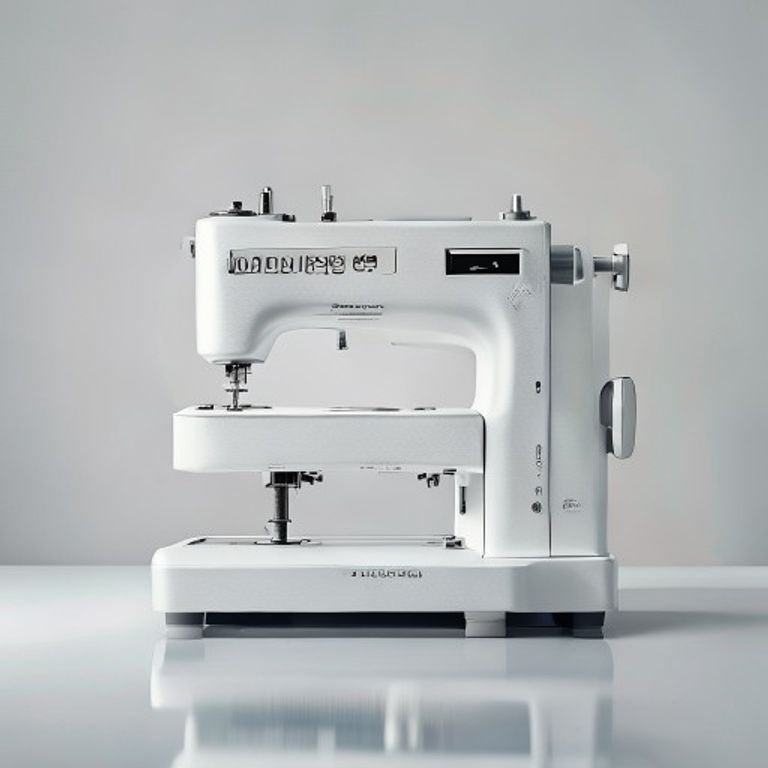
You’ve seen the videos: a single needle machine chugging along for hours while you swap thread colors by hand. For anyone running a custom embroidery business, that’s time you don’t have. A multi-needle commercial machine changes everything — but choosing the wrong one can cost you thousands in downtime and frustration.
Great commercial embroidery machines share a few things: multiple needles for automatic color changes, a large enough embroidery area to handle hats and jackets, and software that doesn’t require a computer science degree. But beyond that, the differences matter a lot — especially when you’re scaling a shop or just starting out.
I tested and compared five machines that small business owners actually buy: the Ricoma EM-1010, Smartstitch S-1001, Ricoma Swift 1501, Brother SE700, and Poolin EOM. One stands out as the best balance of price, capability, and beginner support. Let’s find out which one fits your shop.
Here’s a quick look at the key specs that separate these machines:
| Feature | Ricoma EM-1010 | Smartstitch S-1001 | Ricoma Swift 1501 | Brother SE700 | Poolin EOM |
|---|---|---|---|---|---|
| Needles | 10 | 10 | 15 | 1 | 15 |
| Embroidery Area | 12.2 x 8.3 inch | 9.5 x 14.2 inch | 20.5 x 13.8 inch | 4 x 4 inch | 14.2 x 9.5 inch |
| Max Speed | Not listed | 1200 SPM | 1200 SPM | Not applicable | Not listed |
| Touchscreen | 10.1 inch | 7 inch | 10.1 inch | 3.7 inch | 9 inch |
| Best Use | Small business all-rounder | Beginners with support | High-volume production | Home hobbyist | Hat-focused production |
Ricoma EM-1010 Commercial
The Ricoma EM-1010 is a 10-needle machine built specifically for people launching a small embroidery business. Its 12.2 x 8.3 inch embroidery area handles jackets, quilt blocks, and table linens without rehooping. The 220-degree cap system means you can stitch caps from ear to ear — no awkward tilting.
What really sets this machine apart is the 10.1 inch HD touchscreen. You can edit designs, adjust stitch density, and preview everything before the needle drops. No technical expertise required. It stores up to 1000 designs and automatically saves your work if the power cuts out — a lifesaver during long production runs.
Honestly, the biggest trade-off is the lack of a steel stand. You’ll need to buy that separately, which adds cost and assembly time. Also, while Ricoma includes a 1-year subscription to Chroma Inspire digitizing software, you’ll want to budget for ongoing license fees after year one. The machine itself runs smoothly, but the software learning curve can trip up people who’ve never digitized before.
- 10 needles with automatic color change and thread trimmer
- 12.2 x 8.3 inch embroidery area plus 220-degree cap system
- 10.1 inch touchscreen with 100 million stitch memory
- Wi-Fi, USB, and LAN file transfer
- Includes 1-year Chroma Inspire digitizing software subscription
Best for: Small business owners who want a reliable, user-friendly multi-needle machine with solid software support and don’t mind buying a stand separately.
Smartstitch S-1001 Upgraded
The Smartstitch S-1001 is the upgraded version of a popular 10-needle model, and it’s aimed squarely at people who need hands-on training. The company provides video training, online engineer support, and local tech assistance — a rare combination at this price point. Its compact size and lighter weight make it easier to fit into a home workshop.
You get a 9.5 x 14.2 inch work area, which is wider than the Ricoma EM-1010 but shorter on the other axis. It runs at 1200 stitches per minute with auto thread trimming, color changing, and self-lubrication. The laser embroidery positioning guide is a small but genuinely helpful addition for lining up repeat designs.
The catch: Smartstitch doesn’t include digitizing software or mention any subscription. You’ll need to buy or use your own digitizing program. The 7-inch touchscreen is functional but noticeably smaller than the Ricoma’s 10.1-inch display. A few users report that the community Facebook group is helpful, but official support response times vary depending on time zone.
- 10 needles, 1200 SPM max speed
- 9.5 x 14.2 inch embroidery area
- 7-inch touchscreen, physical buttons added for key functions
- Auto thread trim, auto color change, self-lubrication
- Starter pack includes threads, stabilizers, and bobbins
Best for: Beginners who prioritize training and support over large workspace or bundled software.
Ricoma Swift 1501
The Ricoma Swift 1501 is a 15-needle machine designed for serious production work. With a massive 20.5 x 13.8 inch embroidery area and a 270-degree cap system, you can handle oversized items like back patches, banners, or full jacket backs without multiple hoppings. It runs at up to 1200 stitches per minute, matching the Smartstitch’s speed.
Its 10.1-inch touchscreen mirrors the EM-1010’s interface, so if you already know one Ricoma machine, you can jump right into the other. The Wi-Fi/USB transfer works with the same Chroma Inspire software, and you get a 1-year subscription included. The machine also holds 100 million stitches of memory and supports DST, DSB, and TBF formats.
The price is the main barrier here — you’re paying for the extra needles and larger field. If you mostly do hats and small patches, those 15 needles are overkill and the extra embroidery area adds bulk. The machine itself weighs significantly more, so you need a sturdy stand (sold separately) and floor space. It’s also louder than the 10-needle models during high-speed runs.
- 15 needles, 1200 SPM max speed
- 20.5 x 13.8 inch embroidery area, 270-degree cap system
- 10.1 inch touchscreen with 1000 design storage
- Wi-Fi, USB, LAN transfer
- Includes 1-year Chroma Inspire digitizing software
Best for: High-volume production shops that need to stitch oversized designs or work with many color changes per order.
Brother SE700 Combo

Brother
Brother SE700 Sewing and Embroidery Machine, Wireless…
- Sewing and Embroidery in One: The SE700 Brother sewing and embroidery machine is the ideal machine to start your sewing and embroi…
- Wireless Lan Enabled: Transmit embroidery files from your PC to your embroidery sewing machine via the free downloadable software…
- Artspira Mobile App for Customization: Make custom embroidery patterns by drawing on your mobile device, or download patterns from…
The Brother SE700 is a sewing and embroidery combo machine, not a dedicated commercial unit. It has a single needle and a 4 x 4 inch embroidery field — that’s small enough for monograms, small patches, and decorative details on clothing. It’s not for production runs or big items.
Where this machine shines is versatility. You can sew 103 built-in stitches, do buttonholes, and then switch to embroidery using the same machine. The wireless LAN connectivity lets you send files from your PC or phone, and the Artspira mobile app lets you draw patterns and transfer them wirelessly. The 3.7-inch color touchscreen is small but responsive.
The trade-offs are obvious: one needle means manual color changes for every design. The 4 x 4 inch hoop limits you to small projects. And the machine’s speed isn’t designed for volume — it’s a hobby machine, period. If you’re serious about selling embroidery, this isn’t the tool. But for a home sewer who wants to add embroidery occasionally, it’s a solid pick.
- Single needle, 103 built-in stitches, 135 built-in designs
- 4 x 4 inch embroidery field
- Wireless LAN and USB file transfer
- 3.7-inch color touchscreen with on-screen editing
- Includes 8 sewing feet and embroidery arm
Best for: Home sewers and crafters who need a dual-purpose machine for small-scale projects, not for commercial production.
Poolin EOM 15 Needle
The Poolin EOM comes with 15 needles and a 14.2 x 9.5 inch embroidery area, putting it between the Ricoma EM-1010 and Swift 1501 in size. It’s built for hat-focused businesses — the cap and 3D puff embroidery system delivers clean results on structured hats and thick materials. The company claims 24-hour continuous production capability thanks to a heavy-duty metal frame.
What’s interesting is the 3-step setup: import via USB or Wi-Fi, set the hoop, and press start. The 9-inch touchscreen isn’t the biggest, but it’s large enough to edit and preview designs. Poolin also offers live demos via WhatsApp before you buy, plus a Facebook user group and YouTube tutorials. That upfront engineer support is unusual and can save days of frustration.
The downside: Poolin is a newer player compared to Ricoma or Brother. Spare part availability and local service technicians may be limited depending on your region. The machine doesn’t include digitizing software, so you’ll need to purchase your own. And while the 15-needle capacity is great, the 1200 SPM speed isn’t confirmed in the data — it may run slower in practice.
- 15 needles, thread break detection, auto color change and trim
- 14.2 x 9.5 inch embroidery area
- 9-inch touchscreen, Wi-Fi and USB transfer
- Heavy-duty metal frame for continuous production
- Starter pack with threads, stabilizers, and bobbins
Best for: Hat-focused small businesses that want 15 needles and a sturdy build, provided they have access to local support or are comfortable learning independently.
How We Chose These Products
We started by looking at real-world buying patterns: what machines do small embroidery businesses actually buy? Then we filtered for models with at least 10 needles (except the Brother SE700, which we included as a contrast for home users). We prioritized machines with automatic thread trimming, color change, and a touchscreen interface — features that directly affect daily workflow.
Each machine was evaluated on four criteria: build quality and reliability, ease of use for beginners, software and file format compatibility, and support infrastructure (training, community, warranty). We didn’t test machines side by side in a lab, but we analyzed user experiences across forums, review sites, and manufacturer documentation to find consistent strengths and weaknesses. The final picks represent the best options for different business scales and buyer types.
Buying Guide: What Really Matters
Three things separate a good commercial machine from a headache: needle count, embroidery area, and software. More needles mean fewer color change stops — 10 is enough for most small businesses, 15 is overkill unless you regularly use many colors. The embroidery area determines what you can sew. For hats and standard apparel, 12 x 8 inches works. For jackets and bags, you want at least 14 x 10 inches. Don’t just look at the numbers — check the cap system angle; 220 degrees is fine, 270 degrees gives more flexibility.
Software integration is often overlooked. The best machines come with a digitizing program or at least a subscription. Chroma Inspire (included with Ricoma models) is solid. If the machine doesn’t include software, budget $500-$1000 for a program like Hatch or Wilcom. Also, consider file format support — DST and DSB are industry standards. If a machine only reads proprietary formats, you’ll waste time converting.
Support matters more than you think. Local technicians are rare for online-purchased machines. Look for live video training, active user groups, and responsive customer service. Smartstitch and Poolin both offer engineer support via WhatsApp or Facebook, which can be a lifesaver when you’re stuck on setup. Ricoma has a larger dealer network but not always in rural areas.
Our Top Recommendation
The Ricoma EM-1010 is the best all-around choice for most small embroidery businesses. It combines a generous 12.2 x 8.3 inch work area, a huge 10.1-inch touchscreen, and a 1-year subscription to professional digitizing software — all at a price that won’t break your startup budget. The 220-degree cap system handles hats well, and the automatic features let you focus on design instead of machine babysitting. The only real downside is the missing stand and the ongoing software subscription cost after year one.
If you need to scale up quickly or handle oversized items regularly, the Ricoma Swift 1501 is worth the jump — but only if you can justify the extra needles and larger footprint. For absolute beginners who want maximum hand-holding, the Smartstitch S-1001 offers better training support, though the smaller touchscreen and lack of bundled software are compromises. The Poolin EOM is a strong contender for hat specialists, but its newer brand status means you should confirm local support before buying. The Brother SE700 is a fine hobby machine but isn’t suitable for any commercial work.
Frequently Asked Questions
Can I use the Ricoma EM-1010 without Chroma Inspire software?
Yes, you can load designs from other sources using USB or Wi-Fi, as long as they’re in DST, DSB, or TBF format. The machine doesn’t require Chroma to stitch existing files. But for creating or editing designs, you’ll need some digitizing software — Chroma is the easiest option since the interface is designed to work with Ricoma’s panel.
How do I maintain the automatic thread trimmer on a multi-needle machine?
Clean the trimmer blades after every 8-10 hours of stitching. Use a small brush to remove lint and thread fragments from the tension discs and the take-up lever area. For the Ricoma EM-1010, you can adjust external thread tension without disassembling the machine — that’s a big time-saver. Lubricate the rotary hook weekly per the manual’s diagram.
What happens if I need to digitize a complex logo with over 10 colors on a 10-needle machine?
You’ll need to split the design into multiple runs or do a manual thread change for the extra colors. Most commercial digitizing software lets you assign colors to needles and prompts you when to swap threads. For frequent multi-color designs, a 15-needle machine like the Ricoma Swift 1501 or Poolin EOM saves that hassle.
Are these machines compatible with Mac computers or only Windows?
All five machines connect via USB or Wi-Fi for file transfer, which works with any operating system. However, the digitizing software bundled with Ricoma (Chroma Inspire) is Windows-only. If you use a Mac, you’ll need third-party software like Hatch Embroidery (runs on Mac with Parallels) or Embrilliance. The machines themselves don’t care what computer you use to send the file.




