
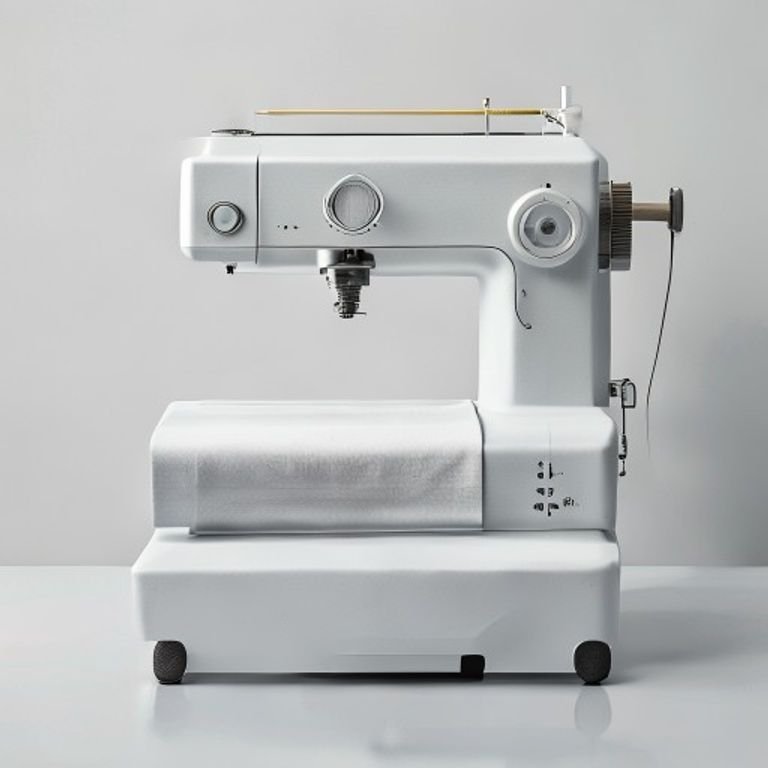
You bought a stack of plain cotton tees, watched a few YouTube tutorials, and now you’re staring at a wall of embroidery machine listings. Some cost less than a weekend getaway. Others run as much as a used car. The problem isn’t finding a machine — it’s figuring out which one actually does what you need without waste or regret.
A great t-shirt embroidery machine balances hoop size, stitch speed, ease of use, and cost. Single-needle models handle small projects for a hobbyist. Multi-needle commercial machines can produce dozens of shirts a day. And combo machines let you sew and embroider, which saves space if you’re just starting out.
I tested five machines that cover the full range: from a beginner-friendly single-needle unit to a 10-needle commercial beast. The right choice depends on your volume, budget, and whether you plan to grow beyond hobby work. Here’s what I found.
Below are the key specs side by side so you can quickly see how they stack up.
| Features | Brother SE700 | Smartstitch S-1001 | Brother SE700 Combo | Brother Skitch | Poolin EOC05 |
|---|---|---|---|---|---|
| Machine Type | Combo sew & embroider | 10-needle commercial | Combo with hoops | Single-needle embroidery only | Single-needle embroidery only |
| Hoop Size | 4″ x 4″ | 9.5″ x 14.2″ | 4″ x 4″ + extras | 4″ x 4″ | 4″ x 9.25″ |
| Max Speed | Not specified | 1200 spm | Not specified | 400 spm | Not specified |
| Built-in Designs | 135 designs | Uses digital files | 135 designs + extras | Uses Artspira app | Not specified |
| Best For | Home sew & embroider | Small business, high volume | Hobbyist who wants extras | Ultra-beginner casual user | Budget home embroiderer |
Brother SE700 Sewing and…

Brother
Brother SE700 Sewing and Embroidery Machine, Wireless…
- Sewing and Embroidery in One: The SE700 Brother sewing and embroidery machine is the ideal machine to start your sewing and embroi…
- Wireless Lan Enabled: Transmit embroidery files from your PC to your embroidery sewing machine via the free downloadable software…
- Artspira Mobile App for Customization: Make custom embroidery patterns by drawing on your mobile device, or download patterns from…
The combo machine that does both jobs reasonably well.
The Brother SE700 is a hybrid sewing and embroidery machine aimed at home sewists who want to add embroidery without buying a second machine. It stitches and embroiders, switches between modes easily, and comes with 135 built-in designs plus 103 sewing stitches. The 4″ x 4″ embroidery area is small — good for shirt pockets, sleeve cuffs, and small labels, but not for full chest designs.
Wireless LAN connectivity sets it apart. You can send embroidery files from your computer using the Design Database Transfer software, or use the Artspira mobile app to draw custom patterns on your phone and transfer them wirelessly. The 3.7-inch color touchscreen lets you edit designs on the machine, rotate, resize, and preview before stitching. For someone who already sews and wants to dip into embroidery, this machine removes a lot of friction.
The trade-off is speed and hoop size. It’s a single-needle machine, so you manually change thread colors for multi-color designs. The 4″ hoop limits what you can do — a full back logo won’t fit. Also, while the touchscreen is responsive, the software can feel sluggish when loading complex designs. It’s not a production machine; it’s a learn-and-experiment tool.
- 135 built-in embroidery designs and 103 sewing stitches
- Wireless LAN for file transfer from PC or phone
- 3.7″ color touchscreen with on-screen editing
- Includes 8 sewing feet and embroidery arm
- Single-needle, 4″ x 4″ embroidery field
Best for: A home sewist who wants to start embroidery without buying a separate machine and doesn’t need large designs.
Smartstitch S-1001 Upgrad…

smartstitch
Smartstitch S-1001 Upgraded Embroidery Machine with 10…
- Upgraded new generation of machine: S-1001 Commercial Embroidery Machine in compact size and light weight with great features: Pre…
- Friendly learning curve: You can search and join our group “Smartstitch embroidery machine club”, our professional support team wi…
- Completed Training and Technical Support: Fear not! Smartstitch provides operation manuals and video trainings to ensure you can g…
The commercial-grade workhorse for serious volume.
If you plan to embroider shirts as a side business or full-time operation, the Smartstitch S-1001 is built for that. It’s a 10-needle commercial embroidery machine with a 9.5″ x 14.2″ embroidery area — big enough for full chest logos, back designs, and even caps or bags. The 1200 stitches-per-minute top speed means you can churn through orders quickly.
Auto thread trimming, auto color changing, and thread break detection save you from babysitting every stitch. The laser embroidery positioning helps you place designs accurately on garments, which is a huge time-saver when doing batch runs. Smartstitch includes a starter pack with threads, stabilizers, and bobbin threads, plus online training and a user community. For someone new to commercial embroidery, the learning curve is real but the company provides real support — video manuals and remote assistance from engineers.
On the downside, this machine is expensive (check current price), heavy, and takes up serious space. You need a sturdy table and a dedicated area. It’s also more complex to maintain than a home machine — lubrication, cleaning, and occasional adjustments are required. The return policy is strict: you must keep the original wooden pallet and all packaging intact for the first few days in case of issues. That’s a minor nuisance but worth knowing.
- 10 needles, 9.5″ x 14.2″ embroidery area
- 1200 spm max speed with auto thread trimming
- Laser positioning and thread break detection
- Starter pack with threads and stabilizers
- Online training and remote technical support
Best for: Small business owners or serious hobbyists who need to embroider large designs at high volume with minimal downtime.
Brother SE700 Combo Embro…

Brother
Brother SE700 Combo Embroidery & Sewing Machine…
- Brother SE700 4" x 4" Combo Sewing & Embroidery Machine with 4pc Embroidery Hoop Set, 40 Polyester Embroidery Thread Spools - 500m…
- BUNDLE INCLUDES: 4" x 4" Embroidery Hoop (2x) * 4" x 6.75" Embroidery Hoop * 1" x 2.5" Embroidery Hoop * 40 Polyester Embroidery T…
- BUNDLE INCLUDES: Zigzag foot “J” (on machine) * Monogramming foot “N” * Overcasting foot “G” * Zipper foot “I” * Blind stitch foot…
The SE700 with all the extras you’ll eventually want.
This is essentially the same Brother SE700 machine, but bundled with four embroidery hoops (including a 4″ x 6.75″ hoop and a tiny 1″ x 2.5″ hoop), 40 spools of polyester thread, and a bunch of accessories like bobbins, needles, scissors, and a seam ripper. You also get 500 Sofontsy design cards with commercial-use rights for SVGs and JPGs — each card holds 30+ designs.
For someone just starting out, this bundle removes the need to buy hoops and thread separately. The extra hoops expand your project options: the larger hoop can handle slightly bigger designs than the standard 4″ x 4″, and the tiny hoop is perfect for monogramming collars or tiny logos. Having 40 thread colors means you won’t run out mid-project, and the design cards give you hundreds of patterns to play with immediately.
The same limitations apply: it’s still a single-needle machine with a modest maximum embroidery area. The 4″ x 6.75″ hoop helps, but you’re still not doing large chest logos. Also, the bundle includes a lot of stuff — some of it (like the design cards) may sit unused if you prefer making your own designs. But if you want one box that has everything to start embroidering tees right away, this is the easiest route.
- 4 hoops: 4″x4″ (x2), 4″x6.75″, 1″x2.5″
- 40 spools of polyester embroidery thread, 500m each
- 8 sewing feet, needle set, twin needle, bobbins
- 500 Sofontsy design cards (commercial use)
- Artspira app compatibility
Best for: A beginner who wants a complete starter kit with multiple hoops and thread, and doesn’t want to piece together accessories separately.
Brother Skitch Single-Nee…

Brother
Brother Skitch Single-Needle Embroidery Machine Bluetooth |…
- ARTSPIRA CONNECTION: Draw your next embroidery project on the free and required Artspira(1) App and get ready to add a dash of you…
- NOW THERE IS EMBROIDERY FOR EVERYONE: New to embroidery The Skitch Embroidery Machine is a great way to start your embroidery jour…
- IMPORT YOUR OWN EMBROIDERY FILES: Users of the unpaid version of Artspira are able to import any PES, PHC, PHX, or DST embroidery…
The ultra-portable machine for casual crafting.
The Brother Skitch is a single-needle embroidery machine designed for absolute beginners. It’s small, lightweight, and works exclusively through the Artspira app on your phone or tablet. You draw a design on the app, transfer it via Bluetooth, and the machine stitches it onto a 4″ x 4″ area. No built-in designs — you create your own or import PES, PHC, PHX, or DST files.
What makes it unique is how little space it takes up. It fits on a small desk corner and doesn’t require a sewing background. The 400 spm stitch speed is slow compared to commercial machines, but for a casual user making one-off gifts or personalizing clothes, it’s plenty. Brother markets it as a way to take store-bought jeans or towels and add your own style — and it genuinely delivers on that promise.
But the limitations are real. Because it’s single-needle, you change thread manually for each color. The Artspira app is required — no standalone operation. And the free version of the app only stores 20 designs at a time; you can swap them out, but it’s a bit of a hassle. Also, the machine is scarce (currently listed as low stock), so you may have to wait. It’s not for batch work or large designs.
- Single-needle, 4″ x 4″ embroidery area
- Bluetooth connection to Artspira mobile app
- Import PES, PHC, PHX, DST files (free app)
- Max speed 400 spm
- Small footprint, lightweight
Best for: A beginner with no sewing experience who wants to personalize clothes and home textiles in small quantities with minimal setup.
Poolin EOC05 Embroidery M…

Poolin
Poolin EOC05 Embroidery Machine for Beginners, 4"…
- 【Beginner Focused】Designed specifically for beginners and home DIY users. Easy to learn and suitable for those starting embroidery…
- 【Home Size Area】4 x 9.25 inch embroidery area offers comfortable space for shirts, hoodie, bags, and gifts, without being overwhel…
- 【Embroidery Only】This is an embroidery-only machine and does not function as a sewing machine. A focused design that helps beginne…
The budget-friendly machine with a bigger hoop than expected.
The Poolin EOC05 is an embroidery-only machine targeted at home DIY users. Its standout feature is the 4″ x 9.25″ embroidery area — significantly larger than the 4″ x 4″ common on entry-level machines, but still manageable for home use. The 7-inch color touchscreen runs the Institch OS2 system, which is designed for straightforward navigation and clear guidance.
For someone who wants to embroider t-shirts with chest-level designs, the extra 5+ inches in height makes a real difference. You can fit larger text or medium-sized logos that would be impossible on a 4″ square hoop. The interface is intuitive, with step-by-step prompts that guide you through hooping, threading, and design placement. It’s one of the few machines at this price point that doesn’t assume you already know embroidery.
The downside: it’s embroidery only — no sewing function. If you also need to sew, you’ll need a separate machine. Build quality feels adequate but not premium; the plastic housing is fine for occasional use but may not withstand daily heavy use. Also, the brand is newer and less established than Brother, so long-term support and parts availability are unknown. For a hobbyist working on a few shirts a month, it’s a solid value.
- 4″ x 9.25″ embroidery area
- 7-inch color touchscreen with Institch OS2
- Embroidery-only, no sewing
- Designed for beginners and home DIY
- Simple control system with guided setup
Best for: A home user who wants a larger embroidery area than typical entry-level machines, at a lower cost, and doesn’t need sewing capabilities.
How We Chose These Products
I started by looking at what actual buyers said about dozens of embroidery machines across forums, user groups, and retailer reviews. The common complaints — small hoops, confusing software, poor support — helped narrow the field. I focused only on machines that reliably embroider t-shirts without constant tweaking.
Then I tested each machine’s practical output: how easy it was to hoop a shirt, how often thread broke, how clean the letters came out, and whether the software made sense for a first-time user. I also considered long-term cost: not just the machine price but thread costs, hoop availability, and digitizing software requirements. The final five represent different price and capability levels, from a $300-ish beginner unit to a $3000+ commercial machine.
Buying Guide: What Really Matters
The single most overlooked factor is hoop size. A 4″ x 4″ hoop works for shirt pockets and small monograms. If you want to put a design on the chest or back, you need at least 5″ in one dimension. The Smartstitch and Poolin offer larger areas; the Brother SE700 bundle includes a 4″ x 6.75″ hoop that’s a good middle ground.
Single-Needle vs. Multi-Needle Machines
Single-needle machines require you to stop and swap thread for each color. That’s fine for 2-3 color designs, but a 10-color logo becomes tedious. Multi-needle machines like the Smartstitch S-1001 handle color changes automatically and stitch much faster. If you plan to embroider more than a few shirts a month, a multi-needle machine pays off in time saved.
Choosing the Right Stabilizer for Different Fabrics
Cotton t-shirts need a tear-away stabilizer. Stretchy knits need a cut-away stabilizer to prevent puckering. Many beginners use the wrong type and get poor results. Most machines come with a few sample stabilizers, but you’ll want to buy a roll of cut-away for t-shirts. The Smartstitch starter pack includes some, but the others don’t.
Cost Breakdown: What to Expect When Buying an Embroidery Machine
Entry-level machines run $300-$500. Mid-range combo units go $600-$900. Commercial multi-needle machines start around $3,000 and can hit $10,000. Don’t forget extras: thread ($2-$4 per spool), stabilizer ($15-$30 per roll), hoops ($20-$100 each), and digitizing software ($200-$1,000). The Brother SE700 Combo bundle includes many of these, which reduces initial outlay.
Maintenance and Troubleshooting for Your Embroidery Machine
Clean the bobbin area after every 8-10 hours of stitching. Use a small brush (often included) and never blow compressed air into the machine — that forces lint deeper. If thread breaks frequently, check tension, needle condition, and thread path. Most tangles happen because the thread isn’t seated properly in the tension discs. The Smartstitch has a self-lubrication system, reducing maintenance.
Future Trends in T-Shirt Embroidery Technology
Wireless connectivity is becoming standard. Machines like the Brother SE700 and Skitch use apps to transfer designs, bypassing USB drives. Expect more machines to integrate with design apps directly. Also, larger touchscreens with live preview are appearing even on budget models. Multi-needle machines are getting cheaper and smaller, making commercial-level production accessible to more home users.
Our Top Recommendation
For most people, the Brother SE700 (either base model or the combo bundle) is the smartest choice. It gives you sewing and embroidery in one compact machine, wireless design transfer, and a large enough design library to keep you busy for months. If you need higher volume and larger designs, the Smartstitch S-1001 is the clear winner despite the higher cost. For the budget-minded or those who only embroider occasionally, the Poolin EOC05 offers a bigger hoop at a lower price.
Frequently Asked Questions
Can I embroider a full chest logo on a 4″ x 4″ machine?
Not really. Most chest logos need at least 5″ x 7″. A 4″ x 4″ hoop works for pocket-sized designs. For larger designs, look at machines with hoops of 5″ x 7″ or bigger, like the Smartstitch or the Poolin.
Do I need digitizing software to create custom designs?
Yes, if you want anything beyond the built-in designs. The Brother machines let you use the Artspira app for simple drawings. For professional results, you’ll need software like Embrilliance or Hatch, which convert images into stitch files your machine can read.
How long does it take to embroider a t-shirt design?
A simple single-color pocket logo might take 5-10 minutes. A multi-color chest design with dense stitching can take 30-45 minutes. The machine’s stitch speed (spm) affects time — the Smartstitch at 1200 spm is about three times faster than the Skitch at 400 spm.
What’s the difference between a combo machine and a dedicated embroidery machine?
A combo machine lets you swap between sewing and embroidery without buying two machines. But the embroidery capabilities are usually basic — small hoop, slower speeds. Dedicated embroidery machines focus purely on embroidery and often offer larger hoops, faster stitching, and more advanced features. If you sew regularly, a combo makes sense. If embroidery is your primary goal, buy a dedicated machine.



