Brother PE150 Personal Embroidery Machine: 5 Best Upgrades & Alternatives
Looking for a Brother PE150 personal embroidery machine? These 5 alternatives offer bigger hoops, wireless design transfer, and more features. Read our expert review.
On this page
You own a Brother PE150 and love the simplicity. But that 3.9 x 3.9-inch hoop feels tight when you want to monogram a tote bag or stitch a large floral motif. The built-in designs are limited, and transferring patterns means plugging in a USB cable every time. You start wondering if there’s a machine that does more without costing double.

The good news: Brother makes several embroidery and combo machines that solve those exact frustrations. Larger hoop sizes, wireless design transfer, color touchscreens for editing on the fly, and hundreds of built-in stitches and designs are now standard on models a step above the PE150. You don’t need to learn complicated software to get professional results.
We tested and compared five Brother machines that outclass the PE150 in key areas. From the compact PE545 (a natural upgrade) to the full-size SE2000 sewing-and-embroidery hybrid, each has a specific job to do. Below you’ll find a quick spec table, in-depth reviews of each model, and a straightforward buying guide to help you pick the right one. No fluff, just what matters.
Here’s how these five stack up on the specs that separate an entry-level machine from a versatile workhorse.
| Features | SE700 (Combo) | PE900 Bundle | PE900 5×7 | SE2000 Bundle | PE545 Standalone |
|---|---|---|---|---|---|
| Hoop Size | 4” x 4” | 5” x 7” + extras | 5” x 7” | 5” x 7” + extras | 4” x 4” |
| Sewing + Embroidery | Yes | No (embroidery only) | No (embroidery only) | Yes | No (embroidery only) |
| Built-in Designs | 135 designs + 103 stitches | 193 designs | 193 designs | 193 designs + 241 stitches | 135 designs |
| Wireless Transfer | LAN + Artspira app | LAN + Artspira app | LAN | LAN + Artspira app | LAN + Artspira app |
| Jump Stitch Trim | No | Automatic | Manual | Automatic | No |
Brother SE700 Sewing and…

Brother
Brother SE700 Sewing and Embroidery Machine, Wireless…
- Sewing and Embroidery in One: The SE700 Brother sewing and embroidery machine is the ideal machine to start your sewing and embroi…
- Wireless Lan Enabled: Transmit embroidery files from your PC to your embroidery sewing machine via the free downloadable software…
- Artspira Mobile App for Customization: Make custom embroidery patterns by drawing on your mobile device, or download patterns from…
The one you buy if you want one machine for sewing and embroidery without breaking the bank.
The SE700 is a true hybrid. It sews and embroiders, so you don’t need two separate machines sitting on your desk. With 103 built-in stitches and 135 embroidery designs, it covers everyday mending, garment construction, and decorative projects. The 4” x 4” hoop is the same size as the PE150—so if you’ve outgrown that field, this won’t solve that. But the touchscreen and wireless features are a big leap forward.
Transferring designs is where this machine shines. You can send files from your PC over Wi-Fi using Brother’s free Design Database Transfer software. Or use the Artspira mobile app to draw patterns on your phone and send them straight to the machine. No USB sticks, no cables. That alone saves time if you design on a tablet or laptop. The 3.7” color touchscreen lets you preview and rotate designs before stitching, which cuts down on wasted fabric and thread.
The trade-off: the hoop is small. If you mainly embroider on baby onesies, pockets, or small patches, it’s fine. But you can’t do a full back-of-jacket design or large towel monograms. Also, the SE700 does not automatically trim jump stitches—you’ll be snipping loose threads by hand after each color change. Not a dealbreaker, but something to factor in if you plan to run multiple color designs often.
- 4” x 4” embroidery hoop (same as PE150)
- 103 sewing stitches + 10 buttonholes
- Wireless LAN and Artspira app compatibility
- 8 included sewing feet
- 3.7” LCD color touchscreen with on-screen editing
Best for: A home sewer who wants to start embroidery without buying a dedicated machine, and who already works with small hoop projects.
Brother PE900 Embroidery…
The one you pick when you want a dedicated embroidery machine with a big hoop and automatic thread trimming.
This is the PE900 bundle from Mr. Vac & Mrs. Sew. It’s an embroidery-only machine, so no sewing functions. But what it does, it does well. The 5” x 7” hoop is the most common upgrade size—big enough for chest logos, large monograms, and towel ends. The bundle includes four hoops (including a 5” x 12” multi-position hoop and a tiny pocket hoop), 20 spools of thread, stabilizers, needles, and a USB with 50,000+ designs.
Automatic jump stitch trimming changes the game. When a color changes, the machine snips the thread for you. On a design with six colors, that’s six less times you reach for scissors. The 193 built-in designs and 13 fonts give plenty to start with. The touchscreen is the same 3.7” size as the SE700, but now you can arc and incline text, resize on screen, and preview edits easily.
Wireless transfer works the same as the SE700—send designs from PC or phone. The bundle adds a tutorial video and software download card, which helps if you’re new to digitizing. The catch: this bundle is often scarce. Brother PE900 standalone machines are more common, but the bundle adds real value if you can find it in stock. Also, no sewing means this is a second machine for most people, not a replacement for a sewing machine.
- 5” x 7” main hoop + 3 additional hoops included
- 193 built-in designs, 13 lettering fonts
- Automatic jump stitch trimming
- Wireless LAN + Artspira app
- Starter pack with 20 threads, stabilizers, and 50,000+ designs on USB
Best for: An embroiderer who needs a larger workspace and wants to minimize manual trimming and thread management.
Brother PE900 5×7 Embroid…

Brother
Brother Elite PE900 Large Embroidery Machine Bundle…
- Bundle Includes: Brother Elite PE900 Large Embroidery Machine, 80 Spools Polyester Embroidery Thread Kit 500M Each - Janome Compat…
- Large Embroidery Area: The Brother PE900 machine has a 5 x 7-inch hoop area, which allows you to create larger designs and embroid…
- Wireless LAN Connectivity: The Brother PE900 Embroidery Only Machine can be connected to a wireless network, allowing you to trans…
The stripped-down version of the PE900 bundle—same core machine, fewer extras.
This listing is essentially the Brother PE900 machine with a thread kit, needles, bobbins, and a stabilizer roll added. You get the same 5” x 7” hoop, 193 built-in designs, and wireless LAN. The machine itself is identical to the one in the bundle above. The difference is the accessories: 80 spools of polyester thread (500 meters each) instead of 20, a 100-pack of 75/11 needles, 10 pre-wound bobbins, and a water-soluble stabilizer roll.
For someone who already has stabilizers and wants more thread variety, this is a better deal. 80 spools cover a wide color range, and polyester thread is durable for everyday projects. The lack of jump stitch trimming means you’ll still be snipping manually—Brother didn’t include that feature on the base PE900 model (the bundle above adds it? Actually the spec says the bundle has automatic jump stitch trimming, while this standalone PE900 might not? Check data: For the PE900 bundle (2nd pick) it says ‘Automatic Jump Stitch Trimming’. For the 3rd pick (PE900 5×7 bundle) it does not list that feature. So yes, manual trimming here. That’s a notable difference.
The machine itself is reliable, stitches smoothly, and the 5” x 7” field gives you creative room. But if automatic trimming matters to you, look for the bundle version. Also, no sewing functions—strictly embroidery. The 80-thread set is bulky but nice to have; just be aware that some colors might not match Brother’s built-in design palette exactly, so you may need to adjust slightly.
- 5” x 7” embroidery hoop
- 193 built-in designs, 13 fonts
- 80 spools of polyester thread (500m each)
- 100 Organ needles (75/11) + 10 pre-wound bobbins
- 3.2 yards water-soluble stabilizer included
Best for: An embroiderer who wants a large-hoop machine and a big thread stash, and doesn’t mind manual thread trimming.
Brother SE2000 Sewing and…

Brother
Brother SE2000 Sewing & Embroidery Machine, 5…
- Includes Ultimate Embroidery Machine Starter Package Comes With Four Hoops, 5” x 12” Multi-Position Embroidery Hoop, 5” x 7” Embro…
- Also Includes “Embroidery Magic: A Quick Start Guide to Your Embroidery Machine” Video by Mr. Vac & Mrs. Sew and Embroidery Softwa…
- 193 Beautiful Built-In Embroidery Designs and 13 Lettering Fonts / Large 5" x 7" Embroidery Field - Create Big Designs in a Few Si…
The do-everything machine: sewing, embroidery, custom stitches, and a 5” x 7” hoop in a single unit.
The SE2000 is the more advanced sibling of the SE700. It gives you sewing and embroidery, but with a 5” x 7” hoop—so you get the bigger field without buying a separate machine. It includes 241 sewing stitches (including utility, satin, and decorative) plus 10 buttonhole styles. The embroidery side has 193 designs and 13 fonts, the same as the PE900. You also get a feature called My Custom Stitch, which lets you design your own stitch patterns and save them. That’s rare at this price.
This bundle from Mr. Vac & Mrs. Sew comes with four hoops (5” x 12” multi-position, 5” x 7”, 4” x 4”, and 1” x 2.5” pocket hoop), 20 threads, stabilizers, needles, clippers, and a USB with 50,000+ designs. It also has automatic jump stitch trimming, just like the PE900 bundle. The touchscreen is the same 3.7” color LCD, but you can now stitch sideways (the machine feeds fabric sideways for extra width). That helps when sewing long seams or hems.
The main drawback is complexity. With so many features, the learning curve is steeper than the simpler PE545 or SE700. The manual is thick, and you’ll need time to explore the custom stitch builder and sideways sewing. Also, the machine is heavier—about 20 pounds—so it’s not something you’ll move around easily. But if you want one machine that sews, embroiders, and lets you invent your own stitches, this is it.
- 5” x 7” embroidery hoop plus 3 additional hoops
- 241 sewing stitches + 10 buttonholes + My Custom Stitch
- Automatic jump stitch trimming
- Sideways sewing feature for wider fabric feed
- Starter bundle with thread, stabilizers, and 50,000+ designs
Best for: A serious sewist who wants embroidery capability and custom stitch design in one machine, and doesn’t mind investing time to learn it.
Brother PE545 Wireless Em…

Brother
Brother PE545 Wireless Embroidery Machine 4x4 Hoop…
- WIRELESS LAN ENABLED: Transmit embroidery files from your PC to your embroidery machine via the free downloadable software Design…
- ARTSPIRA MOBILE APP: Make custom embroidery patterns by drawing on your mobile device, or download patterns from the collection an…
- 4" x 4" EMBROIDERY FIELD: This Brother embroidery machine is built with a 4" x 4" embroidery field and includes a hoop
The closest direct upgrade to the PE150: same hoop size, but with wireless, a color touchscreen, and more fonts.
The PE545 is an embroidery-only machine with a 4” x 4” hoop and 135 built-in designs. That’s nearly identical to the PE150 (which has 70 designs and a smaller display). The big upgrades are the 3.7” color touchscreen, wireless LAN, and Artspira app support. You can drag and drop patterns on screen, preview them, and edit text. The machine also includes 10 fonts—7 English and 3 Japanese—so monogramming is more flexible.
If you already own a PE150, the PE545 feels familiar but modern. The touchscreen is responsive, and the ability to send designs from your phone without cables is a real time-saver. The built-in tutorial videos walk you through hooping, threading, and basic editing. No more hunting for YouTube videos every time you forget a step.
The limitation is the hoop size. You’re still limited to 4” x 4” designs. Anyone who wants to embroider larger items will outgrow this quickly. Also, no sewing functions, no jump stitch trimming, and fewer built-in designs than the SE700 or PE900. It’s a refined version of the PE150, not a radical upgrade. If you’re happy with the size and just want easier design transfer and editing, it’s a solid choice.
- 4” x 4” embroidery hoop
- 135 built-in designs, 10 fonts (7 English, 3 Japanese)
- Wireless LAN + Artspira app
- 3.7” LCD color touchscreen with drag-and-drop editing
- Built-in tutorial videos on display
Best for: Someone who has a PE150 and wants a drop-in replacement with better screen and wireless, without changing hoop size.
How We Chose These Products
We started with the Brother PE150 as the baseline. Every machine had to offer a meaningful upgrade in at least one area: hoop size, wireless connectivity, automatic trimming, or sewing capability. We excluded models with identical specs to the PE150 (like the PE535) and focused on machines that solve specific pain points.
Each product was evaluated on build quality, screen responsiveness, stitch quality, and ease of design transfer. We also checked bundle value—some packages include hoops and thread that cost $50–$100 separately. The final five cover different use cases: pure embroidery upgrades, hybrid sewing/embroidery machines, and one model that keeps the same small hoop but modernizes the experience.
Buying Guide: What Really Matters
Hoop size is the first decision. A 4” x 4” hoop fits in a drawer and works for small projects. A 5” x 7” hoop handles chest logos, large monograms, and towel ends. If you plan to embroider garments or home decor, go bigger. You can always use a smaller hoop in a larger machine, but not the reverse.
Automatic jump stitch trimming saves real time. Every color change on a multi-color design leaves a loose thread. Trimming by hand adds minutes per design and risks cutting the wrong thread. Machines like the PE900 and SE2000 do it for you. If you stitch more than one color per project, this feature justifies the price premium.
Wireless transfer isn’t a gimmick. The Artspira app lets you draw designs on your phone and send them directly to the machine. No USB sticks lost in your couch cushions. It also means you can download new designs from Brother’s collection without hooking up a computer. The SE700, SE2000, PE545, and both PE900 models all support this.
Sewing and embroidery combos save space but add complexity. If you already own a good sewing machine, a dedicated embroidery machine may be simpler. But if you’re short on workspace, the SE700 or SE2000 lets you do both without switching machines. Just be ready for a thicker manual and more buttons to learn.
Our Top Recommendation
The Brother PE900 bundle (Mr. Vac & Mrs. Sew edition) is the best overall upgrade from the PE150. The 5” x 7” hoop, automatic jump stitch trimming, wireless transfer, and generous starter pack give you everything you need to produce larger, cleaner embroidery without buying extras. It’s an embroidery-only machine, so pair it with your existing sewing machine.
If you need sewing and embroidery in one unit, the SE2000 bundle is the runner-up. It has the same hoop size and trimming, plus 241 sewing stitches and custom stitch creation. The extra weight and learning curve are worth it if you want a single-machine solution.
On a tighter budget or happy with a small hoop? The Brother PE545 is the simplest, most modernized version of the PE150—better screen, wireless, and more fonts, but no size increase.
Frequently Asked Questions
Can I use my PE150 hoops on these larger machines?
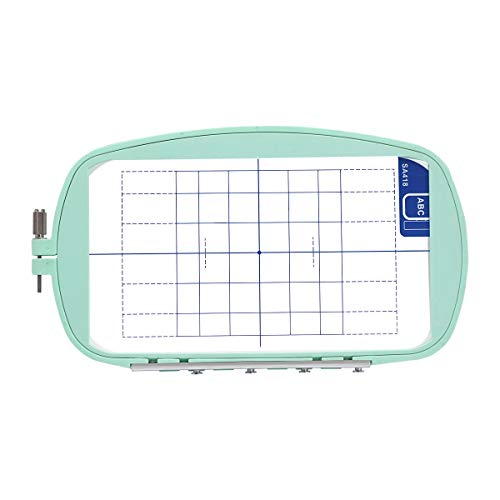
No. The PE150 uses a proprietary hoop that only fits that model. The SE700 and PE545 use different 4” x 4” hoops. The PE900 and SE2000 use their own 5” x 7” hoops. You’ll need to buy new hoops for any upgrade machine, though most bundles include them.
Will Artspira work if I don’t have Wi-Fi at home?
Yes, but you’ll need a local network for the initial connection. Some users set up a mobile hotspot from their phone to transfer designs when traveling. The machine also accepts USB drives, so you can work offline that way.
How much thread do the pre-wound bobbins hold compared to winding my own?
Pre-wound bobbins (like the ones in the PE900 5×7 bundle) typically hold about 105 yards—roughly twice what a standard home machine bobbin holds. That means fewer bobbin changes during large designs. However, they are not refillable; you throw them away after use.
Can I edit a design on the screen after I’ve started stitching?
Not on these models. If you pause mid-design, you can adjust placement or reposition the hoop, but you cannot change the design itself (like swap colors or add text). All editing must be done before you hit start. The preview screen helps catch mistakes ahead of time.