
Home Embroidery Machines: Space, Design Size and Running Costs
A home use embroidery machine should fit your designs, table clearance and complete preparation workflow. Choose a field that covers the motifs you will repeat, then budget for backing, thread, test blanks and any needed software. Cheap machine-only pricing does not establish a low total project cost. Read the seller’s applicable conditions and check the exact package before ordering. Choose a purchase that fits your actual project and support needs.

This guide has Amazon links. If you buy through them we may earn a small commission, at no extra cost to you.
A home use embroidery machine should fit your designs, table clearance and complete preparation workflow. Choose a field that covers the motifs you will repeat, then budget for backing, thread, test blanks and any needed software. Cheap machine-only pricing does not establish a low total project cost. Read the seller’s applicable conditions and check the exact package before ordering. Choose a purchase that fits your actual project and support needs.
What’s in this article12 sections
How this guide helps you choose
A home-workspace and total-setup guide, distinct from the first-time learner guide.
Options organized by use
| Option | Reason to compare | Practical selection note |
|---|---|---|
| Brother PE545 | Compact dedicated embroidery | A small-field comparison when a separate sewing machine is available. |
| Brother PE900 | Larger home motifs | Consider when design dimensions and cleanup workflow justify the larger field category. |
| Brother SE700 | Compact combined setup | Suitable to compare when one machine body must also construct ordinary seams. |
| Brother SE2000 | Larger combined setup | Evaluate the mixed-project schedule as well as the field. |
| Janome Memory Craft 550E | Large home-field comparison | Check workspace, the exact supplied hoops and dealer support before buying. |
| bernette 70 DECO | Dedicated alternative ecosystem | Compare file workflow and the precise seller bundle, not just the machine image. |
| Poolin EOC06 | Bundle-specific comparison | The verified Amazon item is a thread-and-bobbin bundle; inspect its contents and service arrangement. |

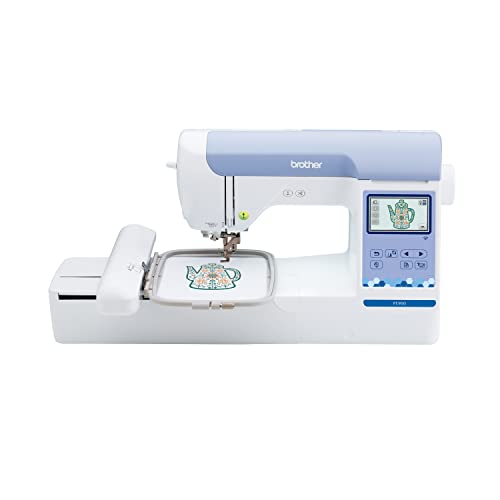
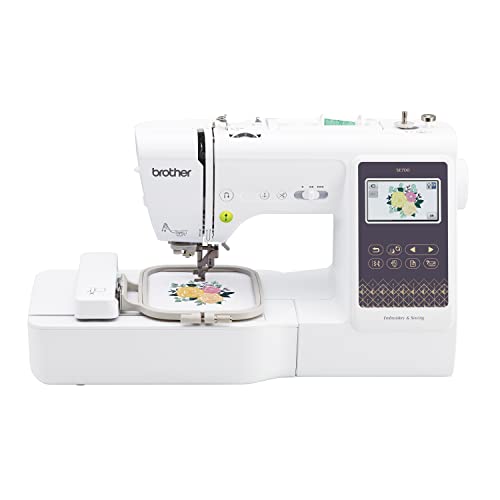


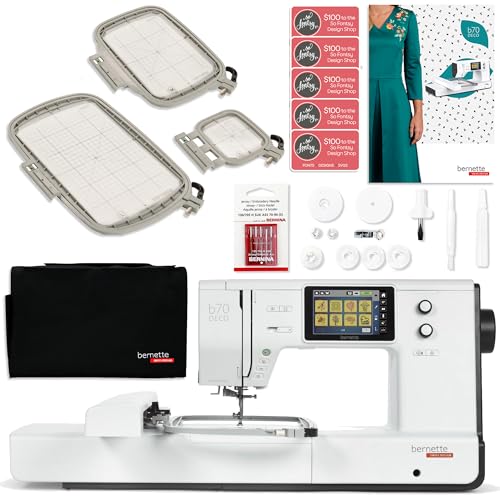

Amazon boxes cover only the specifically verified listings above. Manufacturer and dealer options without a verified ASIN are discussed separately. Bundle contents, condition and availability need checking in the current offer.
Measure the operating space, not only the machine body
Embroidery needs room for the hoop and carriage to move without striking a wall, object or hanging fabric. A machine that fits on a table when inactive may need a different working clearance. Follow the exact manual’s placement requirements and keep loose items out of the moving area.
Plan a separate flat surface for hooping and checking placement. Also provide storage for frames and supplies so they do not become obstacles during operation. For a combination model, think about where the removed embroidery unit will go while you sew ordinary seams.
Compare the relevant equipment categories using the embroidery machine buying guide.
Buy for the designs you will repeat
Record the dimensions of several real motifs and names. A compact field can be adequate for small personalization, while larger panels require a different category. The item’s overall size is not the same as the stitched design dimensions.
Consider access on finished blanks as well. A narrow opening or bulky seam can make hoop positioning difficult even when the file fits. If you can embroider a flat panel before construction, that may simplify access, but the placement must allow for seams and the later finished shape.
Plan design files and project sizes with the embroidery designs and file guide.
The cheap embroidery machine question is a complete-cost question
Compare the machine, correct frames, backing, thread, bobbins, needles, blanks, software where necessary, and service. Include the cost of learning samples. A low-price used unit can become expensive when the embroidery attachment or a required frame is missing.
Do not select a smaller field solely to keep the initial price down if your main design immediately requires a larger one. Equally, avoid a large production machine for occasional small home gifts unless a defined project justifies its added setup. Choose a complete workflow that you will actually use.
Connect construction and decoration steps using the sewing and embroidery project guide.
Keep your Windows design files organized
Use separate folders for original downloads, edited working files and tested production versions. Include project size in the filename where helpful. Similar previews can conceal different dimensions, stitch sequences or versions.
Check the current operating-system requirements for any manufacturer transfer software. The machine’s ability to import a file does not prove your computer supports a particular application. USB may provide a practical route on models that support it, but its format and file restrictions should be confirmed in the exact manual.
Build a repeatable home setup
Start with one stable fabric and a modest design. Record the working backing, needle, thread and placement. Inspect the sample after it is released from the hoop, and repeat it before moving to a more difficult stretch or pile fabric.
An organized setup reduces the chance of blaming the machine for a design or preparation issue. A home embroidery machine becomes useful through a process that can be repeated, not merely because it has a large onboard design library. Keep enough time and supplies for those learning steps.
Five advantages and two limitations
Advantages
- Workspace planning prevents clearance surprises.
- Design dimensions make field selection concrete.
- A complete-cost view clarifies low-price offers.
- Separate original and tested files reduce version mistakes.
- A repeatable sample process supports consistent home results.
Limitations
- A small home field may constrain long names and large panels.
- Supplies, software and preparation remain additional requirements.
Check the exact listing and documentation
Brother PE545: Check Brother PE545 listing
Brother PE900: Check Brother PE900 listing
Brother SE700: Check Brother SE700 listing
Brother SE2000: Check Brother SE2000 listing
Janome Memory Craft 550E: Check Janome Memory Craft 550E listing
bernette 70 DECO: Check bernette 70 DECO listing
Poolin EOC06: Check Poolin EOC06 listing
Frequently asked questions
What is a good embroidery machine for home use?
Choose a suitable field, operating clearance, transfer route and support arrangement for your actual designs. The options here are use-based comparisons.
Is the cheapest machine always the cheapest setup?
No. Missing frames, supplies, software, service and unsuitable field size can change the total cost.
Does it need a computer while stitching?
That depends on the exact machine and workflow. Confirm whether it operates from its own screen or requires external control.
Can a home embroidery machine sew a garment?
Only a true combination model also performs ordinary sewing. Dedicated embroidery machines decorate suitable prepared items.
Should I buy a used discontinued model?
Compare condition, complete accessories, a full demonstration and service cost. Do not treat discontinued status alone as either proof of failure or proof of value.
Related Practical Textile guides
- Brother sewing and embroidery comparison
- machine parts, needles and accessories
- embroidery machine category
Explore sewing, embroidery, dyeing, printing and other fabric topics at Practical Textile.
Sources and research method
Manufacturer pages, product documentation and exact listing identities were checked on 2026-10-13. Feature-based recommendations are editorial judgments; they are not measured performance results. Availability, software requirements, packages and lifecycle can change.
- https://www.brother-usa.com/p/sewing-embroidery/PE545
- https://www.brother-usa.com/p/sewing-embroidery/PE900
- https://www.janome.com/product/memory-craft-550e/
- https://www.bernette.com/en-US/models/bernette-70-deco
- https://www.poolinstore.com/pages/learn-education
- https://www.brother-usa.com/p/sewing-embroidery/SE700
- https://www.brother-usa.com/p/sewing-embroidery/SE2000
